
Stop Writing Like a Tool List
Many IT service pages sound like someone emptied a toolbox onto the screen: WordPress, DNS, Google Workspace, Odoo, hosting, email, automation, support. The words may be true, but the client still cannot tell what problem gets solved.
A useful service page turns technical work into a clear business promise. It tells the reader what is included, what is excluded, how the work starts, and what result is realistic.
This guide is for small IT service business owners writing their own pages for web development, business email systems, Odoo or any other ERP setup, and related support work.
Service Page Writing Map
- Stop Writing Like a Tool List
- Service Page Snapshot
- What a Strong IT Service Page Has to Say
- Write the Page From the Client’s Problem Backward
- Replace Generic Claims With Proof and Process
- Turn One Service Into a Repeatable Page
- IT Service Page FAQs
Service Page Snapshot
- Best for: Solo IT providers, micro-MSPs, web developers, email consultants, and ERP setup providers.
- Main takeaway: A service page should sell clarity before it sells skill.
- Time, cost, or effort: Plan 45 to 75 minutes for each first draft.
- Best result to expect: Better-fit inquiries because visitors understand the service before contacting you.
- When not to use this: Do not write a new page if you cannot define the scope, buyer, starting price range, or required client inputs.
What a Strong IT Service Page Has to Say
A service page should answer the questions a serious buyer has but may not ask out loud. Can you fix this kind of problem? Will this turn into a surprise bill? How does the work start?
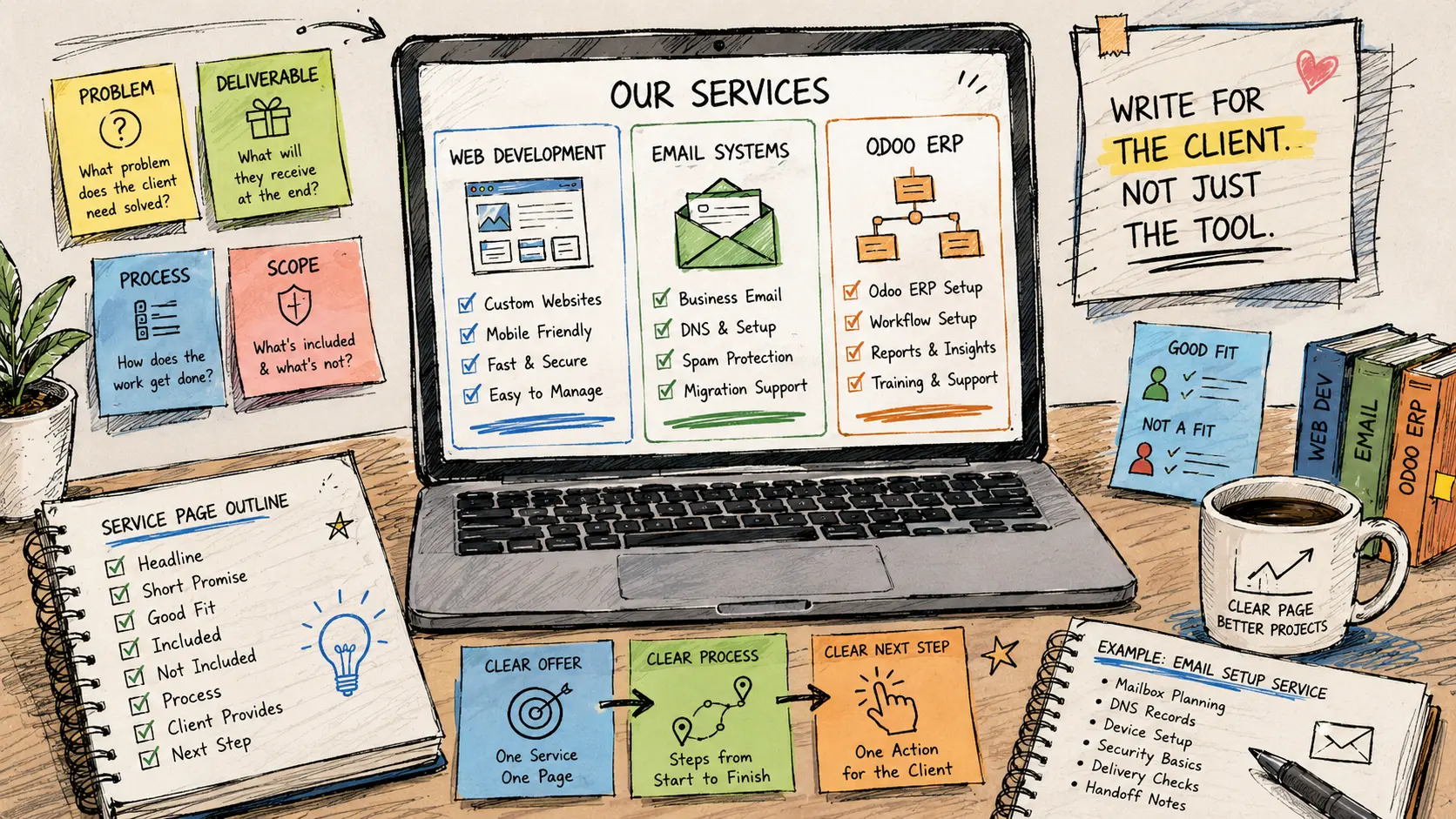
For IT providers, the best pages describe the service in three layers: the problem, the deliverable, and the process. Tools support the story, but they should not become the story.
The client-ready formula
- Problem: Name the situation the client recognizes, such as broken website forms, unreliable business email, scattered quotes, or messy project tracking.
- Service: Say what you do, such as rebuild a service page, set up domain email records, or configure a quote-to-invoice flow.
- Deliverable: Explain what the client receives, such as a published page, cleaned DNS records, mailbox checklist, ERP workflow, or handoff notes.
- Boundaries: State what is excluded or priced separately.
- Next step: Give the reader one clear action.
Mini scenario: same skill, better page
Generic version: “We offer professional web development services for businesses.”
Clearer version: “We build small-business service pages that explain your offer, collect useful leads, and make your company easier to contact from desktop and mobile.”
Both point to web work. The second one gives the reader a picture of the outcome.
Write the Page From the Client’s Problem Backward
Start with the problem the client feels, not the tool you prefer. A business owner usually does not wake up thinking, “I need better DNS alignment.” They think, “My emails are landing in spam,” or “Customers say they did not receive my quote.”
That shift matters. The page should begin with the visible symptom, then explain the technical work in plain language.
Practical drafting steps
- Name the buyer: Decide whether the page is for small businesses, other IT providers, local offices, ecommerce stores, or internal teams.
- Name the pain: Write one sentence about the problem in client language.
- List the deliverables: Include what the client can see, receive, test, or approve.
- Add the process: Explain how the project moves from request to review, build, test, and handoff.
- Set limits: Clarify what needs a separate quote, such as content writing, data migration, custom development, or emergency support.
Quick decision guide
- If your page is about web development, focus on pages, forms, mobile experience, content structure, and launch checks.
- If your page is about email systems, focus on mailboxes, aliases, DNS records, devices, security, and handoff.
- If your page is about Odoo or any other ERP, focus on one workflow at a time, such as quotes, projects, helpdesk, or invoices.
- Skip the page for now if the offer still sounds like “we do everything with computers.”
Replace Generic Claims With Proof and Process
Words like reliable, professional, affordable, and customized are not wrong. They are just overused. The better move is to show what those words mean in the project.
Instead of saying “reliable email setup,” explain that the setup includes mailbox structure, DNS record review, device access check, and a handoff note. Instead of saying “professional website,” explain that the service includes page structure, contact path, mobile review, and launch checklist.
Generic copy swaps
| Generic line | Stronger service-page version | Why it works |
|---|---|---|
| We provide web solutions | We build service pages, contact forms, and small-business websites that are easier to understand and maintain | Names the work and result |
| We handle business email | We set up business email accounts, aliases, DNS records, and basic delivery checks | Makes invisible work visible |
| We implement ERP systems | We help configure Odoo or any other ERP around quotes, tasks, invoices, and client follow-up | Ties ERP to workflow |
| Contact us for pricing | Send your current setup and goal, and we will tell you whether this is fixed-scope or hourly | Reduces vague inquiries |
Common mistakes
- Writing for technicians only: The buyer may not know the tool names, even if they own the problem.
- Promising too much: “Complete digital transformation” creates more doubt than confidence.
- Leaving out client responsibilities: If you need content, admin access, or approval, say so safely.
- Skipping exclusions: A clear “not included” section can prevent the wrong project from starting.
Turn One Service Into a Repeatable Page
A good service page is not just a marketing asset. It can become your sales script, intake checklist, and scope boundary.
Choose one service and write the page like a small package. For example, a “business email setup” page could include mailbox planning, DNS review, device setup guidance, delivery checks, and handoff notes. It should also explain what is separate, such as advanced migration, archive cleanup, or ongoing support.
A simple service-page outline
- Headline: Say the service and audience plainly.
- Short promise: Explain the practical result.
- Good fit: List who this service is built for.
- Included: Use five to eight bullets.
- Not included: Use three to five bullets.
- Process: Show the steps.
- Client provides: Name required access, content, approvals, and contacts.
- Next step: Use one main call to action.
45-minute writing checklist
- Pick one service only.
- Write the client problem in one sentence.
- List the exact deliverables.
- Add a “good fit” and “not included” section.
- Explain the process in four steps or fewer.
- Remove tool names that do not help the buyer decide.
Clear Pages Make Cleaner Projects
A service page should help the client decide whether to contact you, but it should also protect your time. Clear scope, deliverables, and process reduce confusion before the first call.
For small IT service businesses, that matters. You are not just selling technical skill. You are selling a calmer path from messy request to finished work.
Write One Page Before Rewriting the Whole Site
Start with your strongest service. If most of your best work comes from business email cleanup, write that page first. If web development pays the bills, start there. If ERP setup is the growth area, create one page for a narrow workflow instead of trying to explain the whole platform.
After one page works, use the same structure for the next service. That is how your website starts sounding organized instead of generic.
Final DIY check
- Does the page name one service clearly?
- Does the first section describe a real client problem?
- Are deliverables visible before pricing or contact?
- Does the page explain what is excluded?
- Can a visitor tell what to send you before the first call?
IT Service Page FAQs
Q1. How many services should one IT service page cover?
A1. One page should usually cover one main service or one tight service group. Web development, email setup, and ERP work deserve separate pages if each has its own buyer, process, and deliverables.
Q2. Should I mention tools like WordPress, Google Workspace, or Odoo?
A2. Yes, when the tool helps the buyer understand the service. Do not lead with a tool list. Lead with the client problem, then mention the tools that support the solution.
Q3. What makes an IT service page sound generic?
A3. A page sounds generic when it uses broad claims without specifics. If the copy says “professional solutions” but does not explain deliverables, process, limits, or next steps, it needs more detail.
Q4. Should I include pricing on IT service pages?
A4. Include a starting range or pricing model when it helps filter inquiries. If the work varies too much, explain what affects the estimate, such as number of mailboxes, pages, integrations, users, or migration needs.
By: Rex Iriarte
Why trust this: Raxan.net publishes practical small-business technology guidance focused on web systems, email workflows, service delivery, and client-facing operations.
Last updated: 2026-06-17
Disclosure: RaxanExpress.com is a related service provider. This post is written as DIY guidance and does not require buying services.



0 Comments