
Why “Free” Coding Apps Rarely Stay Free
A new AI coding app can sound like magic: type what you want, let the tool build it, and avoid hiring a developer. That promise is attractive, especially for small business owners, bloggers, freelancers, and students who just want a website, script, form, or simple app to work.
The problem is that “free” often means free to start, not free to finish. Claude Code, OpenClaw, Cursor, GitHub Copilot, Windsurf, and similar tools can save time, but the real bill may come from usage limits, premium models, extra credits, paid accounts, hosting, repairs, or cleanup after the tool makes mistakes.
This guide explains the pros and cons in plain English. No coding background required. The goal is simple: understand what you are actually agreeing to before a “quick free test” turns into another monthly subscription.
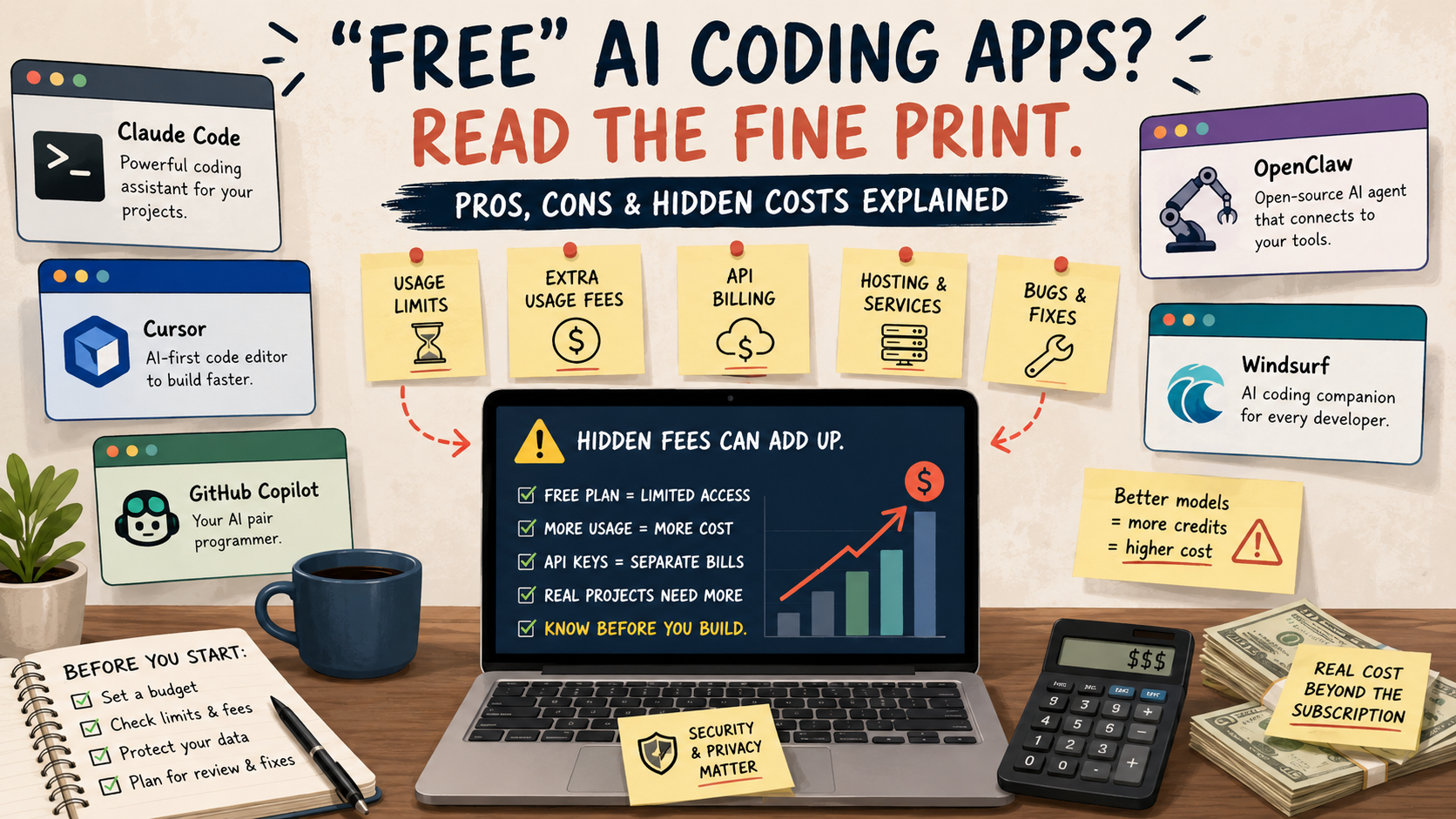
Before You Try a “Free” AI Coding App
- Why “free” coding apps rarely stay free
- Quick answer for non-technical users
- Claude Code, OpenClaw, and AI coding tools in plain English
- Where the hidden fees show up
- Pros and cons comparison
- A safer way to test these tools
- The bottom line on free AI coding apps
- FAQs
- References
Quick Answer for Non-Technical Users
- Best for: People who already have a small project, a clear goal, and someone available to review the final result.
- Main takeaway: The subscription price is only one part of the cost. Usage, add-ons, API billing, and fixing mistakes can matter more.
- Typical starting cost: $0 to $20 per month for light testing, but heavier use can push you into $60, $100, $200, or usage-based billing.
- Best result to expect: Faster drafts, prototypes, code explanations, and small changes.
- When not to use this: Do not rely on these apps alone for payment systems, legal forms, health data, customer databases, or anything that could hurt your business if it breaks.
For a non-technical person, the safest mindset is this: AI coding apps are assistants, not employees. They can write code, suggest fixes, and explain errors, but they do not guarantee that the finished product is secure, legal, affordable, or ready for customers.
Claude Code, OpenClaw, and AI Coding Tools in Plain English
Claude Code is a coding assistant from Anthropic. It is designed to work with code projects, understand files, make edits, and help with software tasks. It is powerful, but it is not the same thing as a normal free chatbot. Depending on how you access it, you may need a paid Claude plan, a team account, or pay-as-you-go API usage.
OpenClaw is different. It is more like a personal AI assistant or agent that can connect to tools and act through chat-style channels. That sounds convenient, but it also means more setup, more permissions, and more ways for costs to appear outside the app itself. Even when software is open source or free to install, the AI model running behind it may still cost money.
Cursor, GitHub Copilot, and Windsurf are more traditional AI coding environments. They are often easier to understand than a self-run agent because their pricing pages show familiar plan levels such as Free, Pro, Max, Business, or Teams. The catch is that the “free” plan usually comes with limits, while advanced models, agent features, cloud features, or extra usage may require paid plans.
Simple Terms Worth Knowing
- Usage limit: A cap on how much you can use the tool before waiting, upgrading, or paying more.
- API billing: Pay-as-you-go billing based on how much the AI model is used behind the scenes.
- Premium model: A more capable AI model that may use more credits or require a higher plan.
- Agent: A tool that can take multiple steps for you, such as reading files, changing code, running commands, or using connected services.
- Hosting: The cost of keeping your finished website or app online after the AI helps build it.
Mini Scenario: The “Free” Website That Wasn’t Free
Imagine a local tutor wants a simple booking website. They try a free AI coding tool and ask it to build a homepage, contact form, and calendar page. The first draft looks promising after one evening.
Then the costs start showing up. The free plan runs out of AI messages. The tool suggests upgrading to a $20 monthly plan. The calendar needs a paid scheduling service. The contact form needs email delivery, spam protection, and hosting. The AI-generated code has a bug, so the tutor pays a freelancer $150 to clean it up.
The AI helped. It also made the project feel cheaper than it really was. That is the hidden-cost pattern to watch.
Where the Hidden Fees Show Up
The biggest hidden cost is usually not a sneaky charge on day one. It is the gap between what the free tier lets you test and what a real project needs.
1. The Free Plan Is Often a Demo, Not a Work Plan
Free plans are useful for trying a tool. They are rarely enough for a serious project. GitHub Copilot Free, for example, has monthly limits on completions and chat. Cursor’s free Hobby plan lists limited Agent requests and limited Tab completions. Windsurf shows a free plan with a light usage allowance.
That is not automatically bad. Companies have to pay for AI compute. The issue is that a non-technical user may not realize how quickly a project can burn through usage when the tool keeps reading files, revising code, testing ideas, and correcting its own mistakes.
2. “Included” Usage Can Run Out
Some tools include usage inside a paid plan, but that does not mean unlimited practical use. Claude’s own help material explains that Claude and Claude Code activity can count against shared usage limits on paid plans. It also describes extra usage that can continue work after limits are reached, billed separately at standard API rates.
Plain English version: your monthly plan may be the cover charge, not the whole bill.
3. API Keys Can Turn Into Separate Charges
This is the part many non-technical users miss. An API key is like a paid access card that lets software talk to an AI model. If a tool uses your API key, the bill may go to that separate account, not the app where you are clicking around.
That matters for tools like OpenClaw and other agent-style apps. The app may be free to install, but if it relies on Claude, OpenAI, or another model provider, the model usage can still cost money. A person may think, “I already pay for a subscription,” while the tool is actually using a separate pay-as-you-go connection.
4. Better Models Can Cost More
Many tools now offer access to multiple models from different companies. The stronger model may be better at solving a hard problem, but it may also use more credits or belong to a higher-priced plan.
For simple tasks, a lower-cost model may be enough. For a messy codebase, a checkout system, or a large refactor, users often reach for the best model available. That is when “just one more run” can become expensive.
5. Hosting, Domains, Databases, and Email Are Separate
AI coding tools can help build an app, but the finished app may still need normal internet services:
- A domain name, often around $10 to $25 per year.
- Web hosting, often free for small tests but paid for serious use.
- A database if the app stores accounts, orders, bookings, or content.
- Email sending if the app sends contact forms, confirmations, or alerts.
- Security tools, backups, and monitoring if customers depend on it.
These are not always fees from Claude Code, OpenClaw, Cursor, Copilot, or Windsurf. They are still part of the true cost of using AI to build something.
Pros and Cons Comparison
| Tool | Best for | Pros | Cons and hidden-cost risks |
|---|---|---|---|
| Claude Code | People with a real code project and some technical help | Strong for reading code, editing files, and explaining problems | Not a casual free tool. Usage limits, extra usage, and API-key billing can confuse beginners |
| OpenClaw | Tinkerers who want a personal AI agent and can handle setup | Flexible, agent-style automation, can connect to everyday workflows | Free installation does not mean free operation. Setup, API keys, permissions, and troubleshooting can be risky for non-technical users |
| Cursor | People who want an AI-first code editor | Easier than command-line tools, clear paid tiers, useful for code changes | Free tier is limited. Pro, Pro+, Ultra, and usage-based features can raise the real monthly cost |
| GitHub Copilot | People already using GitHub or Visual Studio Code | Familiar brand, free plan for light use, paid plans for heavier use | Free limits are small for serious projects. Premium requests and usage-based billing can change the cost picture |
| Windsurf | People who want an AI coding editor with plan-based usage | Free, Pro, Max, Teams, and Enterprise options are visible on pricing page | Free usage is light. Extra usage may be charged at API price, and heavier users may need higher plans |
The pattern is consistent. The easier tools hide less setup pain but push users toward subscriptions. The more open or agent-style tools may avoid a simple subscription at first, but they can create harder-to-predict costs through model usage, permissions, and maintenance.
A Safer Way to Test These Tools
Before paying for anything, decide what “success” means. Do not start with “build me an app.” Start with a smaller, testable request.
Use This Four-Step Trial Plan
- Pick one tiny project. Example: “Make a simple contact form mockup” or “explain this error message.”
- Set a hard spending limit. For a first month, consider $0 for free testing or $20 for one paid plan. Avoid unlimited extra usage.
- Avoid connecting sensitive accounts. Do not connect business email, customer files, payment accounts, or private databases during the first test.
- Ask for a review. Before publishing anything, have a developer or experienced technical person check the code, security, and setup.
Quick Decision Guide
- If you only need code explanations, start with a free or low-cost tool and do not connect extra services.
- If you need real file editing across a project, Claude Code, Cursor, Copilot, or Windsurf may be more realistic than a simple chatbot.
- If you want an autonomous assistant that touches email, calendars, files, or messaging apps, be extra careful with OpenClaw-style tools.
- Skip AI coding tools for a customer-facing payment system unless a qualified developer reviews it before launch.
Common Mistakes to Avoid
Mistake: Turning on extra usage without a cap.
Fix: Set spending limits before a long coding session.Mistake: Thinking open source means no bill.
Fix: Check what AI model, hosting, and services the tool needs to run.Mistake: Publishing AI-generated code immediately.
Fix: Test it, review it, and back it up before using it with real customers.Mistake: Connecting too many accounts too soon.
Fix: Start with sample files and dummy data until you trust the workflow.Mistake: Comparing tools by monthly price only.
Fix: Compare limits, extra usage, model access, hosting, and repair costs.
The Hidden-Cost Worksheet
Use this before starting a “free” AI coding project.
| Cost question | Why it matters | Safe answer before starting |
|---|---|---|
| What happens when I hit the free limit? | You may need to wait or upgrade | I know the reset time or upgrade price |
| Is extra usage enabled? | It can create separate charges | It is off, capped, or clearly budgeted |
| Does this use an API key? | API usage may bill outside the app | I know which account gets charged |
| Does the finished app need hosting? | Building and running are different costs | I know the monthly hosting estimate |
| Will it touch customer data? | Privacy and security risks rise fast | No real customer data until review |
| Who will fix bugs? | AI code still breaks | I have a review plan or repair budget |
For a small personal experiment, the cost may stay near $0. For a real business tool, a more honest starter budget is often $20 to $60 for the AI tool, plus possible hosting and some human review time. If the project handles money, logins, or customer information, budget for professional review before launch.
The Bottom Line on Free AI Coding Apps
Claude Code, OpenClaw, Cursor, GitHub Copilot, Windsurf, and similar tools can be genuinely useful. They can speed up drafts, explain confusing code, and help small teams try ideas that once felt out of reach.
But the word “free” deserves skepticism. The real question is not “Can I start for free?” The better question is, “What will this cost when I use it enough to finish something?”
For non-technical users, the safest pick is usually the tool with the clearest pricing, the least account access, and the easiest way to stop before spending more. Avoid unlimited usage settings, avoid connecting sensitive accounts during testing, and get human review before using AI-generated code in public.
What to Do Before You Upgrade
Pick one tool, one small project, and one spending cap. Run the test for a week. If the tool saves time without creating confusion, consider a paid plan. If you keep hitting limits, seeing unclear charges, or needing help to fix what it creates, the “free” tool may not be the bargain it looked like.
Quick Checklist
- Confirm whether the free plan is limited by messages, credits, requests, or time.
- Check whether extra usage or API billing is enabled.
- Use sample data instead of real customer or business data.
- Ask who will maintain the code after the AI creates it.
- Budget for hosting, domain, database, email, and review costs.
- Cancel or downgrade tools you are not actively using.
FAQs
Q1. Is Claude Code free?
Claude Code is not the same as the free Claude chat experience. Access generally depends on a paid Claude plan, a team or enterprise setup, a Console account, or a supported provider. Usage limits and extra usage rules can still apply.
Q2. Is OpenClaw really free?
OpenClaw may be free or open to install, depending on how you use it, but the AI model behind it may still require a paid subscription, API key, hosting, or setup time. For non-technical users, the setup and permission risks can be more important than the download price.
Q3. Which AI coding tool is safest for beginners?
The safest tool is the one with clear pricing, limited permissions, easy cancellation, and no sensitive account connections during testing. For many beginners, a mainstream tool with a visible free tier and paid plan is easier to manage than a self-run agent.
Q4. What is the biggest hidden fee?
The biggest hidden fee is usually usage. A tool may be free for light testing, but real work can trigger paid plans, extra usage, premium models, API billing, or outside services such as hosting and databases.
Q5. Should I use these tools to build a business app?
You can use them for drafts and prototypes, but do not launch a business app that handles payments, logins, or customer data without a qualified review. AI can create code quickly, but quick code is not automatically secure or reliable.
By: Marcus Irizarry
Why trust this: Technology and IT service contributor reviewing public pricing pages, support documentation, and practical small-business risk factors for non-technical readers.
Last updated: 2026-05-11
Disclosure: Independent editorial comparison. No affiliate links or sponsored placement are included.
Disclaimer
Pricing, plan names, limits, and access rules can change. Check each tool’s current pricing page and account settings before subscribing, enabling extra usage, connecting accounts, or using generated code in a real business project.
References
- Claude Help Center: Use Claude Code with your Pro or Max plan
- OpenClaw GitHub repository
- Cursor pricing
- GitHub Docs: Plans for GitHub Copilot
- Windsurf pricing




0 Comments