
Why This 32-Inch TV/DVD Combo Needs a Reality Check
A 32-inch TV with a built-in DVD player can still be useful. It can also be the kind of device that looks convenient in a listing, then becomes awkward once you realize it is 720p, not smart, and depends on an internal DVD mechanism that may eventually wear out.
The Proscan PLDV321300 source is usable, but weak as a direct product post. It reads like an old affiliate listing, not a modern buyer guide. The useful angle is not “available now at Amazon.” The useful angle is whether a 32-inch 720p TV/DVD combo still makes sense for a guest room, kid-safe media corner, RV-style setup, waiting area, or spare-room screen.
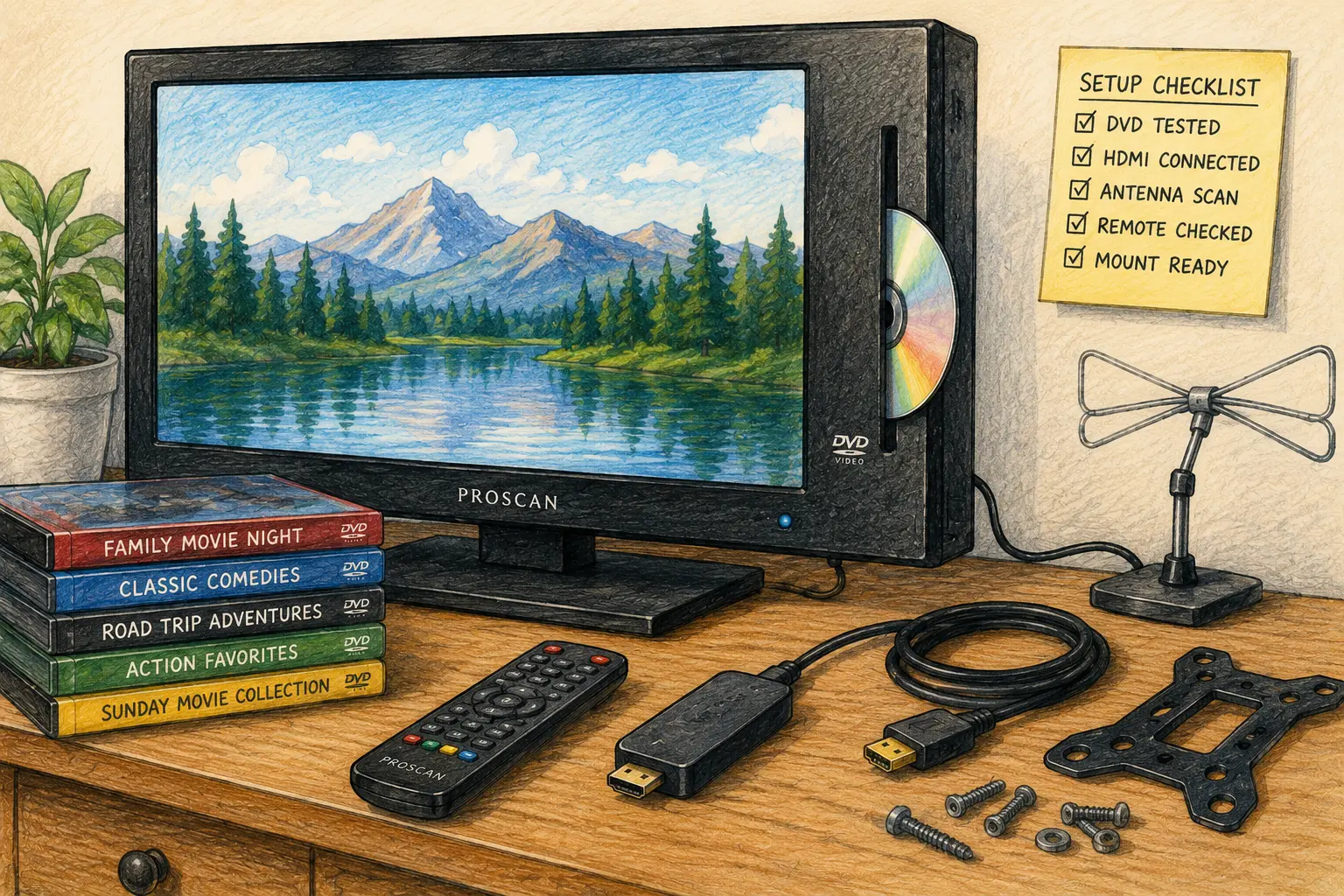
Proscan TV/DVD Buying Map
- Why This 32-Inch TV/DVD Combo Needs a Reality Check
- The 60-Second Proscan PLDV321300 Decision
- What the Proscan PLDV321300 Still Offers
- How to Check the Setup Before You Buy or Keep One
- 720p, DVD, Mounting, and Connection Mistakes
- What to Do Before It Becomes the Guest-Room TV
- Proscan TV/DVD Combo Questions People Ask
- References
The 60-Second Proscan PLDV321300 Decision
- Best for: Guest rooms, spare bedrooms, dorm corners, small waiting areas, DVD collections, and simple secondary TVs.
- Main takeaway: Buy or keep it for built-in DVD convenience and basic HDMI inputs, not because it competes with a modern smart TV.
- Time, cost, or effort: Spend 15 to 25 minutes checking DVD playback, HDMI ports, remote control, antenna scan, and mounting fit.
- Best result to expect: A simple 32-inch screen that plays discs and connects to a few devices without needing a separate DVD player.
- When not to use this: Skip it if you need 4K, modern streaming apps, fast smart-TV menus, premium gaming features, or a primary living-room screen.
What the Proscan PLDV321300 Still Offers
The Proscan PLDV321300 is a 32-inch direct LED HDTV/DVD combo with a slot-loading DVD player, ATSC/NTSC tuner, 16:9 aspect ratio, 1366 x 768 resolution, 60Hz refresh rate, and multiple inputs. The manufacturer listing also shows HDMI x 3, VGA, component video, coaxial, RF, PC audio, headphone, AV audio/video, and VESA 200mm x 200mm mounting.
That is a practical mix for an older secondary TV. Three HDMI ports matter because many small TVs only give you one or two. A built-in DVD player matters if the person using the TV still owns discs and does not want another box, cable, or remote.
The tradeoff is resolution and age. A 1366 x 768 panel is commonly sold as 720p class. That can be fine at 32 inches from a reasonable distance, but it is not the same as a modern 1080p or 4K screen.
Key terms worth knowing
- 720p class: A lower HD resolution category that can still look acceptable on smaller TVs.
- ATSC tuner: The digital TV tuner used for over-the-air broadcast channels in the United States.
- Slot-loading DVD player: A built-in disc drive that accepts a DVD without a pop-out tray.
- VESA 200mm x 200mm: A wall-mount screw pattern used by compatible TV brackets.
- 60Hz refresh rate: Standard TV refresh rate for everyday viewing, not a gaming upgrade feature.
A realistic spare-room scenario
Picture a guest room with a small dresser, one outlet, and a shelf of old DVDs. The goal is simple: local channels, a streaming stick, and a DVD player for visitors who do not want to log in to anything.
In that room, a TV/DVD combo can make sense. The built-in DVD player reduces clutter, the HDMI ports can handle a streaming stick or cable box, and the 32-inch size is comfortable for short viewing. The same TV would be a weaker choice for a main living room, a bright conference space, or a gamer who cares about sharp text and modern console features.
How to Check the Setup Before You Buy or Keep One
Start with the exact job. Is this for DVDs? Antenna TV? A streaming stick? A cable box? A laptop? A wall mount? The answer changes what you should inspect.
If buying used, test the DVD player first. Built-in disc mechanisms are convenient until they stop reading discs. A TV with a dead built-in DVD player may still work as a regular TV, but it loses the main reason to choose this category.
Practical test steps
- Plug the TV in and confirm the screen lights evenly.
- Test the remote, especially input, menu, volume, channel, and DVD controls.
- Insert a clean DVD and confirm loading, playback, pause, eject, and audio.
- Connect an HDMI device to at least one HDMI port.
- Run an antenna channel scan if over-the-air TV matters.
- Check the headphone, coaxial, or audio output if external sound matters.
- Confirm the VESA 200mm x 200mm mount pattern before buying a bracket.
Quick decision guide
- If you have a DVD collection, this type of combo can reduce cables and remote clutter.
- If you use streaming apps every day, use a current streaming stick through HDMI instead of expecting the TV to be smart.
- If you want free local channels, check antenna reception and run a full channel scan.
- If you plan to wall mount it, confirm mount pattern, weight rating, screw size, and cable access.
- Skip the unit if the DVD slot jams, the remote is missing, or the HDMI ports are loose.
720p, DVD, Mounting, and Connection Mistakes
The biggest mistake is reading “HDTV/DVD combo” and assuming the TV behaves like a current budget smart TV. It does not. This is better understood as a simple screen with a disc player built in.
The 720p-class resolution is the first limitation. For DVDs, local channels, and casual viewing, it can be acceptable. For small text from a laptop, modern game consoles, or close-up use, it may feel soft. A 32-inch 1080p TV will usually be sharper, and a 4K TV will give more room for modern content, even if the source does not always need 4K.
The DVD feature is the second tradeoff. It is convenient, but it is also a single point of failure. If the built-in DVD drive fails, you either use an external player through HDMI or treat the TV as a regular screen.
Common mistakes
- Buying it for modern streaming: Use a streaming stick or box through HDMI instead.
- Ignoring the DVD mechanism: Test loading, playback, and eject before relying on it.
- Assuming 1080i input means 1080p picture quality: The panel resolution is still 1366 x 768.
- Forgetting the remote: DVD menus and TV settings are much easier with the original remote.
- Mounting before testing: Check every port and the DVD slot before putting it on a wall.
TV/DVD combo alternatives
| Option | Best for | Pros | Cons |
|---|---|---|---|
| Proscan PLDV321300-style combo | Simple DVD use and spare rooms | Built-in DVD, multiple inputs, less cable clutter | 720p class, older design, DVD drive can fail |
| 32-inch 1080p TV plus DVD player | Sharper picture with separate disc player | Easier to replace one failed part | More cables and another remote |
| 32-inch smart TV | Streaming-first rooms | Built-in apps, newer menus, better app convenience | No disc playback unless you add a player |
| Used non-smart TV | Budget HDMI screen | Cheap and simple | No DVD, no apps, may have limited ports |
| Small monitor plus streaming device | Desk or office display | Better text clarity in many cases | Usually no tuner, remote, or DVD player |
What to Do Before It Becomes the Guest-Room TV
A spare-room TV should be easy for someone else to use. That means testing the setup like a guest, not like the person who knows where every remote is hidden.
Label the inputs in a simple way if your TV menu allows it. Put the DVD instructions nearby if the disc controls are not obvious. Leave one HDMI port reachable for a laptop or streaming stick. If the TV will use an antenna, run the channel scan after the antenna is placed in its final position, not while testing on the floor.
If the TV is going into a small office or waiting area, make the setup even simpler. Disable unused inputs when possible, set a reasonable volume limit if the menu supports it, and keep the remote in one predictable place.
The Bottom Line on the Proscan PLDV321300
The Proscan PLDV321300 can still make sense as a simple 32-inch TV/DVD combo for a secondary room. Its strengths are convenience, built-in DVD playback, multiple inputs, tuner support, and wall-mount compatibility.
Its limits are just as important. It is a 720p-class screen, not a modern smart TV. The DVD drive needs testing. Streaming should be handled by a separate current device. If that tradeoff sounds fine, it can still do useful work without pretending to be something newer.
Run This Quick Room Test First
Before buying, keeping, or mounting one, test it in the room where it will actually be used. Ten minutes on a kitchen counter is not the same as daily use on a guest-room dresser.
Final checklist
- Test a real DVD from start to menu to eject.
- Connect a streaming stick or HDMI source.
- Check the remote and battery compartment.
- Run an antenna scan if local channels matter.
- Confirm the VESA 200mm x 200mm mount fit.
- Check whether 720p looks acceptable from the viewing distance.
- Keep an external DVD player in mind if the built-in drive fails later.
Proscan TV/DVD Combo Questions People Ask
Q1. Is the Proscan PLDV321300 a smart TV?
A1. No, it should be treated as a basic HDTV/DVD combo. If you want Netflix, YouTube, Hulu, or other current streaming apps, use a separate streaming stick or streaming box through HDMI.
Q2. Is 720p enough on a 32-inch TV?
A2. It can be enough for DVDs, local channels, and casual viewing from a normal bedroom or guest-room distance. It is not ideal for close-up text, computer use, modern gaming detail, or anyone expecting 1080p or 4K sharpness.
Q3. What should I test before buying one used?
A3. Test the DVD slot, remote, HDMI ports, sound, screen brightness, antenna tuner, and wall-mount pattern. The DVD drive is especially important because it is the feature that separates this from a regular basic TV.
Q4. Can I wall mount the Proscan PLDV321300?
A4. The product listing identifies a VESA 200mm x 200mm mount pattern. You still need a compatible bracket, the correct screws, a safe wall surface, and cable clearance before installing it.
Q5. Is a TV/DVD combo better than buying separate devices?
A5. It is better when you want fewer cables and simple DVD playback in a secondary room. Separate devices are better when you want sharper picture quality, easier repairs, newer smart features, or a DVD player that can be replaced without replacing the TV.
By: Marcus Irizarry
Why trust this: This guide turns a thin product listing into a practical device checklist using the supplied source details, manufacturer specifications, retail listing details, and over-the-air TV setup guidance.
Last updated: 2026-06-17
Disclosure: The source HTML included an affiliate-style Amazon reference, but no paid placement influenced this rewrite.
References
- Proscan — “32″ Direct LED TV/DVD Combo.” https://www.proscanvideo.com/product/pldv321300
- Proscan — “Manuals & Downloads.” https://www.proscanvideo.com/manuals-downloads
- Walmart — “Proscan 32 Class 720P TV/DVD Combo, Black, PLDV321300.” https://www.walmart.com/ip/Proscan-32-Class-720P-TV-DVD-Combo-Black-PLDV321300/37451844
- FCC — “DTV Reception Maps.” https://www.fcc.gov/media/engineering/dtvmaps



0 Comments