
Why This “Factory Unlocked” HTC 8S Needs a Warning
The HTC 8S was a real Windows Phone-era device with a colorful design, 4-inch screen, 5 MP camera, microSD support, and Windows Phone 8. In 2012, that was a usable midrange phone.
In 2026, a listing that says “factory unlocked,” “AT&T,” “T-Mobile,” and “brand new” needs a different kind of article. The useful question is not whether the HTC 8S was interesting when it launched. The useful question is whether it can still be activated, trusted, charged safely, or used without creating frustration.
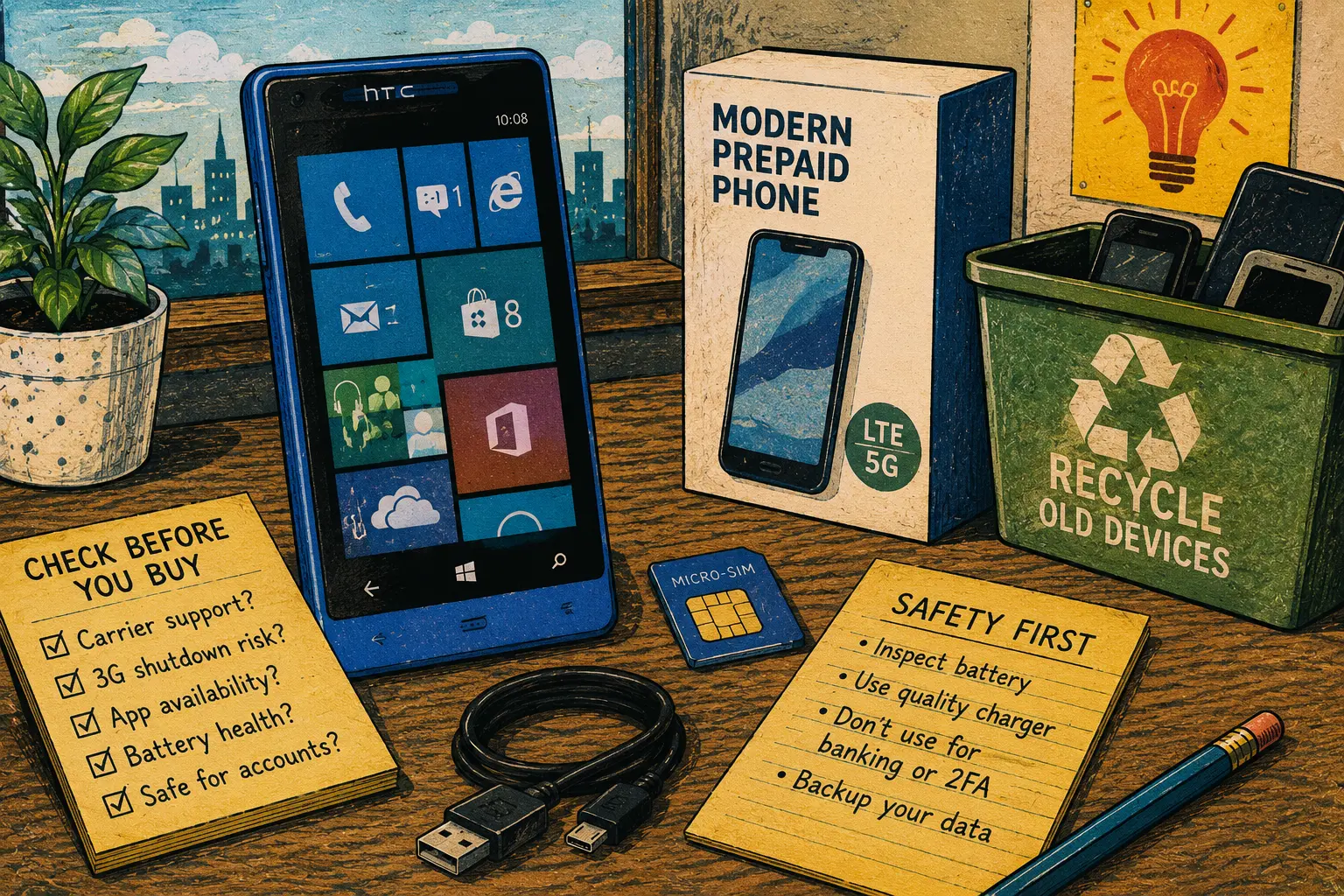
HTC 8S Safety and Reuse Map
- Why This “Factory Unlocked” HTC 8S Needs a Warning
- The 60-Second HTC 8S Decision
- What the HTC 8S Was Built to Do
- Carrier Support, App Limits, and Account Risk
- What to Check Before Buying or Reusing One
- Better Options for Calls, Photos, and Backup Use
- HTC 8S Windows Phone Questions People Ask
- Disclaimer and References
The 60-Second HTC 8S Decision
- Best for: Collectors, old-phone hobbyists, offline music, basic camera experiments, or learning how Windows Phone hardware aged.
- What this covers: Carrier support, old Windows Phone software, app access, battery checks, account safety, and safer alternatives.
- What this does not cover: It does not recommend the HTC 8S as a primary phone, business phone, emergency phone, banking device, or child’s main phone.
- Main caution: “Factory unlocked” does not mean “works on today’s U.S. networks.”
- When to get professional help: Ask the carrier or a qualified repair shop before relying on an old phone for calls, family contact, accessibility needs, or work.
What the HTC 8S Was Built to Do
The HTC 8S came from the early Windows Phone 8 era. The pasted listing describes GSM 2G bands, 3G HSDPA bands, a Micro-SIM slot, 4 GB internal storage, 512 MB RAM, a 4-inch 480 x 800 display, a 5 MP rear camera, 720p video recording, Wi-Fi 802.11 b/g/n, Bluetooth 3.1, GPS, microSD storage, and no front-facing camera.
Those specs make sense for a 2012 midrange phone. They do not make sense as a modern smartphone recommendation. The small storage, old operating system, limited app support, aging battery, and retired carrier networks change the entire buying decision.
Key terms worth knowing
- Factory unlocked: The phone is not tied to one carrier lock, but network compatibility is still separate.
- Windows Phone 8: Microsoft’s old mobile operating system generation, no longer a current phone platform.
- 3G HSDPA: Older mobile data technology that many U.S. carrier networks have already retired.
- Micro-SIM: A larger SIM size than the nano-SIM used in many newer phones.
- 512 MB RAM: Very limited memory by modern smartphone standards.
A realistic buyer scenario
Picture a buyer seeing a “new in box” HTC 8S for $30 to $60. It looks clean, the blue shell is attractive, and the listing says unlocked. The buyer thinks it could work as a backup phone for an older relative, a child, or a glove box.
That is the dangerous part. A phone can look new, hold a charge for a few minutes, and still be a poor choice for real communication. If the carrier will not activate it, if apps no longer work, or if the battery has aged badly in storage, the low price stops looking clever.
Carrier Support, App Limits, and Account Risk
The HTC 8S should be treated as an old device with three separate problems: network support, software support, and account safety.
First, U.S. carrier support has changed. The FCC warned consumers about the phaseout of older 3G cellular networks, and major carriers retired older network services during the 2022 transition. That matters because a phone built around old GSM and 3G bands may not activate or work reliably on current U.S. service, even if it is unlocked.
Second, Windows Phone software support is long past its normal life. Microsoft ended support for Windows Phone 8.1 on July 11, 2017. That means no new Microsoft security updates or normal support for that generation. The Windows Phone app ecosystem also faded, so the phone should not be bought for app access.
Third, account risk matters. An unsupported phone should not be used for banking, password managers, school accounts, work email, two-factor authentication, or anything that could lock you out if the device stops working. Old phones make especially poor account-recovery devices because they may fail when you need them most.
What not to assume
- Do not assume unlocked means compatible: SIM freedom is not the same as carrier activation.
- Do not assume the app store works: Windows Phone app access is not a dependable reason to buy one today.
- Do not assume “new box” means fresh battery: A lithium battery can age even when the phone sits unused.
- Do not assume old 3G bands are enough: Current carrier voice and data requirements may be different.
- Do not assume it is safe for important accounts: Unsupported software is a poor place for sensitive logins.
What to Check Before Buying or Reusing One
If you already own an HTC 8S, the safest approach is to decide what job it can still do. If the job is “make reliable calls in 2026,” ask the carrier first. If the job is “collect, test, or use offline,” the phone may still have limited hobby value.
Before buying one, ask for photos of the exact model label, startup screen, battery behavior, SIM tray, charging port, and included accessories. Avoid listings that lean heavily on “AT&T,” “T-Mobile,” or “factory unlocked” without proving current activation support.
Safer next steps
- Confirm the exact HTC 8S model and supported bands before buying.
- Ask the carrier whether that exact model can be activated today.
- Check the SIM size and whether an adapter would be needed.
- Avoid signing in with sensitive Microsoft, Google, banking, school, or work accounts.
- Inspect the battery area for swelling, heat, leakage, or case separation.
- Use only a known-good charger and cable with appropriate ratings.
- Treat app access as unreliable unless you can test it yourself.
- Recycle the phone if it cannot be activated, updated, charged safely, or used for a harmless offline purpose.
Red flags or when to seek help
- The seller claims it works on a carrier but will not show it making a call.
- The phone heats up while charging or the case looks pushed open.
- The listing says “newest model” even though the HTC 8S was announced in 2012.
- The phone is intended for a child, older adult, employee, or emergency backup line.
- The device will be used for two-factor authentication or account recovery.
- The carrier cannot confirm activation for that exact model.
Better Options for Calls, Photos, and Backup Use
A Windows Phone 8 device can be fun for a collector, but it is rarely the best practical answer. The better option depends on the real need.
For basic calling, choose a current prepaid LTE or 5G phone that the carrier confirms will activate. For a simple backup phone, a modern feature phone may be safer than a decade-old smartphone. For photos, even a low-cost used Android or iPhone with current network support will usually be easier to use, easier to charge, and easier to replace.
If the HTC 8S is already in a drawer, it may still work as an offline curiosity. You could use it for old-device comparison photos, a music player with files already loaded, or a small piece of tech history. Keep it away from sensitive accounts.
Safer device alternatives
| Option | Best for | Pros | Cons |
|---|---|---|---|
| HTC 8S Windows Phone | Collectors and offline experiments | Interesting design, compact size, microSD support | Unsupported software, weak app access, carrier risk |
| Current prepaid smartphone | Calls, texts, apps, family use | Modern network support and safer app compatibility | Costs more than an old listing |
| Basic LTE feature phone | Voice and text without app clutter | Simple, current carrier support when confirmed | Limited apps and camera quality |
| Used modern smartphone | Budget replacement phone | Better app support and network compatibility | Must check locks, battery, and update status |
| Recycled old phone | Devices with unsafe batteries or no use | Clears clutter and reduces risk | No reuse value |
The Bottom Line on the HTC 8S
The HTC 8S was a stylish Windows Phone from a different mobile era. That does not make it a smart everyday phone in 2026.
Buy or keep one only if you understand the limits: carrier activation may fail, the software is unsupported, app access is not dependable, and the battery may be old even if the box looks untouched. For real calls, family safety, school, work, or business, choose a currently supported phone instead.
Make the Decision Before You Spend Money
Before buying, write down the one job this phone needs to do. If that job involves dependable calls, current apps, account recovery, maps, banking, work email, or emergency use, the HTC 8S is the wrong tool.
Quick safety checklist
- Check the exact model, not just the sales title.
- Ask the carrier about activation before buying.
- Avoid old Windows Phone devices for sensitive accounts.
- Treat app access as uncertain.
- Inspect the battery before charging.
- Do not rely on it for emergency calls or family safety.
- Prefer a current LTE or 5G phone for daily service.
- Recycle it if the battery, charging port, or activation status is questionable.
HTC 8S Windows Phone Questions People Ask
Q1. Will the HTC 8S still work on AT&T or T-Mobile?
A1. Do not assume it will. The phone may be factory unlocked, but U.S. carrier activation depends on current network support, voice requirements, bands, and the exact model. Ask the carrier before buying or relying on it.
Q2. Is the HTC 8S safe to use for email or banking?
A2. It is not a good choice for sensitive accounts. Windows Phone 8.1 support ended years ago, and old mobile software should not be trusted for banking, password managers, school accounts, work email, or account recovery.
Q3. Can I still install apps on an HTC 8S?
A3. App access should be treated as unreliable. The Windows Phone ecosystem is no longer a normal current app platform, so buy the phone only if you are comfortable using it with little or no app support.
Q4. Is a “new old stock” HTC 8S better than a used one?
A4. Not always. A clean box may protect the shell and accessories, but it does not reset the age of the platform or guarantee a healthy battery. The phone can still have carrier, software, and charging risks.
Q5. What should I buy instead of an HTC 8S for basic calls?
A5. For real calls and texts, choose a current prepaid LTE or 5G phone that your carrier confirms will activate. A modern basic feature phone may also be better if you want simple calling without smartphone apps.
By: Marcus Irizarry
About the author: Marcus writes practical technology explainers for everyday users, small businesses, older devices, and reuse decisions.
Last updated: 2026-06-17
Disclosure: The source HTML included an affiliate-style Amazon reference, but no paid placement influenced this rewrite.
Disclaimer
This article is general educational information about old phones, carrier compatibility, device reuse, and basic safety checks. It is not a guarantee that any specific phone will or will not work on a carrier. Confirm activation, account safety, and battery concerns with the carrier, manufacturer support resources, or a qualified repair professional.
References
- Microsoft Learn — “Support for Windows Phone 8.1 has ended.” https://learn.microsoft.com/en-us/lifecycle/announcements/windows-phone-8-1-end-of-support
- FCC — “Plan Ahead for Phase Out of 3G Cellular Networks and Service.” https://www.fcc.gov/consumers/guides/plan-ahead-phase-out-3g-cellular-networks-and-service
- T-Mobile — “T-Mobile Network Evolution.” https://www.t-mobile.com/support/coverage/t-mobile-network-evolution
- PhoneArena — “HTC 8S announced: more colors to the Windows Phone 8 masses.” https://www.phonearena.com/news/HTC-8S-announced-more-colors-to-the-Windows-Phone-8-masses_id34646
- EPA — “Electronics Donation and Recycling.” https://www.epa.gov/recycle/electronics-donation-and-recycling



0 Comments