
Why a Small Business Calculator Still Needs a Checklist
A pocket-size business calculator can look boring until someone needs a selling price, tax total, discount, or margin number while standing at a counter, packing table, reception desk, or trade-show booth.
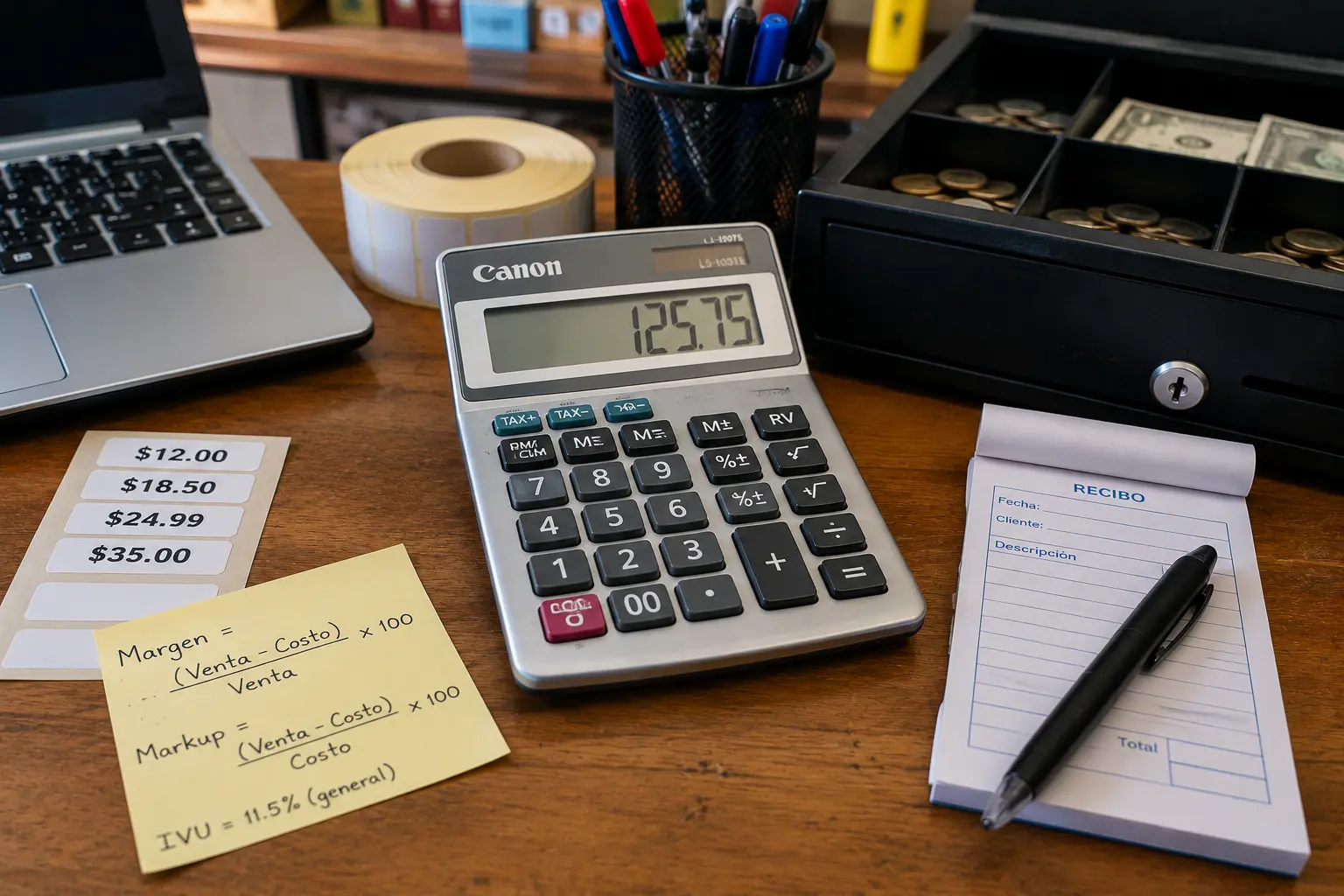
The Canon LS-100TS-style listing points to a useful category: small calculators with cost, sell, margin, tax, memory, square root, sign-change, and 10-digit display features. That can help with quick math, but it is not a substitute for accounting software, a point-of-sale report, or professional tax guidance.
The practical question is simple: when is a business calculator useful, and when should the numbers move into a spreadsheet or bookkeeping system?
Business Calculator Decision Map
- Why a Small Business Calculator Still Needs a Checklist
- The 60-Second Business Calculator Decision
- What a Margin and Tax Calculator Actually Helps With
- Where a Calculator Can Mislead a Business Owner
- How to Choose Between a Calculator, Spreadsheet, or POS Report
- Before You Put It on the Counter
- Business Calculator Questions People Ask
- Disclaimer and References
The 60-Second Business Calculator Decision
- Best for: Retail counters, small offices, service desks, market tables, repair shops, and anyone doing quick cost, sell, margin, tax, and discount math.
- What this covers: Calculator features, realistic business uses, margin-key limits, tax-rate caution, and safer alternatives.
- What this does not cover: Tax filing, accounting advice, financial planning, or customized pricing strategy.
- Main caution: A calculator can compute a number correctly from wrong assumptions.
- When to get professional help: Ask an accountant, bookkeeper, tax professional, or qualified business advisor before relying on calculator results for tax filings, payroll, formal quotes, or major pricing changes.
What a Margin and Tax Calculator Actually Helps With
A business calculator is not special because it adds and subtracts. Any cheap calculator can do that. The useful part is having dedicated keys for common business math, especially cost, selling price, margin, tax, percentage changes, memory, and running totals.
Canon’s LS-100TS is listed by Canon as a mini desktop calculator with tax and business calculation features, a large LCD display, 10-digit capacity, upright angle display, solar and battery power, and rubber feet. Office retail listings also describe cost, sell, margin, profit margin, tax, square root, sign-change, memory, and automatic power-off functions.
That makes this type of calculator useful for fast “desk math,” not full business analysis.
Key terms to know
- Cost: What the item, part, material, or input costs the business before markup.
- Selling price: The price charged to the customer before or after tax, depending on the calculation.
- Margin: Profit as a percentage of the selling price, not the same as markup.
- Markup: Increase over cost, often confused with margin.
- Tax key: A shortcut that applies a stored tax rate, only useful if the rate is correct.
- Memory key: A way to store and reuse one number during a multi-step calculation.
A realistic counter scenario
A small repair shop buys a replacement part for $18.50 and wants to quote it with a margin that leaves room for handling, warranty risk, card fees, and time spent ordering. The person at the counter does not want to open a laptop just to check one line item.
A business calculator can help estimate that price quickly. The issue is not the calculator. The issue is whether the shop owner understands which costs belong in the calculation. If the owner forgets shipping, labor, payment fees, or tax rules, the calculator will still give a clean-looking number. It just will not be the whole business picture.
Where a Calculator Can Mislead a Business Owner
Margin keys are helpful, but they can create false confidence. Many people use margin and markup as if they were the same thing. They are not.
If a product costs $50 and sells for $100, the markup is 100 percent because the price doubled from cost. The margin is 50 percent because the profit is half of the selling price. A calculator can help with the arithmetic, but the user still has to know which concept the business is using.
Tax keys need the same caution. A stored tax rate is convenient for quick estimates, but tax rules can vary by location, product type, service type, exemption, marketplace, and business setup. A tax key should not be treated as tax advice.
What not to assume
- Do not assume margin equals markup: They answer different pricing questions.
- Do not assume one tax rate fits every sale: Tax treatment can depend on location and item type.
- Do not assume 10 digits is enough for every job: It is fine for routine counter math, but not for large invoices or detailed reports.
- Do not assume calculator totals are business records: They need to be entered into a proper system if they affect sales, quotes, inventory, or taxes.
- Do not assume a calculator replaces review: Recheck important quotes before sending them to a customer.
Common mistakes
- Using the tax key without checking the stored rate: Reconfirm it after battery changes, staff changes, or tax-rate updates.
- Quoting from memory: Write down the cost, margin target, tax treatment, and final number before giving a customer a price.
- Ignoring fees: Card fees, platform fees, packaging, shipping, and returns can eat into the “profit” you thought you had.
- Using one margin for everything: Parts, labor, subscriptions, and custom work may need different pricing logic.
- Keeping no paper trail: A quick calculator result should still become a note, invoice, estimate, or POS entry.
How to Choose Between a Calculator, Spreadsheet, or POS Report
A business calculator is best when speed matters and the risk is low. It works well for a quick discount, a small markup check, a simple tax estimate, or a rough counter quote.
A spreadsheet is better when the calculation has several moving parts. For example, if a service business needs labor, parts, mileage, subcontractor cost, payment fees, and warranty allowance in one quote, a spreadsheet or quoting tool is safer than a handheld calculator.
A POS or bookkeeping system is better when the result becomes part of your records. If the number affects inventory, sales tax reports, invoices, revenue tracking, or customer history, it should not live only on a calculator screen.
Safer next steps
- Use the calculator for quick math, not final accounting records.
- Write down the inputs before trusting the result.
- Confirm whether you are calculating margin, markup, discount, or tax.
- Store tax rates carefully and review them when rules or locations change.
- Move repeated pricing formulas into a spreadsheet, POS system, or quote template.
- Ask a professional before making tax or accounting decisions from calculator shortcuts.
Calculator vs spreadsheet vs POS
| Option | Best for | Pros | Cons |
|---|---|---|---|
| Business calculator | Quick counter math and simple margin checks | Fast, cheap, portable, no login needed | Easy to forget inputs or use the wrong formula |
| Spreadsheet | Repeatable pricing formulas and quote planning | Can show costs, formulas, notes, and revisions | Requires setup and careful version control |
| POS system | Sales records, inventory, and tax reporting | Keeps transaction history and reports | Takes more setup and may have monthly costs |
| Accounting software | Invoices, expenses, and financial records | Better for books, reports, and accountant review | Not as quick for casual counter math |
| Phone calculator app | Emergency math away from the desk | Always nearby | No dedicated business keys and easy to distract yourself |
Before You Put It on the Counter
A small calculator can still be part of a serious workflow. The best setup is simple: keep the calculator near the work area, keep a notepad or quote form nearby, and decide which calculations are allowed to happen casually.
For example, a staff member may be allowed to calculate a 10 percent discount or estimate a tax-included price, but not change the standard margin on a service package without approval. That protects the business from accidental underpricing.
The calculator should support the workflow, not become the workflow.
Red flags or when to seek help
- A staff member is using the calculator to create final tax numbers for filing.
- The same product gets different prices because people calculate margin differently.
- Quotes are being sent without written assumptions.
- A stored tax rate has not been reviewed in months.
- Discounts are calculated casually but not tracked in the POS or invoice system.
- A business owner is using calculator results to decide payroll, tax, debt, or legal matters.
The Bottom Line on Business Calculators
A business calculator like the Canon LS-100TS can be useful for quick margin, tax, discount, and memory-key math. It is practical office equipment, especially for counters, small desks, and staff who need fast results without opening a laptop.
The limit is important. A calculator gives an answer based on what you enter. It does not know your tax situation, pricing strategy, bookkeeping rules, or real cost structure. Use it for speed, then move important numbers into a system you can review later.
Make the Calculator Part of a Pricing Routine
Before buying or assigning a business calculator, decide which tasks it should handle. Quick estimates are fine. Final tax records, formal pricing strategy, and large quotes deserve better documentation.
Quick safety checklist
- Confirm the calculator has cost, sell, margin, tax, memory, and percent keys if those matter.
- Check that the display is readable from the desk angle where it will be used.
- Set and verify any stored tax rate before daily use.
- Train staff on the difference between margin and markup.
- Write down quote inputs before giving a final customer number.
- Move repeated formulas into a spreadsheet or POS workflow.
- Ask an accountant or tax professional before using calculator results for tax decisions.
Business Calculator Questions People Ask
Q1. Is a business calculator still useful if I have a phone?
A1. Yes, for quick desk or counter work. A dedicated calculator has physical keys, a stable display, and no notifications. A phone works in a pinch, but it is easier to interrupt yourself or lose the calculation while switching apps.
Q2. What is the most useful feature on a business calculator?
A2. For many small businesses, the cost, sell, and margin keys are the main reason to buy one. Tax, percent, memory, and sign-change keys are also useful for everyday desk math.
Q3. Can I use a tax calculator key for real tax reporting?
A3. Use it only for quick estimates unless your accountant or tax professional has confirmed the correct setup and use. Tax rates and rules can vary, so final reporting should be handled through proper records and qualified advice.
Q4. Is margin the same as markup?
A4. No. Markup compares profit to cost. Margin compares profit to selling price. Confusing the two can cause underpricing, especially in retail, repair, and service businesses.
Q5. Should I buy the Canon LS-100TS specifically?
A5. It may be a practical choice if you want a compact 10-digit calculator with tax and business functions. Compare it with other calculators by display readability, key layout, power source, return policy, and whether the margin keys match how your business actually prices work.
By: Marcus Irizarry
About the author: Marcus writes practical technology explainers for everyday users, small businesses, and older office-device decisions.
Last updated: 2026-06-17
Disclosure: The source HTML included an affiliate-style Amazon reference, but no paid placement influenced this rewrite.
Disclaimer
This article is general educational information about office calculators and business math workflows. It is not tax, accounting, legal, or financial advice. For tax filings, bookkeeping rules, payroll, formal pricing strategy, or major business decisions, consult a qualified professional.
References
- Canon Canada — “LS-100TS Overview.” https://www.canon.ca/en/product?category=%2Fen%2Fproducts%2FOther-Products%2FCalculators%2FBasic-Calculators&name=LS-100TS
- Canon Electronic Business Machines H.K. — “LS-100TS.” https://ebmhk.canon/product/ls-100ts/
- Office Depot — “Canon LS-100TS Calculator.” https://www.officedepot.com/a/products/776611/Canon-LS-100TS-Calculator/
- U.S. Small Business Administration — “Calculate your startup costs.” https://www.sba.gov/business-guide/plan-your-business/calculate-your-startup-costs



0 Comments