
Why Passwordless Feels Like a Stage Illusion
Passwordless sign-in sounds like the kind of feature that should make life easier. No more remembering whether your password ends with 7, 77, exclamation point, or the name of a childhood pet you now feel guilty about using as a cybersecurity sacrifice.
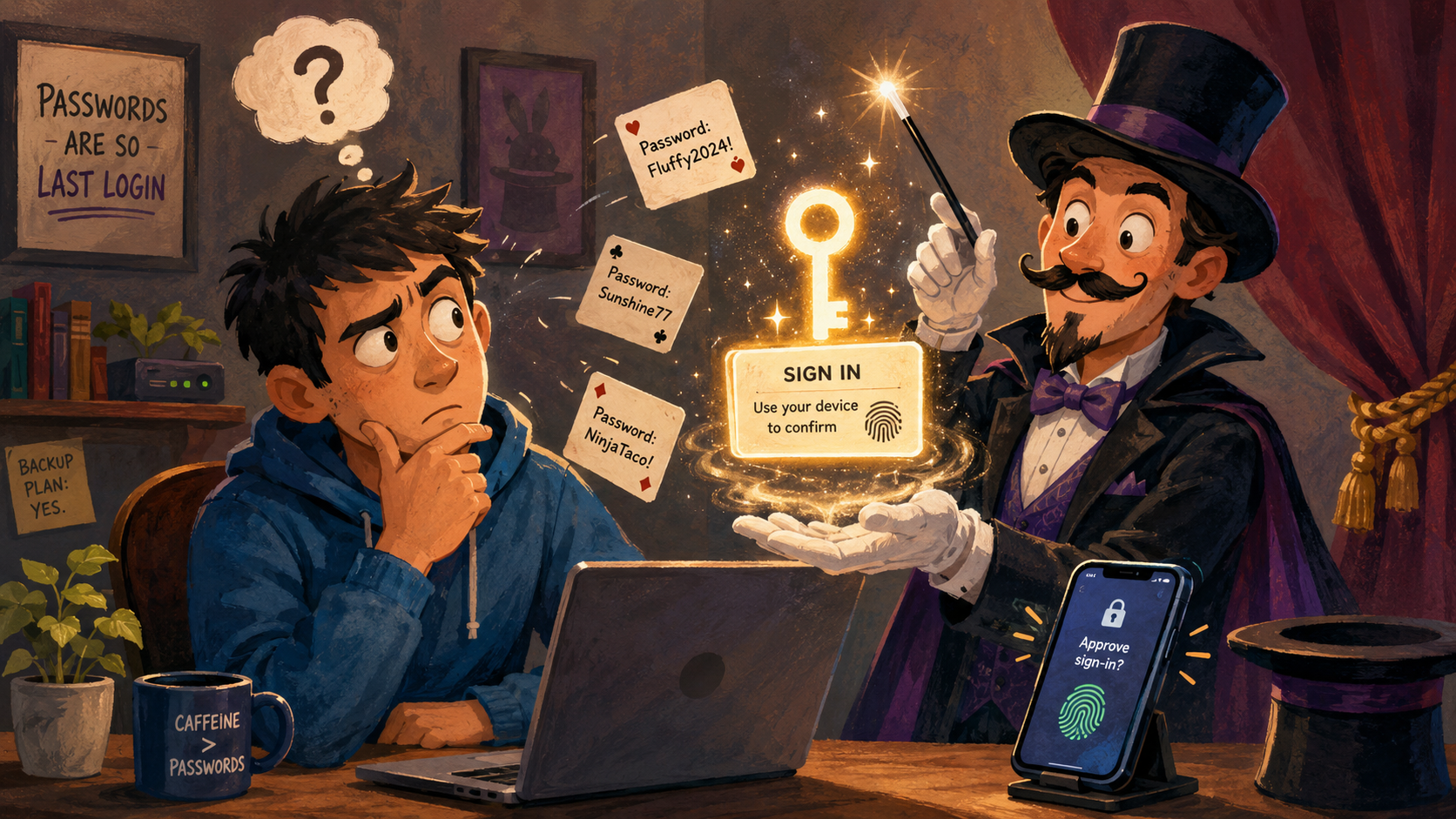
Then the login screen says, “Use your device to confirm,” your phone buzzes, your browser smiles politely, and suddenly you are trusting a magic trick performed by three companies, two devices, and one tiny biometric prompt. It may be safer. It may be faster. But emotionally, it still feels like someone said, “Pick a card,” then charged your account $0.00 for confidence.
The weird part is that passwordless sign-in is not nonsense. Passkeys are based on a stronger idea than typing secret words into boxes forever. The problem is that the user experience often hides the explanation so well that regular people are left wondering whether the magician just swallowed their house key.
What This Passwordless Magic Trick Covers
- Why Passwordless Feels Like a Stage Illusion
- The Quick Take Before the Rabbit Escapes
- The Part Where Passkeys Are Actually Clever
- Where the Magic Trick Gets Annoying
- What to Do Before You Trust the Hat
- Passwordless Sign-In FAQs
- References
The Quick Take Before the Rabbit Escapes
- Main point: Passwordless sign-in is usually a security upgrade, but the explanation is often too invisible for normal humans.
- What people get wrong: It is not “no security.” It is a different kind of security, usually tied to your device, PIN, fingerprint, face unlock, or security key.
- Why it matters: If people do not understand where their passkeys live, they may panic when switching phones, browsers, or password managers.
- Who this affects: Anyone with a phone, laptop, Microsoft account, Google account, Apple device, or a growing suspicion that login screens are becoming sentient.
- Bottom-line opinion: Passkeys are good. The naming, prompts, recovery paths, and cross-device handoffs still need less wizard smoke.
The Part Where Passkeys Are Actually Clever
Passwordless sign-in gets its best trick from public-key cryptography. That sounds like a phrase invented to end a dinner conversation, but the basic idea is friendly enough: instead of giving a website a password it can lose, your device creates a matching pair of keys. One part can be shared with the service. The private part stays protected on your device or inside a credential manager.
That matters because a fake login page cannot simply trick you into typing a passkey the way it can trick you into typing a password. There is no “password123 but emotionally complicated” to steal from your fingers. The sign-in depends on proof from your device, often unlocked with a PIN, fingerprint, face scan, or security key.
The common assumptions
- “Passwordless means there is no secret anymore.”
- “My fingerprint is being sent to every website.”
- “If my phone dies, my entire digital life goes into witness protection.”
- “This is just passwords with better branding and a little tech cologne.”
Some of those fears are understandable. Most people spent decades being told, “Never forget your password,” then the industry suddenly turned around and said, “Actually, forget the whole concept. Your phone has this now.” That is not a smooth transition. That is a magician asking you to climb inside the box.
What the real-world pattern suggests
The factual case for passkeys is strong. FIDO Alliance describes passkeys as FIDO credentials that use cryptographic key pairs for passwordless authentication. Apple, Microsoft, and Google all support passkeys in their ecosystems, usually through device security, password managers, or synced credential systems.
The emotional case is messier. Passwords were terrible, but at least they were visible. You could write one down, reset it, yell at it, change two characters, and pretend you had improved national security. Passkeys live in a more abstract place. They work best when you trust your device, your account recovery setup, and whatever password manager is holding the tiny invisible baton.
That is why passkeys feel like a magic act. The trick is safer than the old trick, but the stage crew moved everything behind a curtain.
A normal Tuesday login scenario
Picture a regular person signing into a shopping account on a laptop. The site says, “Use a passkey.” The laptop asks for a fingerprint. The user touches the sensor. It works in 4 seconds.
Great.
Now picture the same person on a borrowed computer, with their phone in another room, using a browser that is not synced, while the site says the passkey is “available on another device.” Suddenly, this is no longer magic. This is a scavenger hunt with cybersecurity lighting. The passkey may still be safer, but the user is now muttering, “Mira, I just wanted to check shipping.”
That is the gap. The technology is smart. The human handoff can still feel like a hallway full of unlabeled doors.
Where the Magic Trick Gets Annoying
Passwordless systems often assume the user knows which device is the trusted one, which password manager holds the passkey, and what happens if the main phone takes a swim in a bowl of soup. That is a lot to ask from someone who just wanted to log into email before coffee.
The biggest issue is not the security model. It is the recovery model. People do not judge login systems only by how well they work on a perfect day. They judge them by what happens when the phone is replaced, the laptop is old, the browser profile is fresh, or the fingerprint reader decides today is performance art.
Where the simple take fails
- “Passkeys are easier than passwords”: Often true after setup, but not always true during device changes or account recovery.
- “Biometrics make it effortless”: Helpful, yes, but the backup PIN, device lock, and recovery settings still matter.
- “Just use whatever the prompt suggests”: That can scatter credentials across Apple, Google, Microsoft, browser storage, and third-party password managers.
- “Passwordless means no more account stress”: It reduces some stress and moves the rest into device trust, backup access, and recovery planning.
The old password world had its own nonsense. People reused passwords. Sites leaked databases. Password rules became little curses: one capital letter, one number, one symbol, one regret, and no part of your name unless the moon approves.
Passkeys fix a major piece of that mess. But they also introduce a new everyday question: “Where did I save this thing?”
What not to do
Do not remove every password from every major account on a random Wednesday night just because a setup screen made it sound fancy. That is how people end up locked out of accounts while wearing pajamas and bargaining with a help center chatbot named something like “Milo.”
Start with accounts you use often and understand well. Make sure your phone, laptop, and password manager recovery options are current. Check that you have backup methods before you delete old sign-in options. The goal is not to become passwordless for vibes. The goal is to avoid turning your own login screen into an escape room.
What to Do Before You Trust the Hat
The practical move is to treat passkeys like a house key, not like a magic spell. Know where they live. Know how they sync. Know what happens when your main device is lost, broken, traded in, or temporarily being used by a child to film the ceiling fan.
A password manager can help, especially if you use multiple platforms. Apple users may rely on iCloud Keychain. Microsoft users may see Windows Hello, Microsoft Password Manager, or Authenticator-related flows. Google users may see passkeys tied into their Google account and supported devices. Third-party password managers may also support passkeys, depending on the device and browser.
The best setup is the one you can explain to yourself in one sentence: “My passkeys are stored in this password manager, protected by this device unlock method, and recoverable through these backup options.” If you cannot say that yet, slow down. The rabbit can wait.
Quick reality-check list
- Check which password manager or device is saving each new passkey.
- Add recovery options before relying on passkeys for important accounts.
- Keep at least one trusted backup device or recovery path updated.
- Avoid creating duplicate passkeys everywhere unless you know why.
- Test sign-in on your phone and laptop before deleting old methods.
- For critical accounts, consider a physical security key if you understand how to store the backup key safely.
Passwordless sign-in should feel boring. That is the dream. A good login should not feel like a carnival booth where the prize is access to your own bank statement. It should feel like unlocking your front door, predictable, calm, and not followed by dramatic music.
The Trick Is Good, but the Patience Is Still Required
Passwordless sign-in is not a scam. It is one of the better directions the internet has taken after years of making people invent passwords like “Fluffy2024!” and then judging them for it. Passkeys reduce some of the worst password problems, especially phishing and password reuse.
But trust does not appear just because a login button got smoother. People need plain explanations, visible recovery paths, and fewer mystery prompts. Until then, passwordless sign-in will keep feeling like a magician in a tuxedo holding your phone and saying, “Relax, the key was behind your ear the whole time.”
Useful? Yes. Safer than the old password circus? Often. Completely normal-feeling yet? Not quite, amigo.
Passwordless Sign-In FAQs
Q1. Is passwordless sign-in the same as using a fingerprint?
A1. Not exactly. Your fingerprint, face unlock, or PIN usually unlocks the device or credential manager that holds the passkey. The website is not supposed to receive your fingerprint as the password. The biometric step is more like opening the safe, not handing your face to the internet.
Q2. Are passkeys safer than passwords?
A2. In many common situations, yes. Passkeys are designed to resist phishing and avoid the usual password reuse problem. They are not magic, though. You still need secure devices, good recovery settings, and a clear plan for what happens if you lose access.
Q3. Should I delete all my passwords right away?
A3. No. Set up passkeys slowly on accounts you understand, then confirm your recovery options first. For important accounts, test sign-in from more than one trusted device before removing old methods.
Q4. Why does passwordless sign-in still feel confusing?
A4. Because the security is mostly hidden. Passwords were clumsy, but you could see them and manage them directly. Passkeys work behind device prompts, password managers, and sync systems, so the user needs clearer labels and better recovery explanations.
By: Andrew Eyes
Why trust this: This post uses current passkey guidance from FIDO Alliance, Apple, Microsoft, and Google, then translates it into plain language for everyday tech users.
Last updated: 2026-05-20
Disclosure: No paid placement influenced this post.
References
- FIDO Alliance — “Passkeys.” https://fidoalliance.org/passkeys/
- Apple Support — “Make your passwords and passkeys available across devices with iPhone and iCloud Keychain.” https://support.apple.com/guide/iphone/passwords-devices-iph82d6721b2/ios
- Microsoft Support — “Create and save a passkey.” https://support.microsoft.com/en-us/account-billing/create-and-save-a-passkey-e92cd3e0-11fa-4630-a5ea-3ccc0396b3d9
- Google Safety Center — “Passkeys.” https://safety.google/authentication/passkey/




0 Comments