
The Annoying Alert Might Be the Only One That Matters
Security alerts have a branding problem. They interrupt dinner, pop up during homework, block a payment, or ask you to prove you are yourself for the third time in one week.
That is why scam fatigue feels so familiar. The alert looks late, the warning sounds generic, and the timing is almost always inconvenient. Then one day, the same annoying friction stops a fake login, a strange transfer, or a message that was designed to rush you.
The uncomfortable truth is simple: scam protection often feels useless until it catches the one moment you were too busy to catch yourself.
Inside This Scam-Fatigue Guide
- The Annoying Alert Might Be the Only One That Matters
- Why Security Alerts Feel Late
- The Scam-Fatigue Loop
- A Better Way to Read Alerts Without Panicking
- When Alerts Actually Save You
- Quick Decision Framework
- The Bottom Line
- Scam Fatigue FAQs
- References
Why Security Alerts Feel Late
Scams move at human speed first, not computer speed. A fake bank text, a social media message, a marketplace buyer, or an “urgent” account warning tries to get you emotionally committed before a security system has enough signal to react.
That is why protection can feel one step behind. The scammer starts with pressure. The alert usually appears after a login attempt, device change, payment trigger, suspicious message pattern, or reportable behavior. To the person receiving it, that can feel like the alarm went off after the smoke was already in the room.
The bigger problem is scale. In 2025, the FBI said IC3 received more than one million complaints, with cyber-enabled crime losses near $21 billion. The FTC also reported that nearly 30% of people who reported losing money to a scam in 2025 said the scam started on social media, with reported losses reaching $2.1 billion.
Those numbers do not mean every alert deserves panic. They mean the background noise is real. Security alerts are not proof that something terrible happened. They are a request to slow down before the next click, call, payment, or password reset.
Why the alert seems obvious after the fact
Most scam warnings sound basic because many scams still rely on the same pressure points:
- “Act now or your account closes.”
- “Confirm this code.”
- “Move money to keep it safe.”
- “Open this attachment.”
- “Use this new payment link.”
- “Do not tell anyone.”
A calm reader can spot those lines. A tired reader, a busy parent, a small business owner between customer calls, or a student juggling notifications may not. Scam fatigue is not stupidity. It is what happens when normal life meets high-volume manipulation.
The Scam-Fatigue Loop
Security tools create friction. Scammers create urgency. The user is stuck between both.
That loop usually looks like this: first, too many alerts arrive for routine activity. Then the person starts clearing them quickly. Next, a real warning appears but looks like every other interruption. Finally, the person either ignores it or overreacts to it.
Neither response is ideal. Ignoring every alert gives scammers room. Treating every alert like a five-alarm emergency makes online life miserable.
Myth vs. reality
| Common belief | What is usually closer to the truth | Better response |
|---|---|---|
| “If the alert came late, it failed.” | The alert may have appeared at the first moment the system had enough evidence. | Treat it as a checkpoint, not a verdict. |
| “I know this company, so the link is safe.” | Scammers often imitate brands people already trust. | Go to the app or website yourself instead of using the message link. |
| “No alert means no risk.” | Some scams rely on conversation, pressure, or payment instructions before systems can detect them. | Pause when money, passwords, codes, or personal data are involved. |
| “Real security teams will call and demand action.” | Urgent calls demanding transfers, codes, gift cards, crypto, or secrecy are major red flags. | Hang up and contact the institution through a known channel. |
The fix is not to become paranoid. The fix is to create a small habit that survives stress.
A Better Way to Read Alerts Without Panicking
The safest alert habit is boring on purpose: pause, verify, then act.
Give yourself 90 seconds before responding to any unexpected security message. That short pause breaks the scammer’s timing. Most scams need speed. They want the payment before doubt, the code before thinking, the click before checking.
The 90-second alert check
Use this quick checklist when a message mentions an account, payment, login, delivery, prize, investment, or emergency:
- Stop interacting with the message that triggered the alert.
- Do not tap the link, call the number, download the attachment, or reply with a code.
- Open the official app or type the known website yourself.
- Check recent logins, payment history, and security settings from inside the real account.
- If money moved or personal information was shared, contact the bank, platform, or agency through a verified channel.
- Save screenshots, dates, usernames, phone numbers, and payment details if a report may be needed.
That last step matters. The FBI advises documenting details such as contact methods, dates, payment methods, where funds were sent, and a description of the interaction when reporting a scam.
When not to rely on alerts
Do not wait for an alert when the message asks for money, secrecy, account codes, remote access, or a fast decision. Those are human red flags, even if no app has warned you yet.
Also, do not assume a notification is safe just because it includes a logo. Logos are easy to copy. A better test is the path you use. If you opened the account from your saved app, typed web address, or official support route, you are on firmer ground than if you followed a random message link.
When Alerts Actually Save You
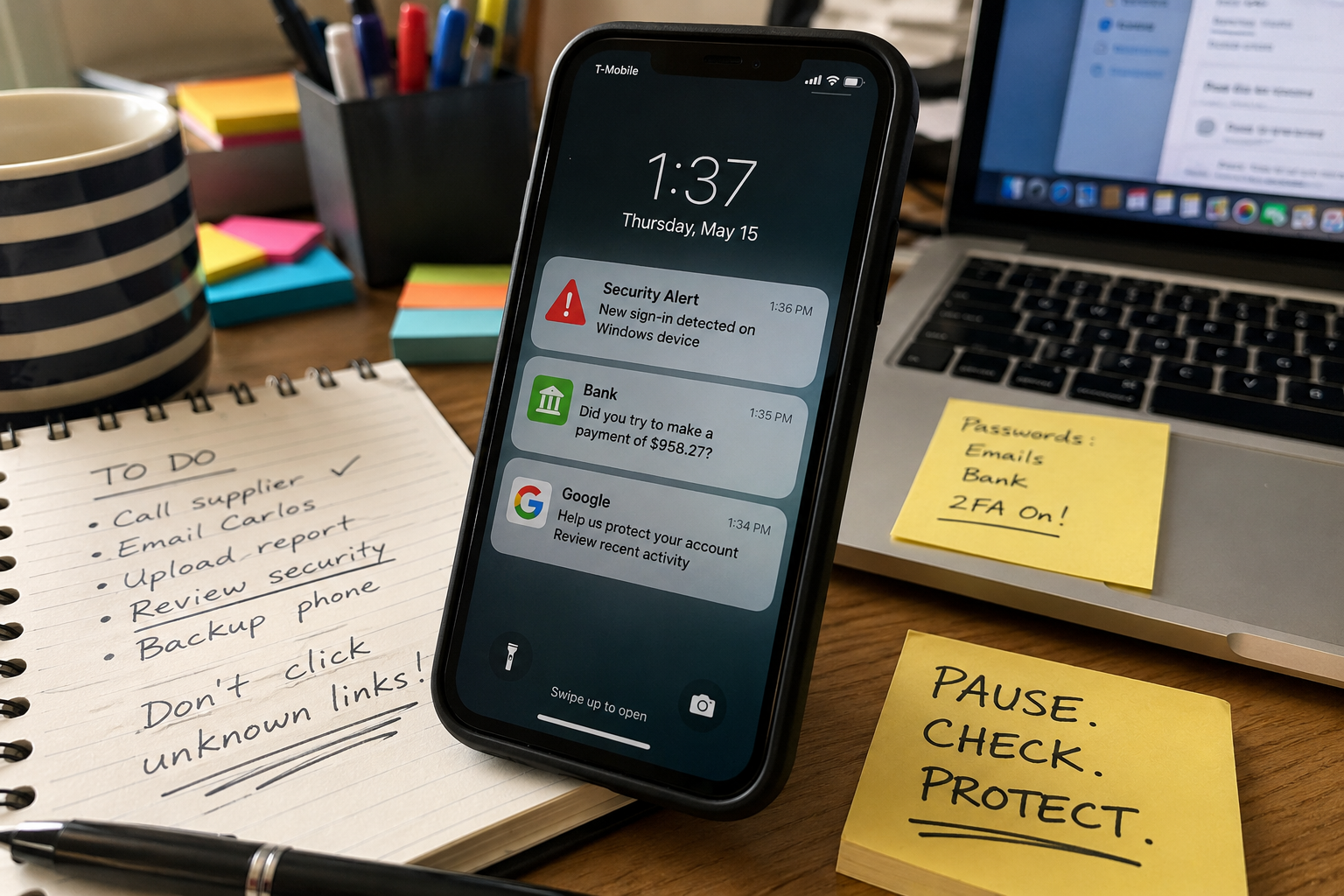
Picture a realistic moment: someone gets a text that looks like a bank warning, then a push alert says a new device tried to sign in. The scam has already reached the person, so the protection feels late. But the account is not lost yet.
That is the narrow window where an alert can help. It does not erase the scam message. It does not prove who sent it. It simply creates a second chance to stop, change a password from the official app, reject a login, freeze a card, or call the bank using the number on the card.
In Puerto Rico and across the U.S., many people manage banking, delivery, school, work, and family messages from the same phone. That makes alerts feel like clutter. It also means one phone can become the main defense line for accounts, cards, email, and identity.
The best protection is layered. Use multi-factor authentication where available, keep phone and computer updates on, and treat unexpected links as optional, not required. If the alert is real, you can handle it through the official account. If the alert is fake, refusing the link is already a win.
Quick Decision Framework
Use this when you are tired, distracted, or unsure.
| Signal | What it means | What to do next |
|---|---|---|
| Red | The message asks for a password, one-time code, bank transfer, crypto payment, gift card, remote access, or secrecy. | Stop. Do not reply. Contact the company or bank through a known channel. |
| Yellow | The message mentions a login, delivery, subscription, invoice, payment issue, or account hold you did not expect. | Verify inside the official app or website. Do not use the message link. |
| Green | You started the action yourself, such as logging in, resetting a password, or making a purchase. | Finish only if the timing, device, amount, and account match what you just did. |
This framework is intentionally simple. A complicated checklist fails when you are under pressure.
A small household or team rule
For families, roommates, clubs, churches, or small businesses, agree on one rule before a scam happens: no one has to solve an urgent money or account message alone.
A second person can notice what the first person misses. Scammers dislike delays because delays create witnesses, questions, and verification. Even a two-minute check can be enough to break the script.
The Bottom Line
Security alerts are not perfect. Some are noisy, some are vague, and some arrive only after a scam has already started pressing on you.
Still, the right alert at the right moment can turn an almost-mistake into a stopped mistake. That is why scam fatigue needs a better response than ignoring everything or fearing everything.
Do not treat alerts as commands. Treat them as speed bumps. Slow down, verify through a known channel, and act only after the pressure drops.
Scam Fatigue FAQs
Q1. Are security alerts always real?
A1. No. Real companies send alerts, but scammers also copy the style of those alerts. The safer move is to leave the message alone and check the account through the official app, saved website, or trusted support route.
Q2. Should I turn off alerts if they stress me out?
A2. Turning off every alert can remove useful warnings. A better option is to keep important alerts for logins, payments, password changes, and new devices, then reduce lower-value marketing or promotional notifications.
Q3. What should I do if I already clicked?
A3. Stop interacting with the message. Check the affected account from a known safe path, change the password if needed, review recent activity, contact the institution if money or personal data was involved, and report the scam through the appropriate official channel.
By: Rex Iriarte
About the author: Rex Iriarte writes about technology, small business, media production, and practical online safety for everyday readers.
Why trust this: This post is based on current public guidance from the FBI, FTC, CISA, and IC3, with practical examples kept general and non-personalized.
Last updated: 2026-05-15
Disclosure: No paid placement influenced this post.
Safety Disclaimer
This article is general educational information, not legal, financial, cybersecurity incident response, or individualized fraud-recovery advice. If money was transferred, identity information was exposed, a child is at risk, or there is immediate danger, contact the relevant bank, platform, law enforcement agency, or emergency service directly through a verified channel.
References
- FBI: Cryptocurrency and AI Scams Bilk Americans of Billions
- FTC: New Data Show People Have Lost Billions to Social Media Scams
- CISA: Recognize and Report Phishing
- IC3: Internet Crime Complaint Center




0 Comments