
The Browser Is Not Staring, It Is “Assisting”
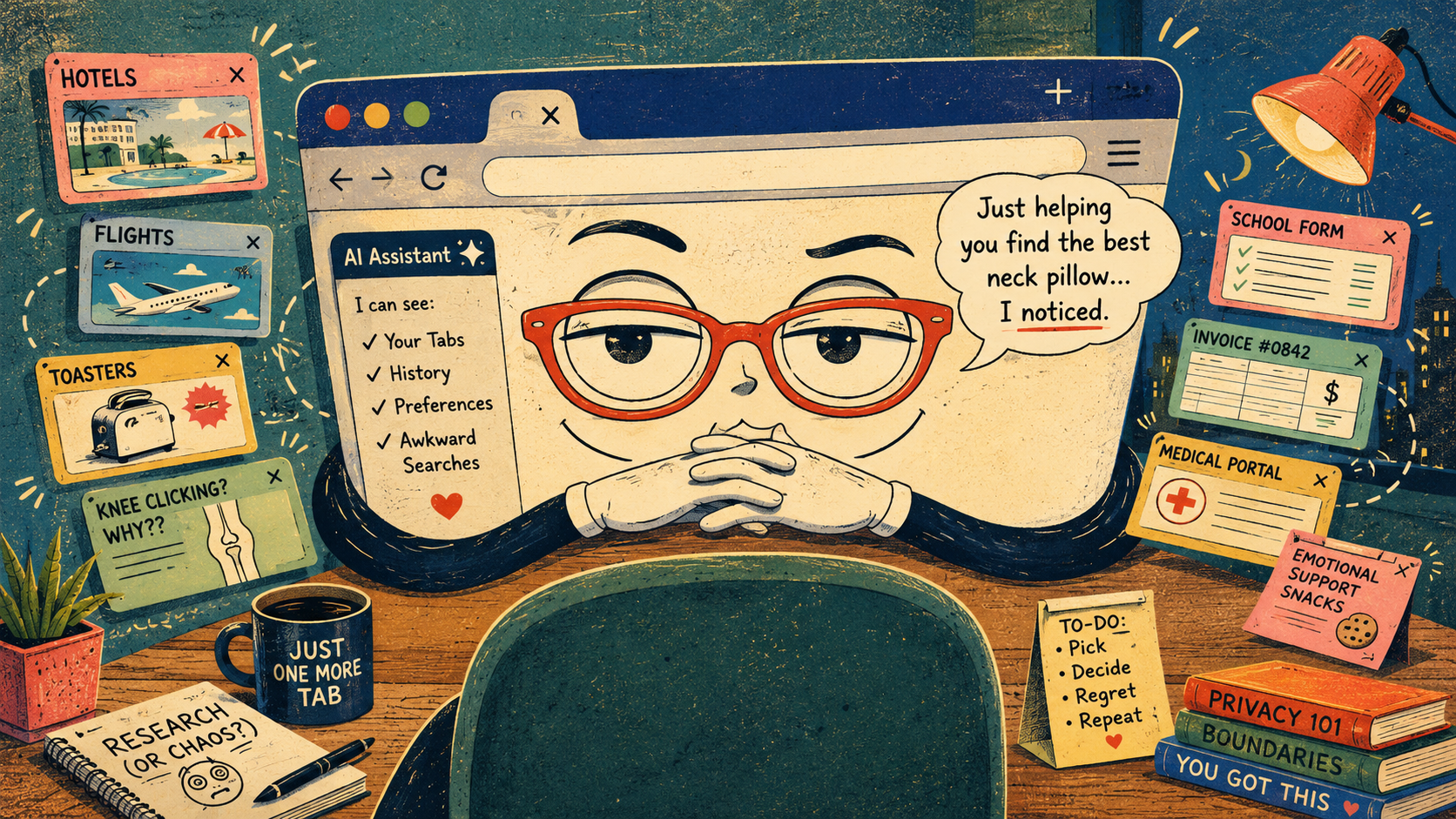
The passive-aggressive future of browsers is not a robot yelling at you. It is a tiny assistant in the corner whispering, “I noticed you opened seven tabs about neck pillows, three about cheap flights, and one about emotional support snacks. Would you like help making a decision?”
That is the strange charm of AI browsers. They promise to summarize, compare, write, plan, organize, and nudge. They may even save you from the shame spiral of opening 42 tabs and pretending that is research. The problem is that help starts to feel personal when the browser needs to watch you browse to be useful.
So the real question is not whether AI browsers are creepy. Ay bendito, of course they can feel creepy. The better question is which kinds of watching are worth the convenience, which ones need a hard no, and how to stop your browser from acting like a roommate with boundary issues.
Browser Nosiness Map
- The Browser Is Not Staring, It Is “Assisting”
- Quick Take Before Your Tabs File a Complaint
- The New Browser Job Description: Helpful, Nosy, Always Nearby
- The Awkward Tradeoff Nobody Wants to Say Out Loud
- How to Keep AI Browsers Useful Without Letting Them Become Your Landlord
- FAQ: AI Browsers Watching You Browse
- References
Quick Take Before Your Tabs File a Complaint
- Core claim: AI browsers are becoming useful because they can see more context, not because they became magically smarter overnight.
- Common mistake: Treating “permission-based” as the same thing as “low-risk.”
- Why it matters: Tabs, history, forms, shopping, email, and work portals can reveal more than a search box ever did.
- Who should care: Anyone who uses one browser for work, bills, shopping, school, family drama, and late-night “why is my knee clicking” searches.
- Bottom-line opinion: Use AI browsing like a helpful intern, not like a trusted family member with your debit card and house key.
The New Browser Job Description: Helpful, Nosy, Always Nearby
The old browser had one main job: open the page and try not to crash while you forgot where the music was playing. The new AI browser wants a promotion. It wants to read across tabs, compare products, summarize pages, remember preferences, help write replies, and sometimes carry out multi-step tasks.
That sounds useful because it is useful. A browser that can compare six hotel tabs in 30 seconds has obvious value. A browser that can summarize a dense refund policy before you buy a gadget can save time. A browser that can turn a messy research session into a short plan may rescue your afternoon from tab soup.
The tension is that context is the fuel. The assistant cannot compare open tabs without seeing the open tabs. It cannot personalize answers without remembering something. It cannot help with a form unless it understands the form. The magic trick has a receipt, and the receipt says: “Thank you for your data.”
The myths people tell themselves
- “It only sees the current page, probably.”
- “Incognito means invisible to everyone.”
- “I clicked allow once, so I must have understood the entire arrangement.”
- “The browser would never judge my third tab about discount patio umbrellas.”
What current AI browser patterns suggest
By 2026, the trend is easy to see. OpenAI’s Atlas promotes browser memories and controls over which sites ChatGPT can see. Microsoft describes Copilot in Edge as able to work across open tabs with permission. Perplexity’s Comet positions the browser as a personal assistant that can help with tasks such as research, email organization, grocery ordering, finance-related organization, and trip planning.
That does not mean every AI browser is doing the same thing in the same way. It means the direction is obvious. Browsers are moving from “show me the web” toward “understand what I am trying to do on the web.” That shift makes the browser more useful, but also more intimate.
A tiny 2026 scenario
Picture a normal Tuesday. You have one tab for a client invoice, one for a medical portal, two for vacation rentals, one for a school form, and four shopping tabs because apparently choosing a toaster is now a full-time procurement role.
You ask the browser, “Which option should I pick?” The assistant may need to know what the tabs are, what matters to you, your price range, and whether the pages include deadlines or forms. In the best case, it saves 20 minutes. In the worst case, you forgot that one tab had information you did not mean to bring into the conversation. That is the passive-aggressive part. The browser did not break in. You invited it, then realized it was standing in the kitchen.
The Awkward Tradeoff Nobody Wants to Say Out Loud
The boring version of this debate is “privacy versus convenience.” The accurate version is messier: people want convenience until the convenience starts narrating their habits back to them like a disappointed aunt.
A browser assistant that remembers your preferred airlines is helpful. A browser assistant that remembers every anxious product comparison, half-written complaint, and repeated visit to the same troubleshooting page starts to feel less like software and more like a witness. Not a villain, necessarily. Worse, a polite witness.
The tradeoff depends on the task. Letting an AI browser summarize public news articles is low drama. Letting it inspect logged-in account pages, personal documents, health portals, invoices, or checkout screens deserves more caution. The difference is not whether the feature sounds cool. The difference is whether the page contains information you would be annoyed to explain later.
Where the simple take fails
- “Just turn it all off”: That keeps things private, but it also removes the features that make AI browsers worth testing.
- “Just trust the settings”: Settings matter, but people often forget what they enabled after a long week and two software updates.
- “It is only browsing data”: Browsing data can reveal routines, money stress, work projects, family concerns, and purchase intent.
- “I have nothing to hide”: Privacy is not only about hiding. It is also about choosing who gets context and when.
What not to do
Do not use one all-purpose browser profile for every sensitive activity, then give an AI assistant broad access and hope vibes become a security policy. That is not a strategy. That is a raccoon wearing a lanyard.
Instead, separate the boring zones. Use one profile or browser for casual browsing and AI-assisted research. Use another for banking, medical portals, client admin, school accounts, and anything involving government forms, passwords, payments, or private documents. It is less glamorous than a futuristic assistant, but it works.
How to Keep AI Browsers Useful Without Letting Them Become Your Landlord
The goal is not to panic-delete every helpful feature. The goal is to make the browser ask before it reads the room. Good AI browsing should feel like tapping someone on the shoulder for help, not like discovering someone has been taking notes since breakfast.
Start with permissions. Look for controls that limit page context, browser history, memories, personalization, and access to open tabs. If the browser offers an incognito or temporary mode, know what it does and what it does not do. Incognito can reduce local history, but it does not magically erase what a site, employer, school, network provider, or enabled assistant may process.
Then build a small habit: before asking the assistant to help, scan the open tabs. Close the private ones. Move sensitive pages into a separate profile. Treat AI tab-reading like screen sharing. If you would not share the tab on a video call with a vendor, do not casually hand it to a browser assistant either.
Quick reality-check list
- Check whether the AI feature can use your current page, open tabs, history, or saved preferences.
- Turn off memory or personalization when you want one-time help, not a long-term relationship.
- Keep banking, medical, work admin, and legal paperwork in a separate browser profile or browser.
- Avoid letting an agent complete purchases, submit forms, or change account settings unless you are actively supervising.
- Clear browser data and review permissions after testing a new AI browser for a week.
- Do not assume “permission-based” means “private enough for everything.”
The best version of AI browsing is a browser that helps when invited, explains what it can see, and leaves when the task is done. The worst version is a browser that becomes a soft-spoken hall monitor for your digital life, gently suggesting that maybe you do not need to read one more toaster review. Mira, no.
The Browser Can Be Helpful Without Becoming Weird
AI browsers are not doomed to be creepy. They can make the web less exhausting, especially when you are comparing options, reading dense pages, organizing research, or trying to remember which tab had the useful answer. That matters because normal browsing is already chaos wearing a progress bar.
But the future should not be “the browser watches everything because convenience asked nicely.” The better future is narrower: clear permissions, separate profiles, temporary help, visible controls, and no surprise memory games. Let the browser help with the tabs. Do not let it become the narrator of your entire personality.
FAQ: AI Browsers Watching You Browse
Q1. Are AI browsers always watching everything I do?
A1. Not always. Many AI browser features depend on settings, permissions, account status, and whether you ask the assistant to use page or tab context. The practical move is to check the browser’s AI privacy controls before using it with sensitive tabs open.
Q2. Is it safer to use AI browser features only for public webpages?
A2. Yes, that is a sensible starting rule. Summarizing public articles, comparing public product pages, or organizing general research is lower risk than using AI assistance inside logged-in portals, checkout pages, private documents, medical accounts, or client systems.
Q3. What is the simplest habit for staying in control?
A3. Treat AI tab access like screen sharing. Before asking for help, close private tabs, move sensitive pages to another profile, and confirm whether the assistant can use history, open tabs, page content, or memory.
By: Andrew Eyes
Why trust this: This commentary uses current AI browser examples, official privacy controls, and practical reader-facing safety checks without claiming insider access.
Last updated: 2026-05-20
Disclosure: No paid placement influenced this post.
References
- OpenAI: “Introducing ChatGPT Atlas” (2025). https://openai.com/index/introducing-chatgpt-atlas/
Supports the article’s discussion of Atlas, browser memories, agent mode, and user controls. - Microsoft Edge: “Copilot in Edge” (accessed 2026-05-20). https://www.microsoft.com/en-us/edge/copilot
Supports the article’s discussion of Copilot working inside the browser and user control messaging. - Perplexity: “Comet Browser: a Personal AI Assistant” (accessed 2026-05-20). https://www.perplexity.ai/comet/
Supports the article’s discussion of AI browsers as task-oriented personal assistants. - NIST: “AI Risk Management Framework” (accessed 2026-05-20). https://www.nist.gov/itl/ai-risk-management-framework
Provides broader context for managing AI risks, including privacy, security, accountability, and governance.




0 Comments