
The Message Arrives Before Common Sense Does
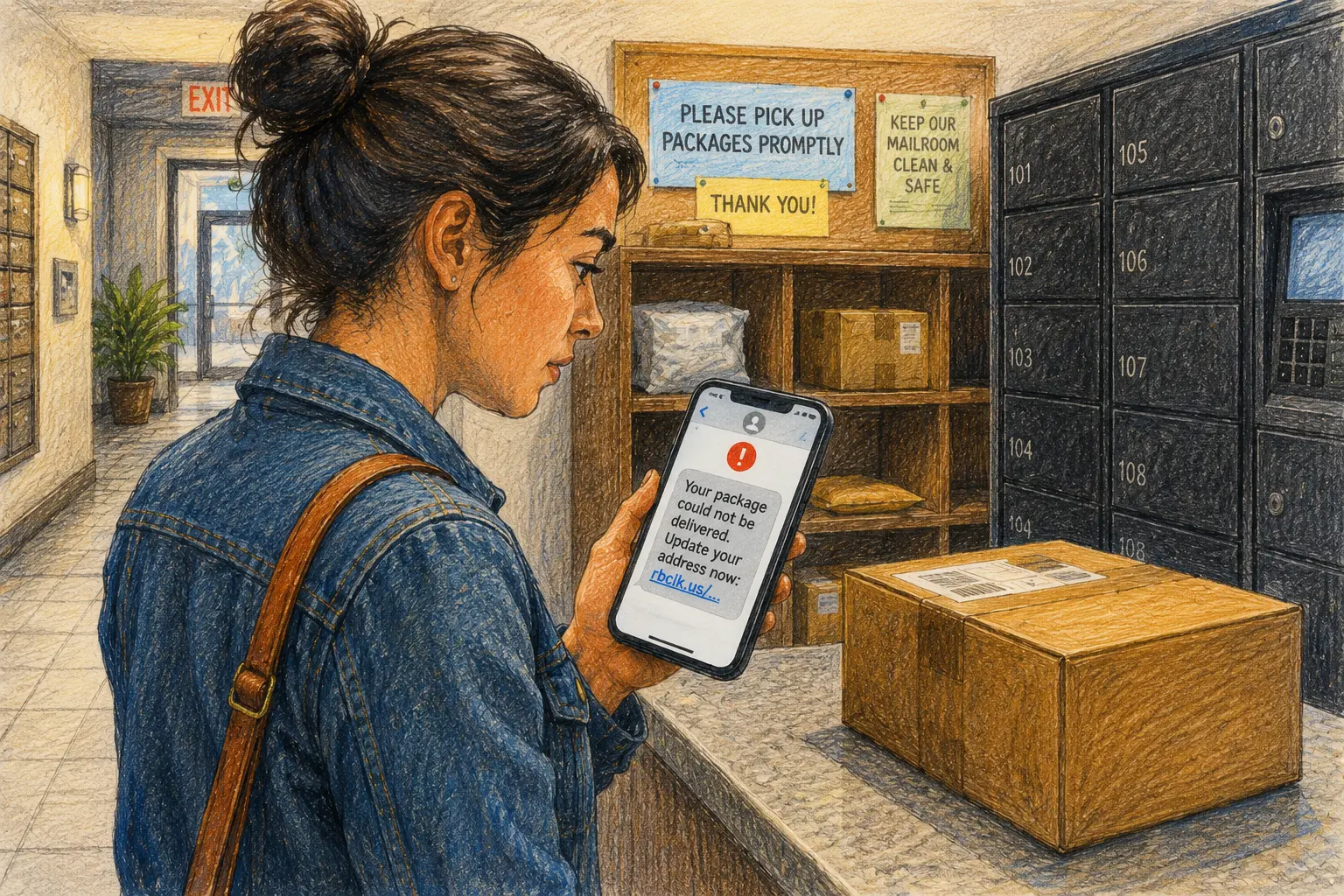
A delivery text lands at 3:42 p.m. while you are waiting for an order. It says the address is incomplete, postage is unpaid, or the driver could not complete delivery. The message includes a link and asks for a small fee or a quick update.
That timing is the trick. Parcel delivery scam texts do not need to invent a complicated story when a real package is already on your mind. The safer habit is simple: expect the package, but verify the message separately. A three-minute check can keep an ordinary delivery delay from becoming a financial cleanup.
A Safer Route Through the Delivery Text
- The Message Arrives Before Common Sense Does
- The Three-Minute Rule at a Glance
- A Real Package Can Still Come With a Fake Message
- Use the Expected Package, Unexpected Text Routine
- Know When the Message Has Crossed the Line
- Keep Delivery Convenience From Becoming a Shortcut
- Frequently Asked Questions
- References
The Three-Minute Rule at a Glance
- Best for: People receiving packages at homes, apartment mailrooms, offices, front desks, lockers, and pickup locations.
- What this covers: Low-risk checks for suspicious delivery texts, redelivery links, small-fee requests, and fake tracking pages.
- What this does not cover: A guarantee that a message, carrier, website, app, or transaction is legitimate.
- Main caution: Expecting a real order does not make an unexpected link trustworthy.
- When to get professional help: Contact your bank or card issuer immediately after an unauthorized transaction or suspected exposure of card details, banking credentials, or a one-time passcode.
A Real Package Can Still Come With a Fake Message
Package tracking is supposed to reduce uncertainty. A retailer sends an order confirmation. A carrier updates the route. A locker or front desk records the handoff. The customer checks the status between errands and moves on.
A scam text borrows that familiar rhythm.
The Federal Trade Commission warned in April 2025 that fake texts may claim to come from USPS, FedEx, DHL, or another delivery company. The message may mention unpaid postage, a missed delivery, or a need to update shipping preferences. The link can lead to a look-alike website that collects personal or financial information.
The United States Postal Inspection Service calls this kind of text-message phishing smishing. Its May 2025 guidance says USPS tracking texts require a customer to initiate tracking for a specific package. USPS does not send tracking texts or emails without that request, and its tracking messages do not contain links.
That USPS-specific rule is useful because it removes the debate. When an unsolicited text claims that a USPS package needs action and includes a link, do not click it.
Three Messages That Can Look Similar
| Message type | What it may be | Safer response | Reason to stop |
|---|---|---|---|
| Status update inside the retailer account | A legitimate order update | Open the retailer app or account directly | The account redirects to an unfamiliar payment page |
| Carrier tracking you requested yourself | A legitimate tracking update | Use the carrier app or type the known website yourself | The message includes a link or asks for sensitive details unexpectedly |
| Unsolicited delivery text with a link | A smishing attempt or unverified message | Do not tap the link; verify independently | It requests a fee, card details, a password, or a one-time passcode |
The important question is not whether you ordered something. The important question is whether the requested action fits a route you already trust.
The $1.93 Redelivery Scenario
Imagine that a pair of shoes is expected on Tuesday. At 5:18 p.m., a text says the carrier could not deliver the box because the address needs confirmation. The message asks for $1.93 to schedule a second attempt.
The amount feels too small to justify a scam. That is exactly why it works as bait. A minor fee can make the request feel routine while the fake page collects a card number, billing address, login, or one-time passcode.
The safer move is slower and cheaper. Close the text. Open the retailer account where the shoes were purchased. Check the actual tracking record. Type the carrier's known website address yourself when another check is needed. If the status does not show a problem, the text does not deserve another tap.
Use the Expected Package, Unexpected Text Routine
The routine has one rule:
Expect the package. Verify the text separately.
Do not let a real order lend credibility to a separate message. A scammer does not need to know which shoes, book, replacement part, or birthday gift you ordered. The message only needs to arrive on a day when delivery sounds plausible.
Minute 1: Stop Before Opening the Link
Read the text without tapping.
Ask:
- Did I request tracking updates from this carrier for this specific package?
- Does the message contain a link?
- Does it create urgency around a failed delivery, address problem, postage issue, or short deadline?
- Does it ask for a small fee before showing useful tracking details?
- Does the sender number or web address look unfamiliar?
The FBI explains that spoofing can involve small changes to a sender name, phone number, email address, or website URL. A changed letter, symbol, or number can make a fake destination resemble a real one.
Do not try to solve that puzzle while walking into a grocery store or stepping out of a meeting. The message can wait.
Minute 2: Open the Trusted Route Yourself
Use a route you already know.
- Open the retailer or marketplace account where the order appears.
- Check the order page for the tracking number and current status.
- Open the carrier app directly or type the carrier website yourself.
- Use the tracking number from the original order record.
- Contact the retailer or carrier through a number or help page you locate independently when the status remains unclear.
The FTC recommends checking delivery information independently through the online retailer or account used for the order rather than through a link in the message.
Minute 3: Check the Request, Not the Story
A fake message may sound ordinary. The requested action reveals the problem.
Stop when the page asks for:
- A credit or debit card number for a tiny redelivery charge.
- Online banking credentials.
- An email password.
- A Social Security number.
- A one-time passcode.
- A software download.
- A payment through an unfamiliar person-to-person account.
- Personal details that do not make sense for a routine tracking check.
The page may look professional. The logo may look convincing. The deadline may sound urgent. None of that changes the basic rule: verify through the original account and official route.
The Three-Minute Delivery-Text SOP
| Time | Action | Why it matters |
|---|---|---|
| Minute 1 | Read without tapping and identify the request | Urgency is not proof |
| Minute 2 | Open the retailer account or carrier site yourself | Independent verification breaks the scam's path |
| Minute 3 | Check the real status and report the suspicious text | The package can wait while the message gets handled safely |
Know When the Message Has Crossed the Line
A delivery update should remain boring. It should not become a surprise identity-verification project.
The USPS-specific guidance is especially clear. USPIS says customers must initiate USPS tracking for a specific package, USPS does not charge for those tracking services, and USPS tracking texts do not contain links. USPIS also advises people who interacted with a suspicious URL, even without pressing submit, to notify their financial institution.
That advice is stricter than many people expect. It is useful because fake pages can create uncertainty after the fact. Contacting the bank or card issuer early is easier than trying to reconstruct the timeline after an unauthorized charge appears.
Red Flags That Deserve an Immediate Stop
- An unsolicited delivery text includes a link.
- A USPS-branded text claims that action is required through a link.
- The message requests a small redelivery or postage fee.
- The page asks for card details, a login, or a one-time passcode.
- The URL contains a misspelling, unusual ending, or extra word.
- The text threatens that the package will be returned immediately.
- The sender pressures you to act before a short deadline.
- The page asks you to download an app from an unfamiliar website.
What Not to Assume
- “I ordered something, so the text is probably real.” A real order and a fake message can arrive on the same day.
- “The fee is only $1.93.” A small charge can be bait for collecting financial details.
- “The sender says USPS.” A familiar sender label or logo is not independent verification.
- “The page looks professional.” A look-alike website can still be built to steal information.
- “I should fix the address before the package gets returned.” A legitimate issue can be checked through the retailer account or carrier site you open yourself.
Reporting a Suspicious Delivery Text
For a USPS-related smishing text, the Postal Inspection Service instructs people to send an email to spam@uspis.gov, include the suspicious message details without clicking the link, and forward the text to 7726. The USPIS reporting page also directs people to delete the message after reporting it.
For broader text-message scams, the FTC advises using the phone's junk-reporting feature or forwarding the message to 7726. Suspected fraud can also be reported to the FTC. Cyber-enabled fraud may be reported through the FBI-run Internet Crime Complaint Center.
Keep Delivery Convenience From Becoming a Shortcut
The goal is not to distrust every notification. It is to keep the trusted route separate from the message that is demanding your attention.
A small setup change helps. Keep retailer apps updated. Save order confirmations in the original account. Use carrier apps or typed web addresses when a shipment needs checking. Add delivery notes through the legitimate order platform, not through a link that arrived unexpectedly.
Compare the Safer Options
| Option | Best for | Advantage | Limitation |
|---|---|---|---|
| Retailer account | First check for most online purchases | Ties the tracking record to the original order | Status updates can lag |
| Carrier app or typed website | A second verification step | Uses a route you chose yourself | Requires the tracking number |
| Official customer-service route | Confusing status or delivery issue | Gives the carrier or retailer a chance to explain the record | May take longer |
| Text-message link | Nothing important | Fast, but unverified | Creates the path a smishing scam wants you to follow |
| Ignore and verify later | A message arrives during a busy moment | Removes urgency from the decision | The package update may wait a few minutes |
The text-message link is not the shortcut worth taking.
Safer Next Steps After a Suspicious Interaction
- Close the page and stop entering information.
- Open the retailer account or carrier site independently.
- Contact your bank or card issuer immediately if you entered payment details, credentials, or a one-time passcode.
- Change affected passwords and enable multi-factor authentication where relevant.
- Report the suspicious message through the appropriate official route.
- Review recent card and bank activity for unfamiliar transactions.
When to Escalate Quickly
Contact your bank or card issuer immediately when:
- You entered card or banking details.
- You submitted a one-time passcode.
- You see an unauthorized charge or transfer.
- You reused a password that may now be exposed.
- The page triggered a software download or installation prompt.
Call local law enforcement or 911 when there is an immediate threat or active crime in progress. IC3 is the FBI's central hub for reporting cyber-enabled crime, and its public guidance says a report is still useful even when you are unsure whether the complaint qualifies.
Keep the Package Separate From the Text
The package may be real. The message may still be fake.
Use the retailer account first. Type the carrier website yourself. Treat unexpected links, small fees, passwords, and one-time passcode requests as stop signs. Report suspicious texts instead of trying to solve them through the same path that created the problem.
A delayed delivery is annoying. Handing a fake page your financial details costs more than a three-minute pause.
Frequently Asked Questions
Q1. Is every package-delivery text a scam?
No. Some legitimate tracking notifications exist. For USPS specifically, USPIS says tracking texts require a customer-initiated request for a specific package and do not contain links. When a message arrives unexpectedly, verify through the retailer account or carrier route you open yourself.
Q2. What should I do when I am expecting a real package?
Open the retailer or marketplace account where the purchase was made and check the order record there. A real order does not prove that a separate text-message link is legitimate.
Q3. Is a small redelivery fee safe to pay through a text link?
Do not assume it is safe because the amount is small. A fake page may use a low fee to collect card details, personal information, credentials, or a one-time passcode. Verify through the original order record and the official carrier route.
Q4. Where should I report a suspicious USPS delivery text?
USPIS instructs people to report USPS-related smishing to spam@uspis.gov and forward the text to 7726. Contact your bank or card issuer immediately after suspected exposure of financial details or an unauthorized transaction.
By: Rex Iriarte
About the author: Rex Iriarte is a Raxan.net contributor covering technology, small business, and practical digital habits.
Last updated: 2026-06-04
Disclosure: No paid placement influenced this post.
Disclaimer
This post provides general scam-prevention information. It does not guarantee that a message, carrier, website, app, or transaction is legitimate. Contact your bank or card issuer immediately after an unauthorized transaction or suspected exposure of card details, banking credentials, or a one-time passcode.
References
- United States Postal Inspection Service — “Smishing: Package Tracking Text Scams” (updated 2025). https://www.uspis.gov/news/scam-article/smishing-package-tracking-text-scams
- Federal Trade Commission — “Think That Text Message Is From USPS? It Could Be a Scam” (2025). https://consumer.ftc.gov/consumer-alerts/2025/04/think-text-message-usps-it-could-be-scam
- Federal Bureau of Investigation — “Spoofing and Phishing.” https://www.fbi.gov/how-we-can-help-you/scams-and-safety/common-frauds-and-scams/spoofing-and-phishing
- Internet Crime Complaint Center — “Welcome to the Internet Crime Complaint Center.” https://www.ic3.gov/



0 Comments