
The Alert That Arrives Before the Coffee
Some cybersecurity alerts sound less like protection and more like a stranger leaning over your pancakes to whisper, “Your entire life may already be compromised.” That tone may get attention once. After the tenth password warning, fake delivery text, bank notice, software update, and “urgent login attempt” email, attention turns into numbness.
That is the real danger of security alerts and scam fatigue. The problem is not that people are careless. The problem is that too many warnings demand instant action while using the same emotional pitch as the scams they are supposed to prevent.
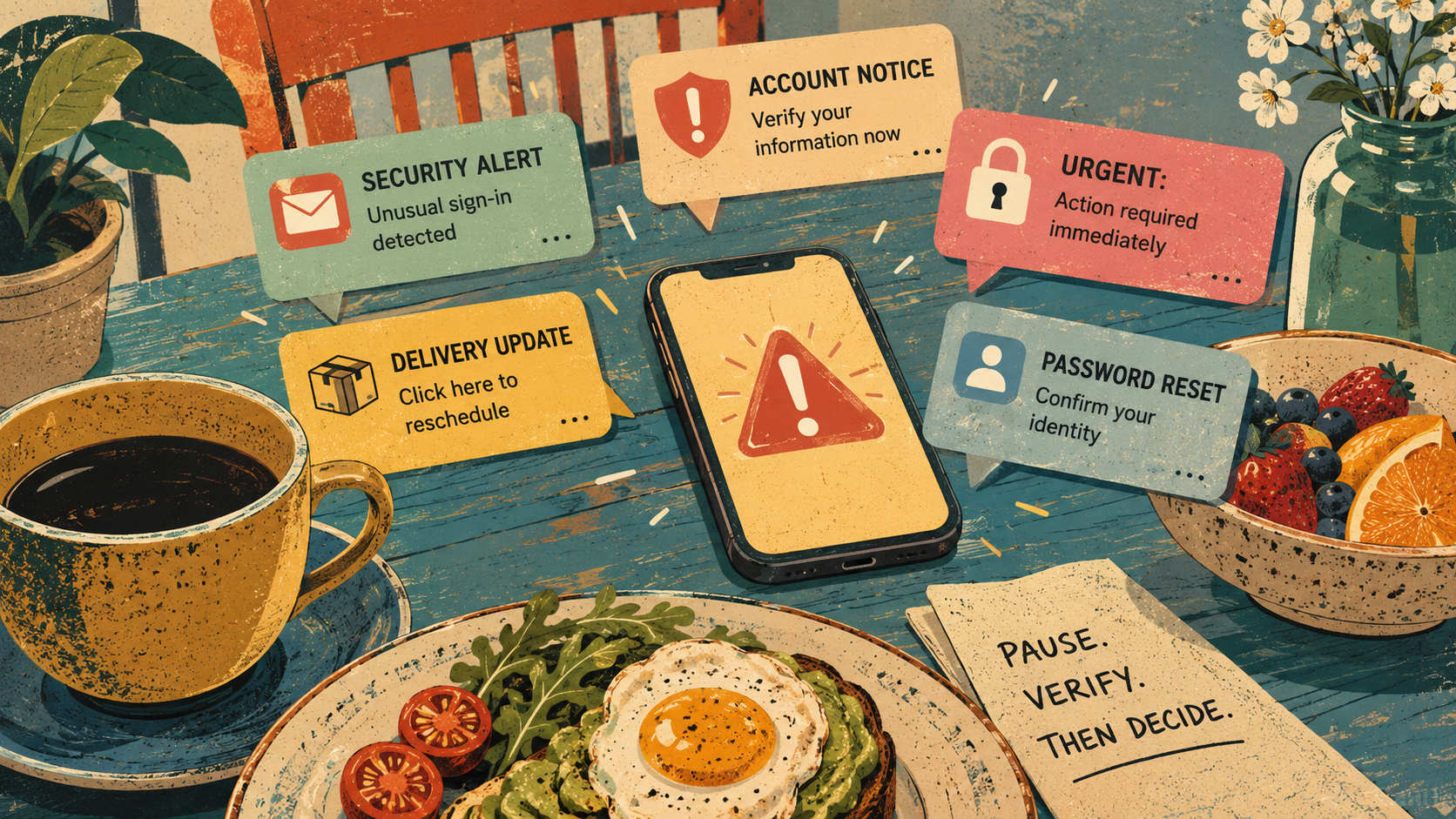
Brunch-Safe Map for Security Panic
- The Alert That Arrives Before the Coffee
- The Quick Take: Scam Fatigue Is a Design Failure
- Why Every Warning Starts to Sound Like Static
- The Brunch Test for Real Security Alerts
- Where the Simple Advice Breaks Down
- What to Do Before Panic Starts Typing
- The Bottom Line
- FAQs
- References
The Quick Take: Scam Fatigue Is a Design Failure
- Core argument: Security warnings fail when they make every issue feel like a five-alarm emergency.
- What people get wrong: Ignoring alerts is not always laziness. Sometimes it is the predictable result of too many alerts that all sound the same.
- Why it matters: Fraud is not a small background annoyance. The FTC said consumers submitted 3 million fraud reports in 2025 and reported $15.9 billion in losses.
- Who feels it: Regular users, small business owners, parents, older adults, students, and employees who get security nudges all day.
- Bottom line: The best alert is not the loudest one. It is the one that tells you what happened, why it matters, how urgent it is, and where to verify it safely.
Why Every Warning Starts to Sound Like Static
Modern security advice often treats the user like a suspiciously distracted raccoon. Do not click that. Do not trust this. Update now. Confirm immediately. Check your account. Verify your device. Report the message. Also, enjoy your Saturday.
The problem is not that the warnings are fake. Many are useful. The problem is that real alerts and scam messages now compete in the same emotional lane: urgency, confusion, and fear. A legitimate bank notice may say “unusual activity.” A fake bank notice may say the same thing. A real workplace system may ask for authentication. A phishing page may imitate that flow.
What the evidence suggests
NIST described security fatigue as a weariness or reluctance to deal with computer security, often caused by constant decisions and warnings. Its researchers also noted that too many decisions can push people toward avoidance, impulsive choices, or the easiest available option.
That tracks with the shape of everyday scam risk. The FBI’s 2025 Internet Crime Report release said cyber-enabled crimes defrauded Americans of nearly $21 billion, with phishing, spoofing, extortion, and investment schemes among the most frequently reported complaint types. That does not mean every alert deserves panic. It means the warning system has to earn attention instead of burning it.
A Tuesday morning mini-case
Picture a small business owner at 10:12 a.m. on a Tuesday. A customer is waiting, the card reader is lagging, and three notifications arrive: a payroll login alert, a delivery text, and a “final warning” email about an invoice.
The worst version of security advice says, “Be careful.” Thanks, helpful. The better version gives a routine: pause, ignore the link in the message, open the account through a saved bookmark or official app, check whether the alert appears there, and only then act. That routine is not glamorous, but it beats making a financial decision while a fake deadline is yelling at you.
The Brunch Test for Real Security Alerts
A good alert should survive what I call the Brunch Test. If someone interrupted brunch with this warning, would they give you enough information to make a calm decision, or would they just ruin the eggs?
A useful alert answers four questions clearly. Who is contacting me? What specific account, device, or transaction is involved? What is the deadline, if any? What safe channel can I use to verify it without clicking the message itself?
Myth vs. reality
| Common alert advice | Reality check | Better move |
|---|---|---|
| “Act immediately.” | Real urgency still allows safe verification. | Open the official app, saved bookmark, or known phone number instead of using message links. |
| “This looks official.” | Scams copy logos, tone, and layouts. | Judge the path, not the polish. |
| “MFA makes everything safe.” | MFA helps, but it is not a magic shield against every scam. | Turn on MFA, then stay alert for pressure, fake portals, and unusual payment requests. |
| “Ignore everything suspicious.” | Ignoring real account alerts can also create risk. | Triage alerts into verify now, check later, or delete/report. |
What a non-brunch-ruining alert sounds like
A better alert would sound more like this: “We noticed a login attempt from a new device. We blocked access for now. Open your account app directly to review the activity. We will never ask for your password, payment, or verification code by phone, text, or email.”
That is not dramatic. It is useful. It lowers panic while raising clarity.
Where the Simple Advice Breaks Down
The simple take says users just need more awareness. That is partly true, but it is not enough. Awareness without better routines becomes another item on a mental checklist that is already full.
Where the simple take fails
- More warnings can create less attention: If every message screams, the user eventually stops hearing the difference between smoke alarm and microwave beep.
- Scams borrow the language of safety: Fake alerts often sound responsible, official, and protective. That makes tone a weak filter.
- People act under pressure: Scammers use deadlines, embarrassment, fear, and fake authority because those emotions shorten the pause between message and action.
- Good security can still be annoying: MFA, password managers, and software updates help, but they must be set up in a way people can maintain.
What not to do
Do not train yourself to solve security alerts inside the alert itself. That means no reflex clicking, no calling numbers inside a scary pop-up, no replying with codes, and no moving money because a message told you there is no time. The safer habit is boring by design: leave the message, go to the official channel, and verify there.
What to Do Before Panic Starts Typing
The best defense against scam fatigue is a small default routine. It should be simple enough to use when you are tired, distracted, or halfway through brunch.
Start with three buckets. Verify now is for alerts involving money movement, unknown logins, password resets, sensitive data, or workplace systems. Check later is for low-risk notices that do not require immediate action. Delete or report is for messages that ask for payment, codes, remote access, gift cards, cryptocurrency, or secrecy.
Quick reality-check list
- Read the alert once, then pause for ten seconds before acting.
- Do not use links, phone numbers, or attachments inside the message.
- Open the official app, saved bookmark, or known website directly.
- Look for the same warning inside the real account dashboard.
- Treat secrecy, payment pressure, verification-code requests, and threats as red flags.
- For work accounts, follow the company’s official reporting process instead of improvising.
- For money already sent or an account already taken over, document what happened and use official reporting channels quickly.
CISA recommends multifactor authentication because an extra verification step can help protect accounts. That advice still matters. But the human side matters too. A security routine has to reduce decisions, not multiply them.
The Bottom Line
Security alerts should not have to ruin brunch to be taken seriously. The alert that helps is specific, calm, and verifiable. The alert that fails is vague, dramatic, and designed to make you act before you think.
Scam fatigue is not a character flaw. It is what happens when real warnings, fake warnings, and badly written warnings all crowd the same screen. The fix is not permanent paranoia. The fix is a boring, repeatable pause that gives your brain enough room to ask, “Where can I verify this safely?”
FAQs
Q1. Is scam fatigue the same as being careless online?
A1. No. Scam fatigue is what happens when people get overloaded by warnings, alerts, and security decisions. A person can care about safety and still feel worn down by constant prompts. The better solution is a simple verification routine, not shame.
Q2. Should I ignore security alerts if they interrupt me at a bad time?
A2. No. Sort them. Alerts involving money, unknown logins, password resets, sensitive data, or work systems deserve prompt verification through an official channel. Lower-risk notifications can wait, but scary messages should not push you into clicking their links.
Q3. What is the safest first move when an alert feels urgent?
A3. Leave the message and verify from a separate trusted path. Open the official app, use a saved bookmark, or contact the provider through a known channel. Real urgency should still survive safe verification.
By: Marcus Irizarry
Why trust this: Technology and IT-service editorial coverage based on public cybersecurity guidance, consumer fraud data, and safer-user-behavior research.
Last updated: 2026-05-15
Disclosure: No paid placement influenced this post.
Disclaimer
This article is general cybersecurity education and commentary. It does not provide personalized incident-response, legal, financial, or technical advice. If an alert involves money moved, account takeover, workplace systems, or sensitive data, use your organization’s official process or contact the relevant provider through a verified channel.
References
- Federal Trade Commission, “FTC Testifies before the Joint Economic Committee on Agency’s Efforts to Combat Fraud” (2026). https://www.ftc.gov/news-events/news/press-releases/2026/03/ftc-testifies-joint-economic-committee-agencys-efforts-combat-fraud
- Federal Bureau of Investigation, “Cryptocurrency and AI Scams Bilk Americans of Billions” (2026). https://www.fbi.gov/news/press-releases/cryptocurrency-and-ai-scams-bilk-americans-of-billions
- Cybersecurity and Infrastructure Security Agency, “More than a Password” (accessed 2026). https://www.cisa.gov/MFA
- National Institute of Standards and Technology, “‘Security Fatigue’ Can Cause Computer Users to Feel Hopeless and Act Recklessly, New Study Suggests” (2016, updated 2025). https://www.nist.gov/news-events/news/2016/10/security-fatigue-can-cause-computer-users-feel-hopeless-and-act-recklessly




0 Comments