
The problem is not only the app
The White House app controversy is easy to treat as a political story. For an IT provider, the more useful lesson is colder and more practical: if an organization can push an app to a managed phone and make it return after removal, the real issue is device governance.
That matters for solo IT consultants, micro-MSPs, and anyone managing client devices with MDM. The same tool that can deploy a password manager, VPN, authenticator, or helpdesk app can also damage trust when the rollout feels unexplained, forced, or unrelated to work.
What this post covers
- The problem is not only the app
- The fast read for solo IT providers
- Why managed phones can reinstall apps
- What the White House app story changes for client trust
- A safer rollout framework for client devices
- FAQs
- Disclaimer
- References
The fast read for solo IT providers
- Best for: IT consultants, micro-MSPs, and small business tech providers who manage client phones, tablets, and laptops.
- Main takeaway: Every forced app should have a written business purpose, owner, approval record, privacy note, and rollback plan.
- Effort: Expect 30 to 60 minutes to document a small-client app policy, plus 10 minutes per future rollout notice.
- Biggest mistake to avoid: Treating MDM like silent admin power instead of a client trust system.
- When not to push an app: When the app is optional, political, promotional, unclear on data use, or not tied to the client’s actual workflow.
Why managed phones can reinstall apps
A managed phone is not the same as a personal phone. In a managed setup, the organization or its IT provider can use mobile device management to install apps, enforce settings, apply app configurations, monitor compliance, and remove corporate data. That is normal in business environments. The problem starts when the reason is vague.
Apple’s own deployment documentation describes managed apps as apps that can be installed remotely through a device management service. That is useful when the app is email, MFA, VPN, endpoint security, inventory, helpdesk, or a required field-service tool. It is more questionable when the app is mainly informational, promotional, or not needed for the employee’s role.
For small IT providers, this is the line worth defending: MDM should reduce confusion, not create it. A client should never wake up to a new app on a work phone and wonder whether the device was hacked, whether the IT provider did it, or whether ownership of the phone has quietly changed.
A realistic small-client scenario
Picture a 12-person accounting office with company-issued iPhones. The owner asks you to push a password manager, an authenticator app, and a document scanning app before tax season. That can be reasonable, but only if the rollout is explained.
A good rollout would include a short ticket in Odoo, HaloPSA, Autotask, or any other ERP/ticketing system. The ticket names the apps, the business reason, who approved it, which devices are affected, whether any data leaves the device, and how users can ask for help. Without that trail, the same rollout can turn into three anxious calls, two interrupted billable jobs, and one client asking why “random apps” appeared overnight.
What the White House app story changes for client trust
The official White House app launched on March 27, 2026 as a direct channel for updates, live events, videos, photos, and administration messaging. In May 2026, Government Executive reported that agencies were being ordered to place the app on government-furnished phones. In June 2026, WIRED reported that some federal workers said the app appeared on work phones and returned after deletion.
The political layer is loud, but small IT providers should not stop there. The business lesson is about consent, transparency, vendor review, and role-based deployment. If a user cannot remove an app, the organization should be able to explain why it is required.
A forced app can be technically allowed and still be poorly handled. Clients usually do not judge an IT rollout by whether the MDM console allowed it. They judge it by whether the change made their work safer, clearer, and easier.
Bad rollout vs better rollout
| Rollout choice | What the user feels | What the IT provider should do instead |
|---|---|---|
| App appears with no warning | “Was my phone compromised?” | Send a short notice before deployment with the app name, reason, and support path. |
| App returns after deletion | “I lost control of my device.” | Explain which apps are mandatory and why removal is blocked or reversed. |
| No privacy summary | “What is this collecting?” | Link the vendor privacy policy and summarize the data categories in plain English. |
| No ticket or approval record | “Who decided this?” | Keep the approval, affected devices, and rollback plan in the client record. |
| Same app pushed to everyone | “This has nothing to do with my job.” | Roll out by role, department, device type, or location. |
A safer rollout framework for client devices
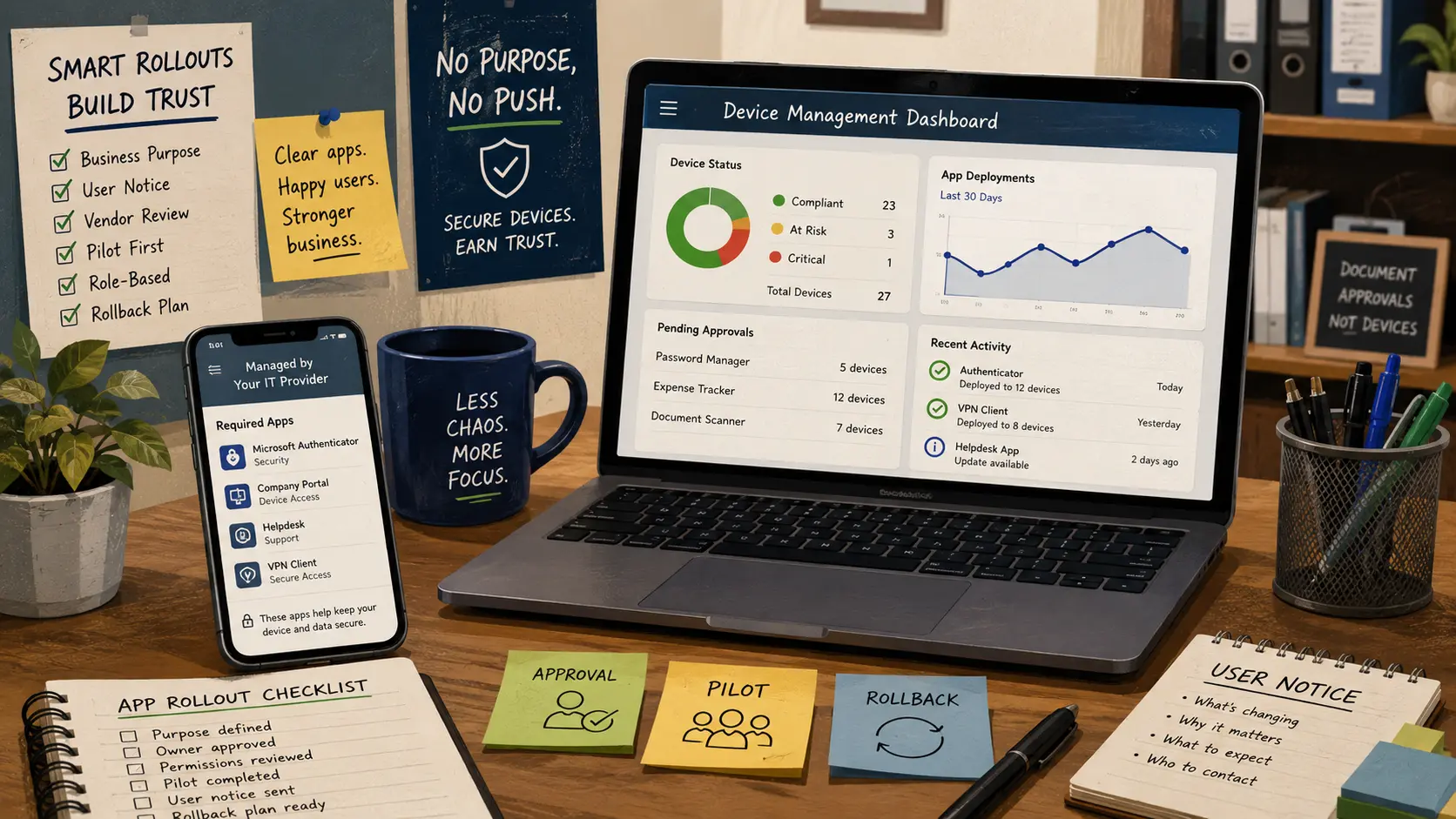
Before pushing any app to client devices, use a simple rule: no purpose, no push. That one sentence protects the client, the user, and your own reputation as the outside IT provider.
Start with a one-page app deployment record. It does not need to be fancy. It needs to answer the questions users will ask when something changes on the device they use all day.
The 8-step app rollout SOP
- Name the business purpose. Write one sentence that explains why the app is needed for work.
- Assign an owner. Name the client-side decision maker who approved the deployment.
- Check the app source. Confirm whether it comes from the official app store, a vendor portal, or an internal package.
- Review permissions. Look at location, contacts, camera, microphone, notifications, background activity, and account requirements.
- Document data handling. Summarize what the app appears to collect or process based on public privacy and vendor information.
- Pilot first. Test on one to three devices before touching the full client fleet.
- Notify users. Send a plain-language message before the app appears.
- Keep a rollback plan. Know how to remove the app, revoke configuration, and communicate the change.
Quick reality-check list
- Can you explain the app’s purpose in one sentence without sounding defensive?
- Would the client approve the same rollout if it appeared as a line item on your invoice?
- Is the app required for everyone, or only for a role-based group?
- Is there a ticket, approval note, and device list saved somewhere searchable?
- Does the user know whether deleting the app is allowed, blocked, or automatically reversed?
Do not let MDM become a trust leak
MDM is one of the most useful tools in small business IT, but it can become a trust leak when used casually. The tool should make devices easier to secure and support. It should not make employees feel like their work phone is a billboard, a mystery box, or a remote-control experiment.
For solo IT providers, the fix is not complicated. Make the rollout visible. Keep the approval record. Explain required apps before users discover them. Tie every deployment to security, uptime, billing, support, or a real business workflow.
If your one-person IT business is already juggling quotes, tickets, time tracking, invoicing, subscriptions, and device management, build the process once and reuse it. A simple Odoo or any other ERP workflow can turn “why is this app on my phone?” into “here is the approved change, here is why it matters, and here is who to contact.”
What to do next
If you manage devices for clients, pick one active client and audit the last five apps you pushed. For each app, check whether you can find the business reason, approval, device list, user notice, and rollback note in under five minutes.
If you cannot find that information quickly, the issue is not only documentation. It is future billable chaos waiting to happen. Tighten the workflow now, before the next app rollout becomes a trust problem.
Need a cleaner system for quotes, tickets, device records, and app rollout approvals? Book a 15-minute fit call and map the smallest version of that workflow before your next client deployment.
FAQs
Q1. Is it normal for a work phone to install apps automatically?
A1. Yes, when the phone is enrolled in a management system. A business may install required apps for email, security, authentication, support, or compliance. The issue is not automatic installation by itself. The issue is whether the app is necessary, reviewed, approved, and explained.
Q2. Is an auto-installed app always a privacy problem?
A2. Not always. A required authenticator or endpoint security app can be reasonable on a company-owned device. Privacy concerns grow when the app purpose is unclear, the permissions are broad, the vendor review is weak, or the user cannot tell what data is involved.
Q3. Should small businesses use BYOD instead of company phones?
A3. BYOD can lower hardware costs, but it creates boundary problems. If a personal phone is enrolled in business management, the policy must clearly explain what the business can see, control, remove, or wipe. For higher-risk roles, company-owned devices are usually easier to govern.
Q4. Can an IT provider push back on a client-requested app rollout?
A4. Yes. A good provider can ask for the business reason, approval, affected users, vendor privacy information, and rollback plan before deployment. That is not being difficult. That is protecting the client and the provider.
By: Marcus Irizarry, Raxan.net
Why trust this: This post reviews public reporting, official app information, and enterprise mobile device management guidance from Apple and NIST, then translates the issue into practical steps for small IT providers.
Last updated: 2026-06-25
Disclosure: No paid placement influenced this post.
Disclaimer
This post is editorial technology commentary and practical security-awareness guidance. It is not legal advice, procurement advice, or a formal compliance review. For regulated environments, confirm requirements with qualified legal, compliance, and security professionals.
References
- <a href="https://www.wired.com/story/story/government-workers-cant-get-the-white-houses-app-off-their-phones/" rel="nofollow">WIRED - “Federal Workers Can’t Get the White House’s App Off Their Phones” (2026)</a>, source for reported federal worker concerns and removal/reinstallation claims.
- <a href="https://www.govexec.com/management/2026/05/white-house-ordering-agencies-place-its-new-app-all-employees-government-phones/413738/" rel="nofollow">Government Executive - “The White House is ordering agencies to place its new app on all employees’ government phones” (2026)</a>, source for reported agency rollout context.
- <a href="https://www.whitehouse.gov/app/" rel="nofollow">The White House - “White House Mobile App” (2026)</a>, source for the app’s official description and public-facing purpose.
- <a href="https://support.apple.com/guide/deployment/distribute-managed-apps-dep575bfed86/web" rel="nofollow">Apple Support - “Distribute managed apps to Apple devices” (2026)</a>, source for managed app deployment concepts.
- <a href="https://csrc.nist.gov/pubs/sp/800/124/r2/final" rel="nofollow">NIST - “SP 800-124 Rev. 2, Guidelines for Managing the Security of Mobile Devices in the Enterprise” (2023)</a>, source for enterprise mobile device security guidance.



0 Comments