
When a Laptop Name Walks Into the Room Too Confidently
Googlebook is one of those gadget names that arrives wearing a blazer it bought that morning. It sounds official, unfinished, obvious, and somehow surprised to be here. Not Chromebook. Not Pixelbook. Not Androidbook. Googlebook. A laptop category name with the confidence of a folder on your desktop called “Final Final Real Final.”
The funny part is that Googlebook is not just a random rumor or a typo from a retail listing. Google introduced it in May 2026 as a new laptop category built around Gemini Intelligence, Android integration, premium hardware, and features meant to make the laptop feel less like a lonely rectangle and more like the center of your digital life. The name, however, is still standing in the doorway saying, “Yes, I am Google plus book. Any questions?”
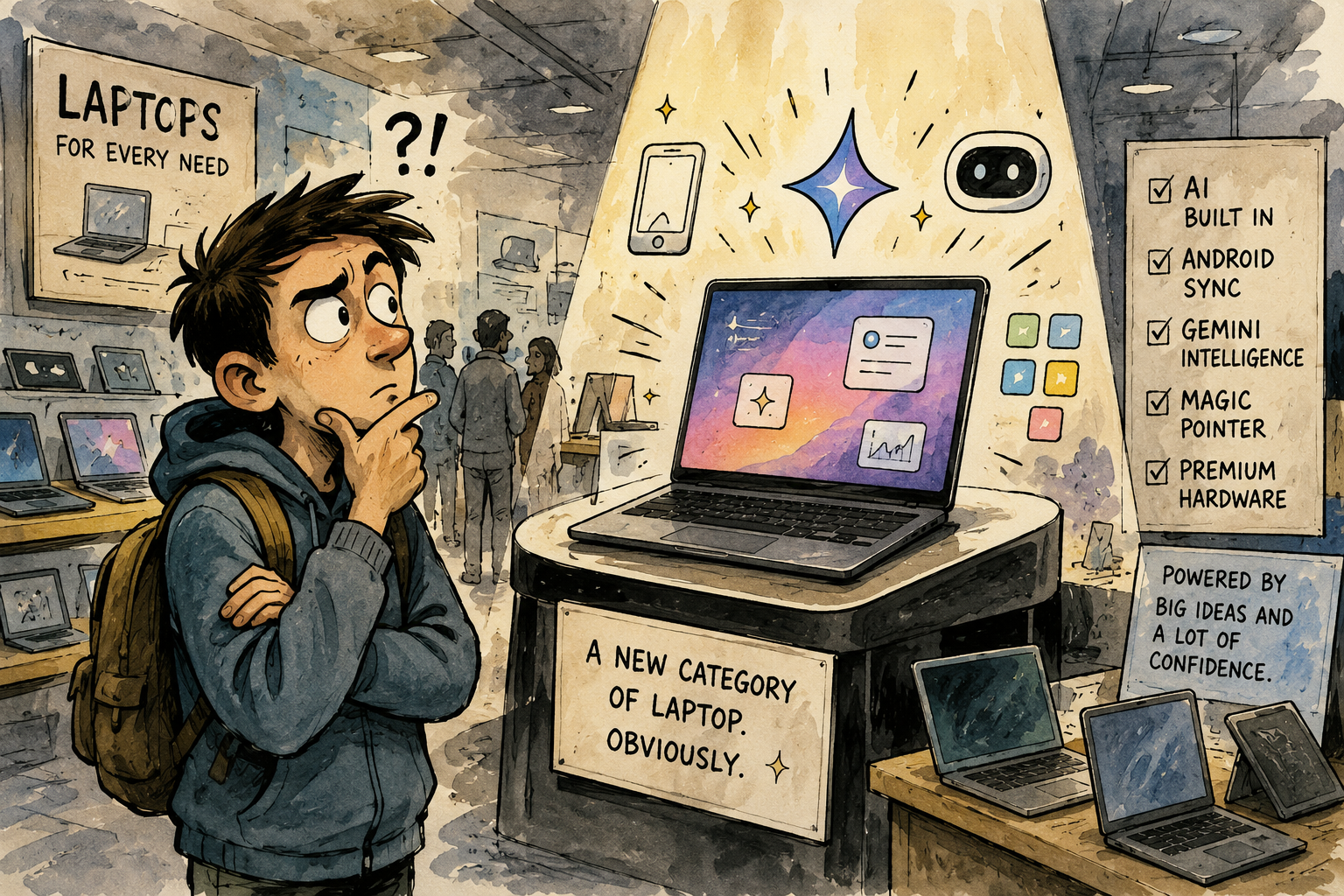
The Googlebook Naming Situation
- When a Laptop Name Walks Into the Room Too Confidently
- The Fast Take Before the Sticker Shock Arrives
- Why Googlebook Sounds Like a Product and a Court Exhibit
- The Name Is Funny, But the Category Is Trying to Solve a Real Problem
- How to Judge Googlebook Without Getting Hypnotized by the Branding
- FAQs
- References
The Fast Take Before the Sticker Shock Arrives
- Main argument: Googlebook is a hilariously blunt name for a serious attempt to reposition Google laptops around AI, Android apps, and premium hardware.
- What people get wrong: The name is not the product. A goofy label can still sit on useful hardware, but a useful name can also hide a confusing purchase.
- Why it matters: Laptop categories shape buyer expectations. “Chromebook” used to signal simple, web-first, school-friendly computing. “Googlebook” appears to be reaching for something more premium and AI-centered.
- Who this affects: Everyday laptop shoppers, Chromebook users, Android phone owners, students, parents, small business users, and anyone already tired of product names that sound like committee leftovers.
- Reality check: Laugh at the name. Then check the apps, price, update policy, ports, battery life, and whether the AI features actually help.
Why Googlebook Sounds Like a Product and a Court Exhibit
The word “Googlebook” has strange energy because it feels both too plain and too ambitious. It does not hint. It announces. It is the naming equivalent of putting a giant label on a box that says “COMPUTER BY GOOGLE, PROBABLY.”
That bluntness is not new in tech. “MacBook” worked because Apple had already made “Mac” feel like a complete world. “Chromebook” worked because it clearly tied the laptop to Chrome and the web. “Surface” worked because Microsoft wanted a device that sounded like a physical workspace. “Googlebook” works differently. It does not describe what the laptop does. It describes who is standing behind it, loudly.
The common naming myth
- A new category needs a weird name to feel fresh.
- A familiar brand name makes the product easier to understand.
- Adding “book” automatically makes something feel like a laptop.
- Buyers will decode the difference between Chromebook, Chromebook Plus, Pixelbook, and Googlebook while standing in a store aisle with fluorescent lights attacking them.
- Everyone loves when a product category sounds like it was created five minutes before the meeting.
That is the myth. The reality is less tidy. Names are shortcuts. When the shortcut is confusing, the buyer starts doing extra homework. Is a Googlebook a Chromebook replacement? Is it an Android laptop? Is it a Pixelbook comeback wearing a mustache? Is it premium? Is it for schools? Is it for people who want Gemini in the cursor? Does the cursor now have feelings? Ay, bendito, one thing at a time.
What the current product story suggests
Google’s own announcement describes Googlebook as a new category of laptops designed for Gemini Intelligence, built to work with Android phones, and powered by premium hardware. Google also says the category combines parts of Android and ChromeOS, includes Magic Pointer for contextual suggestions, and supports custom widgets created through Gemini prompts. The first devices are expected later in 2026 from hardware partners including Acer, ASUS, Dell, HP, and Lenovo.
That is not small. It means Googlebook is being positioned as more than a Chromebook with a new sticker. WIRED reported that Googlebooks are not meant to replace Chromebooks, but are built around Android, AI-first features, and a promise of more desktop-grade app experiences. That distinction matters because Chromebooks already have a public identity: relatively simple, secure, affordable, web-friendly, and common in schools. Googlebook sounds like Google wants a second identity, one with better shoes.
Mini scenario: the laptop aisle, fall 2026
Imagine a shopper in October 2026 looking for a laptop under $900. They see Windows laptops, MacBooks, Chromebooks, Chromebook Plus models, tablets with keyboards, and now Googlebooks.
A sales tag says “Gemini Intelligence.” Another says “Magic Pointer.” Another says “Android apps.” A fourth says “premium hardware.” The shopper came in needing a laptop for email, school portals, Zoom calls, spreadsheets, and maybe light photo editing. Now they are asking whether their cursor should be intelligent. This is how normal buying becomes a philosophical hostage situation.
The name Googlebook may be funny, but the category has to survive that aisle. It has to explain itself faster than a tired person can say, “So is this just a Chromebook or what?”
The Name Is Funny, But the Category Is Trying to Solve a Real Problem
The easy joke is that Googlebook sounds fake. The better joke is that the laptop market has become so crowded and strange that the name almost makes sense by accident.
For years, buyers had a few rough lanes. Windows laptops were the default. MacBooks were the Apple lane. Chromebooks were the simple web-first lane. Tablets were tablets until someone attached a keyboard and started acting mysterious. Now AI laptops, Copilot PCs, Android-connected devices, cloud workflows, local AI chips, app ecosystems, and cross-device sync are all trying to become the new reason you should replace a perfectly good machine.
Googlebook seems designed to say, “What if the laptop was not only a browser machine, but an Android-connected, Gemini-powered personal workspace?” That is a real pitch. It might help people who live in Google apps, use Android phones, jump between mobile and laptop files, and want AI help closer to the screen.
The problem is that tech companies often confuse “real pitch” with “please accept all 19 features as a lifestyle.” A laptop still needs to be judged like a laptop. Does it open quickly? Does the keyboard feel good? Does the battery last? Can it run the apps you actually need? Can your printer behave like a civilized object? Does it cost $699 or $1,299? Does it get updates long enough to matter?
Where the simple take fails
- “The name is dumb, so the product is dumb”: Bad names can sit on good products. The Nintendo Wii survived sounding like a sneeze with branding rights.
- “It has Google in the name, so it will be easy”: Maybe. But Google has multiple overlapping ecosystems, and simple branding does not guarantee simple buying.
- “AI features make it premium”: Not automatically. AI help can be useful, but premium still depends on hardware quality, performance, battery, display, support, and software fit.
- “Chromebooks are obsolete now”: Not based on the current positioning. Google still markets Chromebooks separately, and Googlebook appears aimed at a different, more AI-and-Android-centered laptop lane.
What not to do
Do not buy the first Googlebook only because the category sounds new. That is how people end up paying early-adopter tax, which is a special fee charged in dollars and mild regret.
Also, do not dismiss it only because the name feels like a placeholder that escaped the building. The practical question is not whether “Googlebook” sounds cool. It is whether the device gives you a better daily laptop experience than a Chromebook Plus, Windows laptop, MacBook, or tablet with a keyboard.
Laptop category reality check
| Category | What the name suggests | What buyers should actually check |
|---|---|---|
| Chromebook | Simple Google laptop for web and apps | Update support, performance tier, app needs, offline use |
| Chromebook Plus | Better Chromebook experience with stronger baseline specs | Price difference, RAM, display, AI features, storage |
| Googlebook | Premium AI-and-Android-centered Google laptop category | App compatibility, hardware quality, price, battery life, privacy controls |
| Windows AI laptop | Familiar PC with new AI features | Software compatibility, performance, bloat, update experience |
| MacBook | Apple laptop with macOS ecosystem | Price, repair costs, app needs, iPhone/Mac workflow fit |
| Tablet with keyboard | Mobile-first device pretending to be a laptop when needed | Multitasking limits, keyboard quality, file handling, app workflow |
How to Judge Googlebook Without Getting Hypnotized by the Branding
A new laptop category should earn your attention by solving a problem, not by sounding like a boardroom finally discovered compound words. The best way to judge Googlebook is to ask boring questions. Boring questions defeat marketing fog.
Start with your daily work. If your life already runs on Gmail, Google Drive, Android phone files, Chrome, Google Photos, Google Calendar, and Gemini, the Googlebook idea may fit naturally. If you rely on specific Windows desktop apps, creative software, older business tools, specialty school testing software, or hardware drivers, you should slow down.
Quick reality-check list
- Check whether the apps you need run properly, not just technically.
- Compare the price against Chromebook Plus, Windows laptops, and MacBooks in the same range.
- Look for battery-life tests from reviewers, not only launch claims.
- Confirm update support and security policy before buying.
- Test the keyboard, trackpad, screen brightness, webcam, and ports.
- Ask whether Magic Pointer and Gemini widgets solve a real task for you.
- Avoid buying a first-generation model unless you are comfortable with rough edges.
- Wait for at least two or three serious reviews before treating the category as proven.
A practical decision rule
If you want a simple, affordable laptop mostly for web tasks, school work, email, streaming, and Google apps, a Chromebook or Chromebook Plus may still make more sense. If you want a premium Google-centered laptop that integrates deeply with Android and puts Gemini features closer to everyday tasks, Googlebook may be worth watching.
If you need full desktop app compatibility, serious gaming, specialized creative tools, or old business software that only behaves on Windows or macOS, do not let the word “new” drag you into a support ticket swamp.
The Name Can Be Weird and the Idea Can Still Matter
Googlebook is an audacious name because it asks the public to accept a category that sounds obvious, corporate, and slightly unfinished. It is funny because it feels like Google looked at the laptop market, cracked its knuckles, and said, “Fine, book.”
But the category itself is trying to answer a real question: what should a laptop look like when AI assistance, Android apps, cloud files, phone sync, and premium hardware all live in the same place? That is worth watching.
Just do not let the branding do the thinking for you. A laptop name can be silly. Your buying decision should not be. Let Googlebook audition like every other machine: open the lid, check the work, test the promises, and make sure the magic pointer is not just a tiny glowing salesperson.
FAQs
Q1. Is Googlebook a real laptop category?
A1. Yes. Google announced Googlebook in May 2026 as a new laptop category designed around Gemini Intelligence, Android phone integration, premium hardware, and features like Magic Pointer and custom widgets. Devices are expected from partners such as Acer, ASUS, Dell, HP, and Lenovo.
Q2. Is Googlebook replacing Chromebook?
A2. Current reporting says Googlebook is not replacing Chromebooks. It appears to be a separate, more premium and AI-centered category, while Chromebooks remain a simpler and more familiar Google laptop option for many buyers.
Q3. Should I wait before buying a Googlebook?
A3. Most everyday shoppers should wait for full reviews, pricing, battery tests, app compatibility checks, and update-support details. Early devices can be exciting, but first-generation categories often need time to prove whether the new features matter after the launch glow fades.
By: iocomputer.net Editorial
Why trust this: Written as practical tech commentary using current Googlebook, Chromebook, Android, and laptop platform references available as of May 2026.
Last updated: 2026-05-20
Disclosure: No paid placement influenced this post.
References
- Google, “Introducing Googlebook, designed for Gemini Intelligence” (2026): https://blog.google/products-and-platforms/platforms/android/meet-googlebook/
- WIRED, “Googlebook Is Google’s New AI-Powered Laptop Platform Built on Android” (2026): https://www.wired.com/story/googlebook-laptop-platform/
- Google Chromebooks, “Do More Everyday with Google AI” (accessed 2026): https://www.google.com/chromebook/
- ChromeOS, “Chromebook Plus” (accessed 2026): https://www.google.com/chromebook/chromebookplus/
- Google Play, “Android apps on Google Play” (accessed 2026): https://play.google.com/




0 Comments