
When Your Toaster Develops Opinions
There was a time when a device did one job and kept its little plastic mouth shut. A thermostat adjusted temperature. A watch told time. A speaker played music. A refrigerator stood in the kitchen with quiet dignity and did not try to become your wellness advisor.
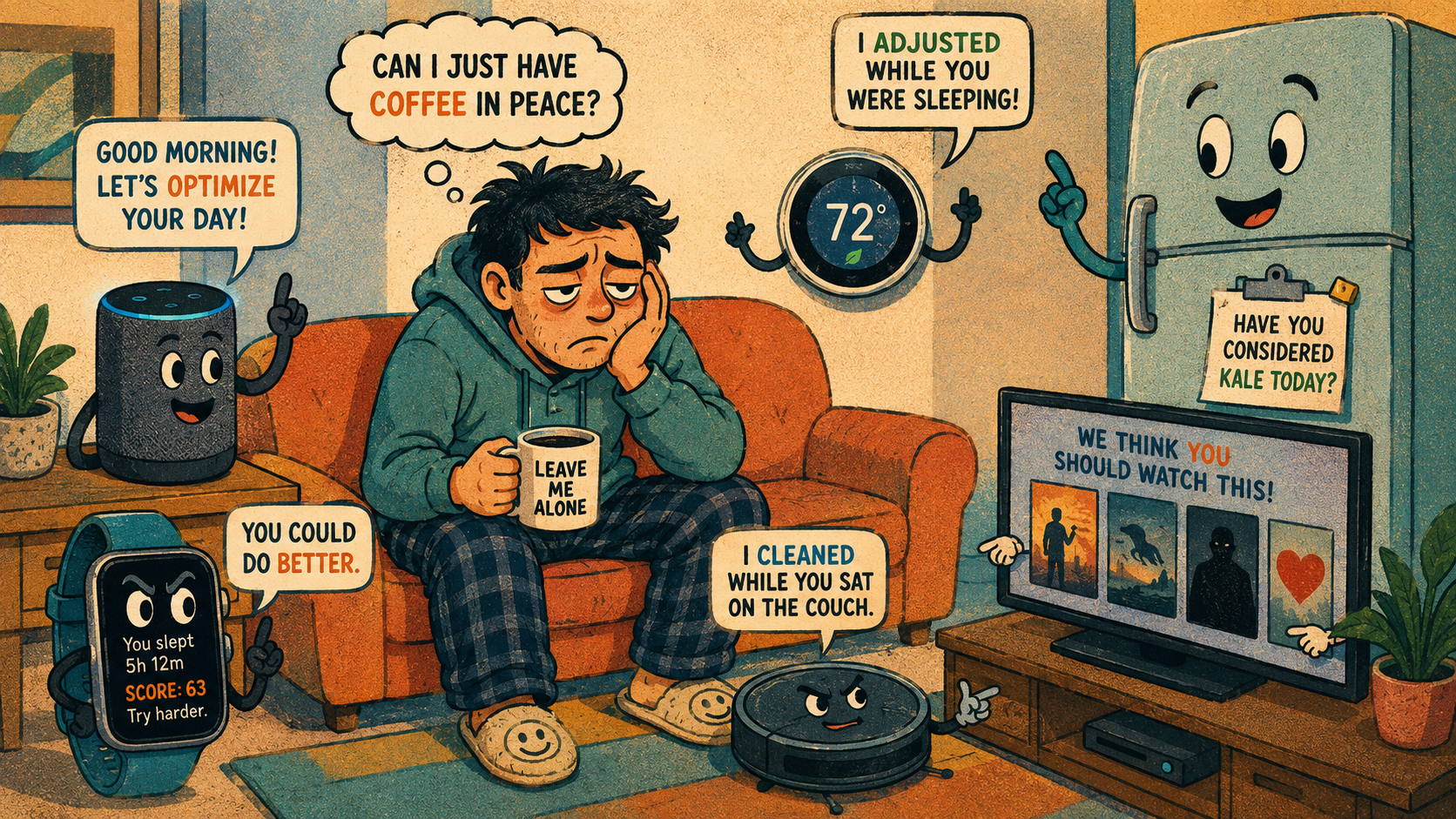
Now every device wants to help you “build better habits.” Your watch wants you to breathe. Your speaker wants to optimize your morning. Your TV wants to recommend what your personality apparently deserves. Your car may score your driving. Your phone knows you slept badly and has chosen this vulnerable moment to suggest mindfulness. Mira, thank you, but I asked for the weather.
The Tiny Gadget Intervention Agenda
- When Your Toaster Develops Opinions
- The Fast Take Before the Fridge Gives You Homework
- Why Smart Devices Started Acting Like Life Coaches
- The Problem Is Not Advice, It Is Uninvited Judgment
- How to Keep Smart Devices Helpful Without Moving Into a Robot Commune
- FAQs
- References
The Fast Take Before the Fridge Gives You Homework
- Main argument: Smart devices can be helpful, but too many of them are drifting from assistance into constant behavioral coaching.
- What people get wrong: The annoyance is not only notifications. It is the feeling that every object in the house has joined a committee about your life.
- Why it matters: Connected devices can collect, process, and act on personal data in private spaces like homes, cars, bedrooms, kitchens, and wrists.
- Who this affects: Anyone with a smartwatch, smart speaker, smart TV, connected car, fitness app, smart thermostat, camera, doorbell, or appliance that says “quick suggestion.”
- Reality check: A helpful reminder is fine. A gadget that treats you like a poorly managed employee needs boundaries.
Why Smart Devices Started Acting Like Life Coaches
The life-coach behavior did not come from nowhere. Smart devices became more useful because they got more sensors, better software, cloud connections, app integrations, and AI-powered suggestions. A watch can detect patterns. A thermostat can learn routines. A speaker can connect to calendars, music, shopping lists, timers, and home controls. A smart TV can remember what you watch and use that data to recommend the next emotional mistake.
That sounds practical until every product starts turning information into commentary. A step count becomes a moral score. A sleep report becomes a tiny lecture. A driving score becomes a digital eyebrow raise. A fridge reminder becomes “Have you considered lettuce?” which is technically useful and spiritually offensive.
The myth: if a device can measure it, it should coach it
- If a watch can track sleep, it should tell you how to live.
- If a car can track driving behavior, it should grade you like a nervous gym teacher.
- If a speaker can detect routines, it should suggest better ones.
- If an app can remind you once, it should remind you forever.
- If a gadget has a notification system, it must use it like a toddler with a tambourine.
That is the myth. The reality is messier. Measurement is not wisdom. A device can count steps without understanding your knee hurts. A thermostat can learn patterns without knowing the dog likes one room cold. A smart speaker can remind you to leave early without knowing you are emotionally unprepared for the parking lot.
What current smart-device privacy debates suggest
Regulators and privacy researchers are paying attention because connected devices do more than sit quietly on shelves. The FTC has published Internet of Things guidance warning companies to consider security and privacy during device design. The FCC’s U.S. Cyber Trust Mark program is built around helping consumers identify consumer IoT products that meet cybersecurity standards. NIST has also supported consumer IoT cybersecurity labeling criteria.
The concern is not imaginary. In January 2025, the FTC announced action against General Motors and OnStar over allegations involving drivers’ precise location and driving-behavior data. In January 2026, the FTC finalized an order requiring restrictions and controls tied to that data. That example is about connected vehicles, not a kitchen gadget, but it shows the broader point: when devices collect behavior data, the data can become more than a helpful nudge.
The UK Information Commissioner’s Office also issued smart-product guidance in 2025 calling on manufacturers and developers to prioritize privacy. Mozilla’s Privacy Not Included project continues to review connected products and point shoppers toward privacy and security considerations. The pattern is clear enough: smart devices are not only devices. They are data relationships wearing friendly plastic shells.
Mini scenario: the 7:04 a.m. gadget committee meeting
Imagine a normal morning.
Your watch says you slept poorly. Your phone says traffic is heavy. Your speaker says you have a meeting at 9:00. Your thermostat says it adjusted because you usually leave soon. Your smart scale wants to sync. Your TV recommends a documentary about discipline, which feels personal. Your car app says your driving score dipped last week. Your refrigerator app says the milk is low, but emotionally, so are you.
None of these messages are evil alone. Together, they feel like a tiny board of directors has assembled in your home to discuss your performance. You have not had coffee yet, and already the appliances are holding a quarterly review.
The Problem Is Not Advice, It Is Uninvited Judgment
Helpful technology should reduce friction. Too often, smart devices add a layer of commentary between you and normal life. That is why the life-coach vibe feels annoying. It is not because reminders are useless. It is because the advice often arrives without asking whether you wanted advice at all.
There is also a tone problem. Devices speak in cheerful, sanitized encouragement: “Time to move!” “You’re behind your goal!” “Try going to bed earlier!” “You may enjoy this content!” It is all so bright. So polished. So completely unaware that humans do not respond well to being spiritually managed by a wrist rectangle.
Where the simple take fails
- “Just turn notifications off”: Good advice, but many apps bury controls across device settings, app settings, account settings, email settings, and cloud settings.
- “Smart devices are always spying”: That is too broad. Some products collect little data, some collect a lot, and privacy practices vary by device, feature, company, and settings.
- “More data means better advice”: Sometimes. It can also mean more assumptions, more nudges, more targeting, and more places for data to travel.
- “Only paranoid people care”: Nope. It is reasonable to care when devices in private spaces collect behavior, location, audio-related, health-adjacent, or household data.
What not to do
Do not accept every suggested routine just because the setup screen sounds helpful. “Improve your experience” can mean many things. It might mean better reminders. It might mean more personalization. It might mean more data collection. It might mean your blender is now emotionally invested in breakfast.
Also, do not treat every score as meaningful. A sleep score, driving score, energy score, or activity streak can help you notice patterns, but it should not become your self-worth dashboard. If a device turns a normal human week into a performance chart, that device has wandered out of its lane.
Smart device advice versus human judgment
| Device behavior | Useful version | Annoying version | Best response |
|---|---|---|---|
| Reminders | “Your package arrived” | “You seem inactive again” | Keep practical alerts, mute lifestyle nags |
| Health nudges | Trend awareness | Constant guilt pings | Use patterns, ignore moral scoring |
| Smart home automation | Lights and temperature adjust reliably | Random “helpful” routines fire at odd times | Review automations monthly |
| Content recommendations | Helps find something relevant | Turns every screen into a persuasion tunnel | Clear history and limit personalization |
| Driving or behavior scores | Flags risky patterns | Becomes a hidden reputation system | Check data-sharing settings carefully |
How to Keep Smart Devices Helpful Without Moving Into a Robot Commune
The best strategy is not to throw every smart device into a lake. That would be dramatic, expensive, and bad for the fish. The better strategy is to decide which devices are allowed to advise you and which ones should return to being appliances.
Start with the devices that touch private spaces or sensitive routines. Watches, speakers, cameras, TVs, cars, doorbells, health apps, and smart displays deserve more attention than a basic smart plug. Then ask one question: “What job did I buy this for?” If the feature does not support that job, it can probably be disabled.
The 15-minute smart-device boundary check
Once every few months, spend 15 minutes checking the devices that talk to you the most:
- Open notification settings. Turn off lifestyle nudges you routinely ignore.
- Review privacy settings. Look for voice history, activity history, location, personalization, and data-sharing options.
- Check connected apps. Remove old integrations you no longer use.
- Update device software. Security fixes matter more than cute new features.
- Audit automations. Delete routines that no longer match your life.
- Change weak passwords. Use unique passwords, especially for cameras, doorbells, routers, and home hubs.
- Decide what gets to interrupt you. Emergencies, security alerts, and appointments deserve attention. A fridge opinion does not.
This is not glamorous. It is digital housekeeping. But it keeps “smart” from becoming “constantly bossy.”
A simple decision rule
If a device gives practical information you asked for, keep it. If it gives repeated advice you did not ask for, mute it. If it collects sensitive data for a feature you barely use, disable the feature. If you cannot understand what data it collects or shares, treat that as a reason to slow down before connecting more accounts.
This rule works because it keeps the gadget in its proper role. A smart device should be a tool, not a life narrator with Wi-Fi.
Quick reality-check list
- Keep security alerts, calendar alerts, delivery alerts, and safety alerts.
- Mute streaks, guilt nudges, wellness nags, and “just checking in” reminders you never asked for.
- Review privacy and data-sharing settings before enabling new features.
- Avoid connecting every device to every other account unless there is a clear benefit.
- Check whether the device has updates, two-factor authentication, and a privacy dashboard.
- Be skeptical of scores that reduce real life to a number.
- Make one room or one time of day notification-light, even if the gadgets feel lonely.
Let the Gadget Be Useful, Not Inspirational
Smart devices do not need to become villains. The best ones save time, add convenience, catch problems, and make daily routines smoother. A doorbell alert can be useful. A thermostat schedule can be useful. A watch reminder can be useful when it respects the difference between help and harassment.
The line is permission. If you asked for the reminder, great. If a device quietly promoted itself from appliance to life coach, demote it. Your home does not need a committee of glowing rectangles telling you to hydrate, meditate, accelerate, optimize, and “be your best self.”
Sometimes the smartest device is the one that does its job and then shuts up.
FAQs
Q1. Why do smart devices give so many lifestyle reminders now?
A1. Many smart devices collect routine, usage, sensor, or account data that can be turned into suggestions, alerts, scores, and automations. Some reminders are useful, like security or appointment alerts. Others are engagement features designed to keep you using the app or device more often.
Q2. Are smart devices dangerous for privacy?
A2. It depends on the device, company, settings, and type of data collected. A smart plug is not the same as a camera, speaker, wearable, or connected vehicle. The safest approach is to review privacy settings, disable features you do not use, and avoid linking unnecessary accounts.
Q3. What should I turn off first?
A3. Start with notifications that create guilt without helping you act: streaks, wellness nags, content recommendations, and repeated habit prompts. Keep alerts tied to safety, security, appointments, deliveries, and important device status. Then review data-sharing and personalization settings.
By: iocomputer.net Editorial
Why trust this: Written as practical tech commentary using current smart-device privacy, cybersecurity, and connected-device references available as of May 2026.
Last updated: 2026-05-20
Disclosure: No paid placement influenced this post.
References
- Federal Trade Commission, “Careful Connections: Keeping the Internet of Things Secure” (2020): https://www.ftc.gov/business-guidance/resources/careful-connections-keeping-internet-things-secure
- Federal Communications Commission, “U.S. Cyber Trust Mark” (accessed 2026): https://www.fcc.gov/CyberTrustMark
- National Institute of Standards and Technology, “Consumer IoT Cybersecurity” (accessed 2026): https://www.nist.gov/itl/applied-cybersecurity/nist-cybersecurity-iot-program/consumer-iot-cybersecurity
- Federal Trade Commission, “FTC Finalizes Order Settling Allegations that GM and OnStar Collected and Sold Geolocation Data Without Consumers’ Consent” (2026): https://www.ftc.gov/news-events/news/press-releases/2026/01/ftc-finalizes-order-settling-allegations-gm-onstar-collected-sold-geolocation-data-without-consumers
- Mozilla Foundation, “Privacy Not Included” (accessed 2026): https://www.mozillafoundation.org/en/privacynotincluded/




0 Comments