
The QR Code Is Fast Until the Wrong Person Gets Paid
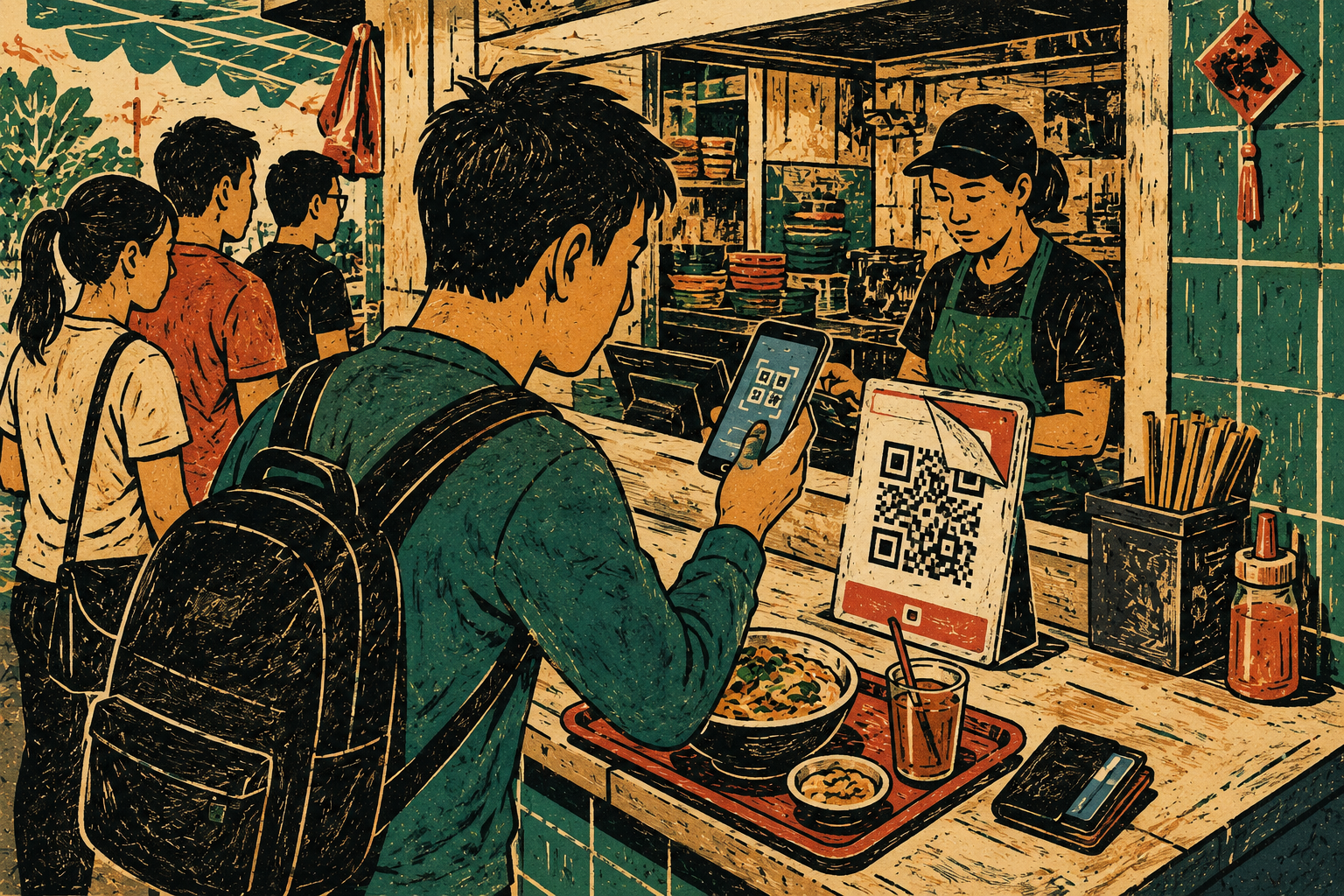
The lunch queue is not the ideal place for a security decision. Someone is waiting behind you. Your drink is sweating onto the tray. The cashier is moving quickly. A QR code sits beside the till, looking ordinary enough to deserve a scan and almost no thought.
That is exactly why QR code payment safety needs a small routine. The goal is not turning every S$8.50 meal into an investigation. It is taking ten seconds to inspect the sticker, use the trusted payment route, and confirm the recipient before pressing the final button.
A Safer Route Through the Lunch Queue
- The QR Code Is Fast Until the Wrong Person Gets Paid
- The Ten-Second Rule in One Minute
- A Payment QR Code Is Not Just a Square Sticker
- Use the Pause, Scan, Check Routine
- Know When the QR Code Has Crossed the Line
- Keep the Queue Moving Without Rushing the Transfer
- Frequently Asked Questions
- References
The Ten-Second Rule in One Minute
- Best for: People paying at hawker stalls, cafés, food courts, takeaway counters, neighbourhood shops, and temporary pop-up booths.
- What this covers: Low-risk checks before scanning a QR code or confirming a digital payment.
- What this does not cover: A guarantee that every QR code, merchant, website, app, or transfer is legitimate.
- Main caution: A familiar counter and a growing queue do not replace the need to confirm the recipient and amount.
- When to get professional help: Contact your bank immediately after an unauthorised transfer, suspected credential exposure, or an OTP shared through a suspicious page.
A Payment QR Code Is Not Just a Square Sticker
A payment QR code is useful because it removes friction. The customer opens a banking app, scans, enters the amount when needed, checks the details, and confirms. The Association of Banks in Singapore says PayNow QR payments can be made through a bank's mobile banking app using PayNow QR codes or SGQR codes carrying the PayNow logo.
That flow is simple. It should stay simple.
The problem is that a printed code can be altered, pasted over, or replaced. A code can also lead somewhere other than the expected payment flow. The Cyber Security Agency of Singapore and Singapore Police Force have warned that malicious QR codes can redirect people to phishing sites, send payments to the wrong bank account, or lead to unsafe downloads.
Three Different QR Situations
| QR situation | What should happen | Safer response when it looks wrong |
|---|---|---|
| Merchant payment QR | Your trusted banking app shows the merchant or recipient details and payment amount | Stop before confirming and ask staff to verify the code |
| QR code that opens a website | Your phone shows a recognisable destination before you proceed | Do not open unfamiliar or misspelt web addresses |
| QR code that asks for an app download | You are redirected toward software installation | Leave the page and use an official app store only |
The difference matters. A routine counter payment should not suddenly become a browser page asking for card details, a login, an OTP, or a new app installation.
QR Code Swaps Are a Physical Problem
The joint CSA and SPF advisory describes QR code swaps as a situation where legitimate codes displayed at businesses are altered or tampered with so that a payment goes to the threat actor's account instead of the intended recipient.
That makes the first check physical, not technical.
Before scanning, look for:
- A sticker pasted over another sticker.
- A raised edge or uneven layer.
- A design that looks inconsistent with the rest of the payment stand.
- A loose paper code placed awkwardly over a printed display.
- A code that staff members do not recognise.
A code does not need to look dramatic to deserve a question. A ten-second pause is cheaper than sending money to the wrong recipient and trying to sort it out while lunch gets cold.
The S$9.20 Mini Case
Picture a weekday lunch counter. The order costs S$9.20. The QR stand is beside the register, but a second sticker appears to cover part of the original print.
The queue is growing. The fastest move is not scanning first and checking later. It is asking the cashier to confirm the correct code or choosing another approved payment method.
After scanning the verified code through the usual banking app, the final screen shows the recipient name and amount. Those details are the last checkpoint. If the name looks unrelated to the stall or the amount is wrong, stop before confirming.
Use the Pause, Scan, Check Routine
The best safety routine is short enough to remember while holding a tray.
Use three words: pause, scan, check.
Step 1: Pause Before the Camera Opens
Take two seconds to inspect the physical code. The CSA and SPF advisory recommends checking for tampering, including codes pasted over the original or designs that look inconsistent.
Ask one quick question:
Does this code look like it belongs here?
This is not paranoia. It is the visual equivalent of checking the name on a card terminal before tapping.
Step 2: Scan Through the Trusted Banking App
For a normal PayNow QR or SGQR payment, open the banking or payment app you already trust. Do not use an unfamiliar third-party scanner merely because it appeared first on the phone.
The CSA and SPF advisory warns that third-party QR-scanner applications may display advertisements that redirect users to phishing sites. For a payment, the trusted banking app is the cleaner route.
Step 3: Check the Recipient and Amount
Before confirming the transfer, look at the final payment screen.
Confirm:
- The recipient or merchant name.
- The amount.
- The payment purpose when the app shows one.
- Any unusual message or warning.
- Whether the flow remained inside the trusted app.
The CSA and SPF advisory specifically tells users to review the amount, recipient name, and other transaction details carefully before confirming a QR payment. The ABS PayNow page also instructs users to verify the recipient name before confirming a transfer.
The Ten-Second Counter SOP
| Time | Action | Reason |
|---|---|---|
| Seconds 1 to 2 | Look for pasted-over stickers or visual inconsistencies | A physical code can be altered |
| Seconds 3 to 5 | Open the trusted banking app directly | Avoid unfamiliar scanner apps and unexpected browser flows |
| Seconds 6 to 8 | Scan and inspect the recipient name | The final screen should match the merchant |
| Seconds 9 to 10 | Confirm the amount and send only when the details make sense | Queue pressure is not a reason to skip the last check |
Ten seconds is not a perfect defence against every scam. It is a realistic habit for an ordinary counter payment.
Know When the QR Code Has Crossed the Line
A normal payment flow should remain boring. When it becomes strange, stop.
In a December 2024 advisory, SPF warned about a PayNow phishing site and said PayNow does not have a website where users key in personal and credit-card details. The advisory said PayNow details should be provided through official bank sites or applications. It also advised people to use official banking apps downloaded from official app stores.
That creates a clear line. A QR code at lunch should not lead you into a new browser-based registration process.
Red Flags That Deserve an Immediate Stop
- The QR code appears pasted over another code.
- The recipient name does not resemble the merchant.
- The amount is wrong or unexpectedly pre-filled.
- The scan opens an unfamiliar website.
- The page asks for card details during a routine PayNow payment.
- The page asks for banking credentials.
- The page requests an OTP.
- The page encourages an app download from a website.
- A stranger sends a payment QR through an unexpected message.
- Staff members cannot confirm which code is correct.
What Not to Assume
- “The QR stand is beside the till, so it must be safe.” A physical code can still be replaced or covered.
- “The amount is small, so the risk is small.” A phishing page may use a small payment as bait for card details or credentials.
- “The queue is moving, so I should finish quickly.” Stepping aside for 20 seconds is a normal choice.
- “The recipient name is close enough.” A mismatch deserves a question before the transfer.
- “The browser page looks polished.” A clean design does not prove the destination is official.
QR Codes From Messages Need a Stricter Rule
A code displayed by a merchant at the point of sale is not the same as a QR code sent through an unsolicited WhatsApp message, SMS, email, or social-media post.
The CSA and SPF advisory says people should avoid scanning codes received through unsolicited messages or unknown entities. SPF repeated that point in its 2024 PayNow phishing-site advisory: do not use clickable links or QR codes provided by unknown persons.
The lunch-counter rule is simple. Use the merchant's approved code and scan it through the trusted app. Do not let a rushed payment spill into a strange website or message thread.
Keep the Queue Moving Without Rushing the Transfer
A safer payment habit should not make the counter unusable. The answer is not interrogating every cashier or studying every sticker for two minutes. The answer is recognising the small number of moments that deserve a pause.
Compare the Practical Options
| Payment option | Best for | Advantage | Limitation |
|---|---|---|---|
| Verified merchant QR through the trusted banking app | Normal counter payments | Fast and familiar after a short check | Requires a working phone, app, and connection |
| Physical card | A QR stand looks altered or the app is unavailable | Gives a familiar alternative where accepted | The terminal and card network still need to work |
| Modest cash amount | Small errands at merchants that accept cash | Does not rely on a phone or QR code | Not accepted everywhere and needs secure handling |
| Step aside and ask staff to verify | Recipient mismatch, unusual QR sticker, or confusing payment screen | Prevents a rushed transfer | Adds a short delay |
| Leave and return later | No trusted payment route is available | Avoids improvising with money | The purchase may need to wait |
The smartest move is sometimes the least dramatic one: step aside, ask, or use another approved payment method.
Safer Next Steps After a Suspicious Scan
- Close the page before entering any information.
- Open the trusted banking app directly and check recent transactions.
- Contact the merchant when the payment status is unclear.
- Contact your bank immediately after an unauthorised transfer or suspected exposure of card details, credentials, or an OTP.
- Use ScamShield's official checking tools or call the 24/7 ScamShield Helpline at 1799 when you are unsure whether something is a scam.
- File a police report when money or personal information may have been compromised.
ScamShield advises people who have been scammed to act quickly, contact the bank, file a police report, secure affected accounts, and report relevant activity to platform administrators.
Keep the Queue Moving Without Rushing the Transfer
QR payments are useful because they make ordinary errands faster. That convenience works best when the safety habit is equally small.
Inspect the sticker. Open the trusted banking app. Check the recipient and amount. Stop when the flow becomes strange.
A lunch queue can wait ten seconds. Your bank account should not have to absorb the cost of saving them.
Frequently Asked Questions
Q1. Should I scan a QR code that looks like a sticker placed over another sticker?
Stop and ask the merchant to confirm the correct code. CSA and SPF guidance specifically warns people to look for QR codes pasted over the original or designs that appear inconsistent. Use another approved payment method when the code cannot be verified.
Q2. What should I check before confirming a QR payment?
Check the recipient or merchant name, the amount, and any other transaction details shown by the trusted banking app. Stop when the recipient looks unrelated to the merchant or the payment flow opens an unfamiliar website.
Q3. Is it safe to enter card details after scanning a PayNow QR code?
A routine PayNow payment should be handled through an official banking or payment app. SPF has warned that PayNow does not have a website where users enter personal and credit-card details. Leave a suspicious page and contact your bank when sensitive information may have been exposed.
Q4. What should I do after an unauthorised QR payment?
Contact your bank immediately. Check your recent transactions, secure affected accounts, and file a police report when money or personal information may have been compromised. ScamShield's 24/7 Helpline is available at 1799 when you need help checking a suspicious situation.
By: Rex Iriarte
About the author: Rex Iriarte is a Raxan.net contributor covering technology, small business, and practical digital habits.
Last updated: 2026-06-02
Disclosure: No paid placement influenced this post.
Disclaimer
This post provides general QR-payment safety and scam-prevention information, not a guarantee that any merchant, QR code, app, website, or transaction is legitimate. Contact your bank immediately after an unauthorised transfer or suspected exposure of card details, banking credentials, or an OTP.
References
- Cyber Security Agency of Singapore — “Joint Advisory on Protecting Yourself from Malicious QR Codes” (2023). https://www.csa.gov.sg/alerts-and-advisories/advisories/ad-2023-010/
- Association of Banks in Singapore — “PayNow Singapore.” https://www.abs.org.sg/e-payments/pay-now
- Singapore Police Force — “Police Advisory on Scams Involving the Use of a PayNow Phishing Site” (2024). https://www.police.gov.sg/media-hub/news/2024/20241213_police_advisory_on_scams_involving_the_use_of_a_paynow_phishing_site
- ScamShield — “I've Been Scammed” (updated 2026). https://www.scamshield.gov.sg/i-ve-been-scammed/




0 Comments