
The Lunch Line Is Not a Security Training Room
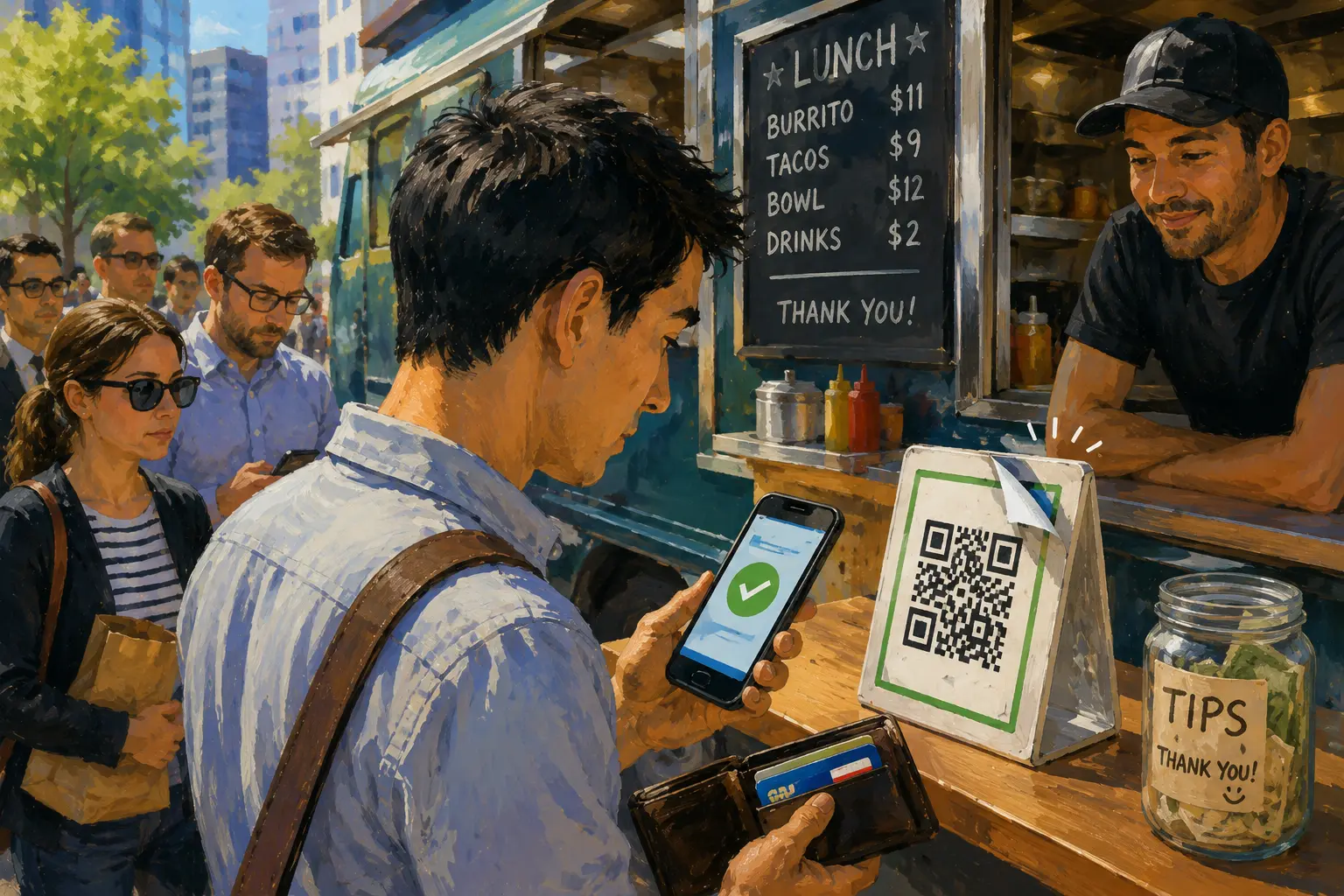
The customer behind you has already picked up a drink. The cashier is waiting. Your phone camera recognizes the QR code beside the register, and the easy move is to tap through before the line gets any longer.
That is where QR code payment safety needs to become small enough to use. You do not need a five-minute investigation for a $12.40 lunch. You need a ten-second routine: pause, preview, verify, then pay. The goal is not to fear every black-and-white square. It is to notice when an ordinary counter payment stops acting ordinary.
A Safer Route Through the Lunch Rush
- The Lunch Line Is Not a Security Training Room
- The Ten-Second Rule at a Glance
- A QR Code Is a Shortcut, Not a Trust Badge
- Use the Pause, Preview, Verify, Pay Routine
- Know When the Scan Has Crossed the Line
- Keep the Backup Boring
- Frequently Asked Questions
- References
The Ten-Second Rule at a Glance
- Best for: People scanning QR codes at cafés, food trucks, food halls, farmers markets, parking meters, event counters, and neighborhood shops.
- What this covers: Low-risk checks before opening a QR-code link, entering information, or approving a payment.
- What this does not cover: A guarantee that a code, website, merchant, app, or transaction is legitimate.
- Main caution: A familiar location does not make every sticker or destination trustworthy.
- When to get professional help: Contact your bank or card issuer immediately after an unauthorized payment or suspected exposure of card details, banking credentials, or a one-time passcode.
A QR Code Is a Shortcut, Not a Trust Badge
QR codes are useful because they compress a step. A restaurant can open a menu without printing another stack of paper. A parking operator can route a driver to a payment page. A pop-up vendor can take a digital payment without adding another device to a folding table.
The shortcut is the benefit. It is also the reason a rushed customer may skip a question that would feel obvious in a slower setting.
The Federal Trade Commission has warned that scammers may cover legitimate parking-meter codes with their own stickers. It has also warned about QR codes sent by text or email with an invented reason to scan immediately, such as a supposed package-delivery problem or suspicious account activity.
The FBI gives similar advice: avoid randomly found codes, do not use a code that looks tampered with, and be suspicious when a scan leads to a page asking for a password or login information.
Four QR-Code Situations That Deserve Different Reactions
| Situation | Normal next step | Stop when |
|---|---|---|
| Café or food-truck payment stand | Open the expected payment flow and confirm the business and amount | The recipient looks unrelated, the code appears covered, or the page requests credentials |
| Restaurant menu | Preview the destination and open the menu | A basic menu scan asks for a login, card details, or a download |
| Parking meter | Verify the official parking destination before paying | A sticker looks pasted over, the web address looks unfamiliar, or the page creates unusual urgency |
| QR code in an unexpected text | Do not scan it; contact the claimed organization through a route you already know | The message pressures you to act immediately or threatens penalties |
The practical rule is simple: the printed square does not earn automatic trust merely because it is sitting beside a cash register.
The $14.86 Food-Truck Scenario
Imagine a weekday lunch stop outside an office building. Your order is $14.86. A line is forming, and the vendor's counter has a laminated payment card with a QR code near the tip jar.
The code looks slightly raised at one corner. You scan it anyway, and the page opens in a browser instead of the payment app you expected. It asks for your email password before continuing.
That is not a minor inconvenience. It is the end of the transaction.
Close the page. Tell the vendor that the display may need inspection. Use a physical card, cash, or another approved option if available. A line can wait 30 seconds. Your credentials should not become the price of being polite.
Use the Pause, Preview, Verify, Pay Routine
The routine needs four steps because the risky part is not always the sticker. Sometimes the physical code looks ordinary and the warning appears only after the scan.
Step 1: Pause Before Opening the Camera
Take two seconds to look at the code.
Check for:
- A sticker pasted over another sticker.
- A raised or peeling edge.
- A mismatched design on an otherwise permanent sign.
- A loose paper code taped over a printed payment stand.
- A code that the cashier or staff member does not recognize.
Do not turn lunch into a forensic exercise. Look long enough to catch the obvious replacement.
Step 2: Preview the Destination
Most phones show a destination or action before opening it. Read enough of the preview to see whether it fits the task.
A menu scan should lead to a menu. A parking-meter scan should lead to the official parking service. A counter payment should lead to a familiar payment path or a page the merchant can explain.
The FTC recommends inspecting the URL before opening it, especially for misspellings or switched letters. That matters because a fake page can look polished after it opens. The preview gives you an earlier exit.
Step 3: Verify the Business, Recipient, and Amount
Before you send money, check what the screen says.
Confirm:
- The merchant or recipient name.
- The amount.
- The payment purpose when the app shows one.
- Whether the payment stayed inside an expected app or website.
- Whether the page asks for information that makes sense for the purchase.
A $9.75 sandwich should not require your banking password. A coffee-shop payment should not suddenly become a person-to-person transfer to a stranger unless the business clearly confirms that arrangement.
Step 4: Pay Only When the Flow Stays Boring
A safe routine ends with an ordinary screen. The merchant makes sense. The amount is correct. No surprise download appears. No urgent countdown pressures you to act.
Boring is the standard.
The Ten-Second Lunch-Counter SOP
| Time | Action | Reason |
|---|---|---|
| Seconds 1 to 2 | Look for a layered, loose, or altered sticker | Physical replacement is a known scam method |
| Seconds 3 to 5 | Scan and preview the destination | The link should fit the task |
| Seconds 6 to 8 | Confirm the business, recipient, and amount | A wrong name or strange page deserves a stop |
| Seconds 9 to 10 | Pay only when the flow remains ordinary | Queue pressure is not a security rule |
Know When the Scan Has Crossed the Line
A QR code is not automatically dangerous. The request that follows it may be.
In April 2026, the FTC warned about texts containing QR codes that claimed recipients needed to pay traffic violations to avoid court. The messages used fake case details and threats of fines or enforcement to create pressure. The FTC told readers not to respond or scan the code and to verify through a court website or phone number they already knew was correct.
That example belongs outside the lunch counter, but the lesson travels well: urgency is not verification.
Red Flags That Deserve an Immediate Stop
- The code appears pasted over another code.
- The destination contains a misspelling or unfamiliar domain.
- A simple scan asks for an email password, banking login, or one-time passcode.
- A payment screen shows a recipient that does not resemble the business.
- A menu scan opens an app-download page.
- A payment request arrives through an unexpected text or email.
- A page threatens penalties unless you act immediately.
- Staff cannot confirm which payment code is correct.
What Not to Assume
- “It is beside the register, so it must be legitimate.” Public-facing signs can still be altered.
- “The payment is small, so the risk is small.” A low-dollar purchase can still lead to a credential-stealing page.
- “The website looks professional.” A polished page can still be fake.
- “The line is waiting, so I should finish quickly.” Stepping aside is a normal option.
- “Scanning is the same as paying.” The scan starts the decision. The information request and payment confirmation are separate checkpoints.
Keep the Backup Boring
A ten-second routine works better when the fallback is already obvious. You should not need to invent a new payment strategy while balancing a drink and a phone.
Compare the Practical Options
| Option | Best for | Advantage | Limitation |
|---|---|---|---|
| Verified QR payment | Normal counter flow with a clear merchant and correct amount | Fast after a short check | Requires a trusted destination and working phone |
| Physical card | Altered sticker, odd link, or unclear recipient | Familiar fallback at many merchants | Terminal and network still need to work |
| Cash | Small purchase at a business that accepts it | Does not depend on a QR code or phone battery | Not accepted everywhere |
| Staff confirmation | Code looks altered or the destination feels wrong | Gives the merchant a chance to inspect the display | May add a short delay |
| Leave and verify later | No trusted payment route is available | Avoids a rushed mistake | Delays the purchase |
The correct choice is not always the fastest one. The goal is to keep a small interruption from turning into an expensive cleanup.
Safer Next Steps After a Suspicious Scan
- Close the page before entering information.
- Open the official app or type the known website yourself if the service still needs verification.
- Tell the merchant when a public-facing QR stand appears altered.
- Contact your bank or card issuer immediately after an unauthorized transaction or suspected exposure of financial details.
- Change affected account credentials when relevant.
- Report suspected cyber-enabled fraud through the FBI's Internet Crime Complaint Center.
The IC3 is the FBI-run central hub for reporting cyber-enabled crime. Its public guidance says to file a report even when you are unsure whether the complaint qualifies.
Keep the Check Smaller Than the Lunch Break
QR code payment safety should not make ordinary errands exhausting. It should give you a short exit ramp when the flow becomes strange.
Pause. Preview. Verify. Pay only when the screen remains boring.
The lunch queue can wait ten seconds. A credential-stealing page does not deserve your cooperation merely because somebody behind you is holding a tray.
Frequently Asked Questions
Q1. Is scanning a QR code enough to compromise my bank account?
Not automatically. The danger may appear when the code sends you to a fake payment page, asks for credentials, triggers a suspicious download, or leads you to approve a transaction. Treat the scan as the beginning of the check, not the end.
Q2. Should I stop using QR-code restaurant menus?
Not necessarily. Preview the destination and confirm that the page behaves like a menu. Stop when a basic menu scan asks for credentials, card details, a one-time passcode, or a software download.
Q3. What should I do when a QR sticker looks pasted over?
Do not use it. Ask the merchant or parking operator to inspect the display and choose another approved payment option when available.
Q4. Where should I report a suspected QR-code scam in the United States?
Contact your bank or card issuer immediately after an unauthorized transaction or suspected exposure of financial information. You can also report cyber-enabled fraud through the FBI's Internet Crime Complaint Center and report scams to the Federal Trade Commission.
By: Rex Iriarte
About the author: Rex Iriarte is a Raxan.net contributor covering technology, small business, and practical digital habits.
Last updated: 2026-06-04
Disclosure: No paid placement influenced this post.
Disclaimer
This post provides general QR-code payment-safety and scam-prevention information. It does not guarantee that a code, website, merchant, app, or transaction is legitimate. Contact your bank or card issuer immediately after an unauthorized payment or suspected exposure of card details, banking credentials, or a one-time passcode.
References
- Federal Trade Commission — “Scammers Hide Harmful Links in QR Codes to Steal Your Information” (2023). https://consumer.ftc.gov/consumer-alerts/2023/12/scammers-hide-harmful-links-qr-codes-steal-your-information
- Federal Bureau of Investigation — “Building a Digital Defense Against QR Code Scams” (2023). https://www.fbi.gov/contact-us/field-offices/elpaso/news/fbi-tech-tuesday-building-a-digital-defense-against-qr-code-scams
- Federal Trade Commission — “That Text About a Traffic Violation Is Probably a Scam” (2026). https://consumer.ftc.gov/consumer-alerts/2026/04/text-about-traffic-violation-probably-scam
- Internet Crime Complaint Center — “Welcome to the Internet Crime Complaint Center.” https://www.ic3.gov/
