
Your Phone Has Notes, Apparently
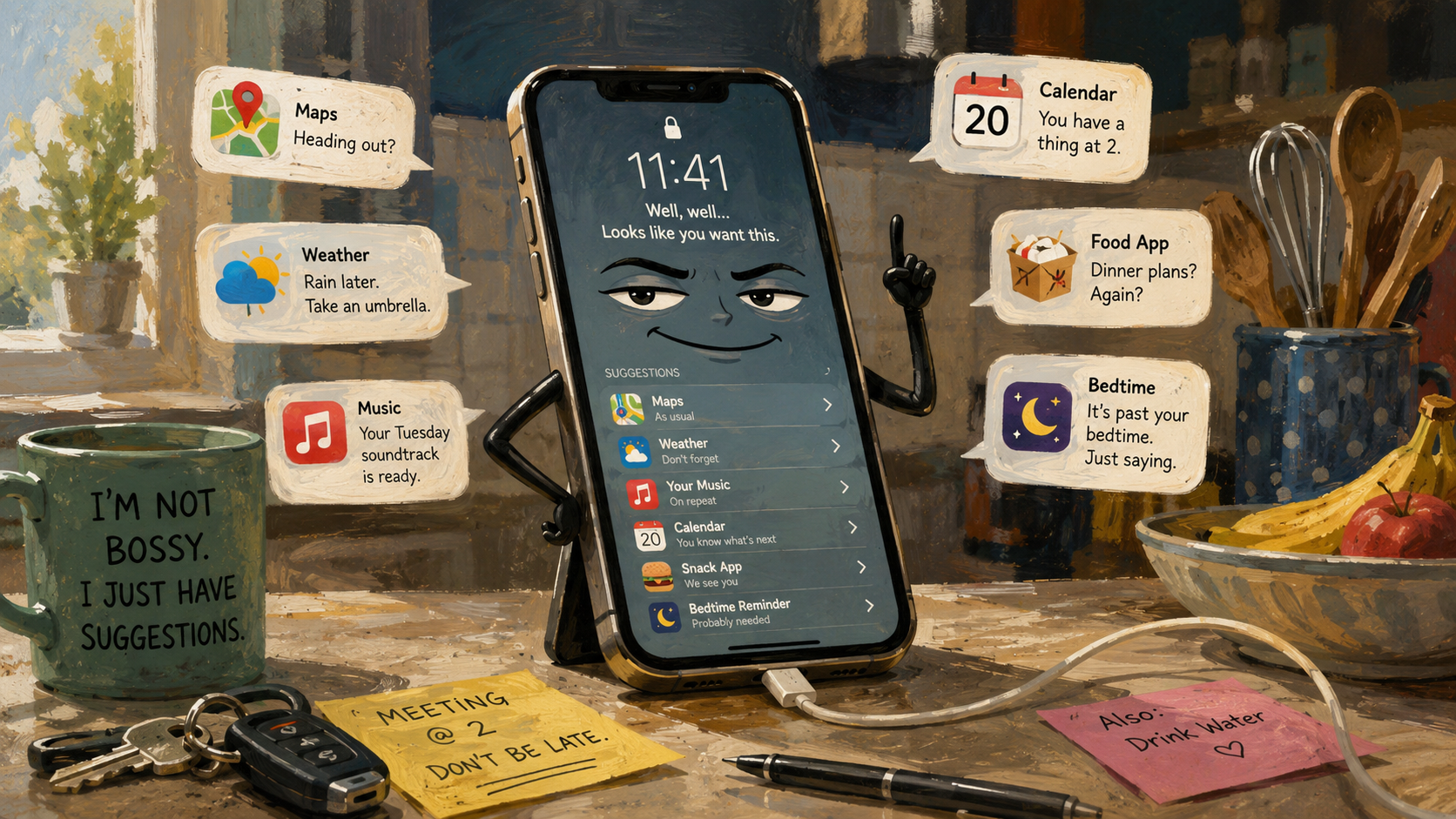
There is a special kind of disrespect in a phone suggesting the exact app you need before you admit you need it. You reach for the screen and there it is, sitting smugly on the lock screen like, “Going to open maps again, champion?”
Smart suggestions are supposed to make phones easier. They predict apps, shortcuts, contacts, searches, routines, reminders, and sometimes the emotional collapse that happens when you open a food delivery app at 11:41 p.m. The feature is useful. The attitude is imaginary. The feeling, unfortunately, is real.
The problem is not that your phone guesses. The problem is that your phone often guesses with the confidence of a tiny consultant who has seen your worst habits and now wants a badge.
The Tiny Phone Ego Map
- Your Phone Has Notes, Apparently
- Quick Take Before Your Lock Screen Gets Cocky
- The Problem Is Not That Suggestions Exist
- When Helpful Turns Into Judgy
- How to Make Your Phone Act Like It Works for You
- FAQ: Smart Suggestions and Phone Nudges
- References
Quick Take Before Your Lock Screen Gets Cocky
- Core claim: Smart suggestions are helpful when they reduce friction, annoying when they start feeling like commentary.
- What people usually get wrong: They treat every suggestion as either magic or surveillance, when most of the useful answer lives in the settings.
- Why it matters: Suggestions can use patterns, app activity, search context, location options, and device behavior depending on the system and settings.
- Who this affects: Anyone who has ever been personally offended by a phone recommending the same app at the same embarrassing hour.
- Bottom-line opinion: Keep the shortcuts that save time. Turn off the ones that make your phone feel like it has a tiny superiority complex.
The Problem Is Not That Suggestions Exist
Smart suggestions exist because phones are now expected to act less like tools and more like unpaid assistants. Open the keyboard, it suggests words. Pull down search, it suggests apps. Go near a routine, it may suggest an action. Start typing a message, and your phone begins finishing the sentence like it has been waiting years to correct your tone.
Some of this is genuinely helpful. A phone that suggests your calendar before a meeting is not the villain. A phone that places your grocery app near the front when you always use it after work is saving a few taps. A keyboard that offers the address you were about to type can spare you from thumb gymnastics.
The comedy starts when the suggestion is technically correct but emotionally rude. A phone does not say, “You are predictable.” It simply places the same app in front of you for the 19th time. That is enough. The silence makes it worse.
The myths we tell ourselves
- “My phone is listening to every thought.” Sometimes the explanation is simpler, like search history, app use, location settings, or routine patterns.
- “If it is on by default, it must be harmless.” Default does not mean ideal for your comfort level.
- “Turning suggestions off ruins the phone.” Usually, it only removes a layer of nudges.
- “The phone knows me.” No, it has pattern recognition and the confidence of a mall kiosk.
What the current pattern shows
Apple lets iPhone users turn Siri Suggestions on or off by app, which means the feature is meant to be controlled, not worshiped. Google’s Android help for contextual suggestions also points users toward controls for turning the feature on or off and managing what data can be used, including location options.
That tells us the grown-up version of this topic: smart suggestions are not one single thing. They are a bundle of small predictions, shortcuts, and prompts. Some happen locally. Some depend on search, app, or account settings. Some are useful for daily routines. Some are digital glitter stuck to your shoe.
The practical move is not panic. It is pruning.
A normal Tuesday scenario
Imagine a phone at 7:35 a.m. It suggests Maps because you usually drive. It suggests weather because rain is possible. It suggests a podcast because you always pretend you are going to “learn something” on the commute, then replay the same comfort episode again.
At noon, it suggests the food app. At 5:08 p.m., it suggests a message to the same person you usually text after work. At 10:46 p.m., it suggests the shopping app you opened once to look at a desk lamp and then somehow visited five times like the lamp was sending ransom notes.
None of that is science fiction. It is routine prediction. But when the timing gets too accurate, the phone stops feeling helpful and starts feeling like it has a tiny clipboard.
When Helpful Turns Into Judgy
The line between useful and annoying is not the same for everyone. Some people love proactive suggestions. They want the phone to offer shortcuts, reminders, routes, app actions, and little hints all day. Other people want the phone to open when tapped and otherwise mind its business like a respectful rectangle.
The difference often comes down to context. A smart suggestion for your calendar before a meeting feels practical. A suggestion connected to a private search, a sensitive app, a medical portal, or a personal contact can feel weird even if it is technically explainable. The phone did not insult you. It simply revealed that it noticed.
That is why the best setting is rarely “everything on” or “everything off.” The best setting is “help me where the stakes are low, stay quiet where the stakes are personal.”
Where the simple take fails
- Convenience is not always worth the vibe: Saving two taps is not a major achievement if the suggestion makes the phone feel nosy.
- Privacy controls are not personality controls: You can reduce data use and still find the remaining nudges annoying.
- A correct guess can still be unwelcome: Accuracy does not automatically make a suggestion helpful.
- One phone profile carries many lives: Work, family, shopping, school, banking, health, and entertainment often collide on the same home screen.
What not to do
Do not leave every suggestion feature enabled for months, complain daily, and then assume the phone is personally targeting you. Mira, the phone is not your enemy. It is an overexcited intern with too many permissions.
Also do not turn off useful tools just because one suggestion annoyed you. If your phone helps you find apps faster, reminds you about calendar events, or surfaces helpful shortcuts, keep that. Trim the parts that feel invasive, repetitive, or connected to private routines.
Suggestion settings worth comparing
| Option | Best for | Pros | Cons |
|---|---|---|---|
| Keep suggestions on everywhere | People who like proactive shortcuts | Fastest, most automated experience | Can feel noisy, personal, or smug |
| Turn suggestions off by app | People who like control without losing everything | Keeps useful apps, silences sensitive ones | Takes 10 to 15 minutes to tune |
| Disable most proactive suggestions | People who prefer a quiet phone | Less clutter and fewer weird nudges | You lose some convenience |
| Use separate profiles or app limits where available | People mixing work and personal tasks | Better separation of contexts | Requires setup and maintenance |
How to Make Your Phone Act Like It Works for You
Start by treating suggestions like notifications. You do not owe them loyalty. If a suggestion saves time, keep it. If it makes your phone feel like it is narrating your weaknesses, remove it.
For iPhone users, check Siri or Apple Intelligence & Siri settings, then review app-by-app suggestion controls. For Android users, check Google, app, assistant, launcher, and contextual suggestion settings, since the exact menu can vary by phone maker and Android version. The names move around because apparently settings menus are a puzzle game now.
Then give yourself one rule: sensitive apps do not need clever suggestions. Banking, health, work admin, private messaging, password managers, and anything involving family drama can live without predictive confetti. Your weather app may suggest things. Your banking app does not need to be adorable.
Quick reality-check list
- Turn off suggestions for apps that involve money, health, private documents, or sensitive messages.
- Keep suggestions for low-stakes tools like weather, maps, music, calendar, and timers if they help.
- Review location-based suggestions separately, because those can feel more personal.
- Hide or reset suggestions that keep resurfacing after you dismiss them.
- Revisit settings after major phone updates, because new features may appear quietly.
- When a suggestion feels creepy, check the settings before assuming the phone has achieved emotional intelligence.
A practical 10-minute cleanup works better than a dramatic settings purge. Open settings, search for “suggestions,” “Siri,” “assistant,” “contextual,” “personalization,” and “privacy.” Turn off the parts that feel too familiar. Leave the parts that remove friction. Congratulations, you have managed the tiny consultant.
Your Phone Can Be Smart Without Being Smug
Smart suggestions are not automatically bad. The best ones save time quietly. They get you to the right app, the right route, or the right reminder with less tapping and less menu digging. That is good technology behavior. Quiet. Useful. No speech.
The annoying ones act like your phone has been observing your life and now wants to provide performance feedback. That is where the settings matter. A phone should help when invited, suggest when useful, and stop acting like it graduated top of its class from the Academy of Knowing Your Business.
Let the phone be helpful. Just do not let it become smug.
FAQ: Smart Suggestions and Phone Nudges
Q1. Are smart suggestions the same as ads?
A1. Not usually. Smart suggestions are generally device or system prompts meant to predict useful apps, actions, or shortcuts. Ads are paid placements. They can both feel oddly personal, but they are not the same mechanism.
Q2. Should I turn off all smart suggestions?
A2. Not necessarily. Keep the ones that save time and do not bother you. Turn off suggestions for sensitive apps, location-based nudges you dislike, or repeated prompts that feel more annoying than helpful.
Q3. Why does my phone suggest the same app at the same time?
A3. It may be responding to patterns such as time of day, app use, routines, location settings, or recent activity. That does not mean the phone understands you emotionally. It means your routine has become legible to software, which is somehow both useful and personally insulting.
By: Andrew Eyes
Why trust this: This commentary uses official smartphone support pages, current AI-risk guidance, and practical consumer settings without claiming insider access.
Last updated: 2026-05-20
Disclosure: No paid placement influenced this post.
References
- Apple Support: “Turn Siri Suggestions on or off on iPhone” (accessed 2026-05-20). https://support.apple.com/guide/iphone/turn-siri-suggestions-on-or-off-iph6f94af287/ios
Supports the discussion of app-level Siri Suggestions controls. - Apple Privacy: “Privacy Features” (accessed 2026-05-20). https://www.apple.com/privacy/features/
Supports the article’s broader discussion of suggestion privacy controls and location handling. - Google Android Help: “Get personalized app suggestions with Contextual Suggestions” (accessed 2026-05-20). https://support.google.com/android/answer/17077783
Supports the discussion of Android contextual suggestion settings and data controls. - NIST: “AI Risk Management Framework” (accessed 2026-05-20). https://www.nist.gov/itl/ai-risk-management-framework
Provides broader context for managing AI-related risks, including privacy and user trust.




