
Your Lunch Menu Does Not Need a Horror Soundtrack
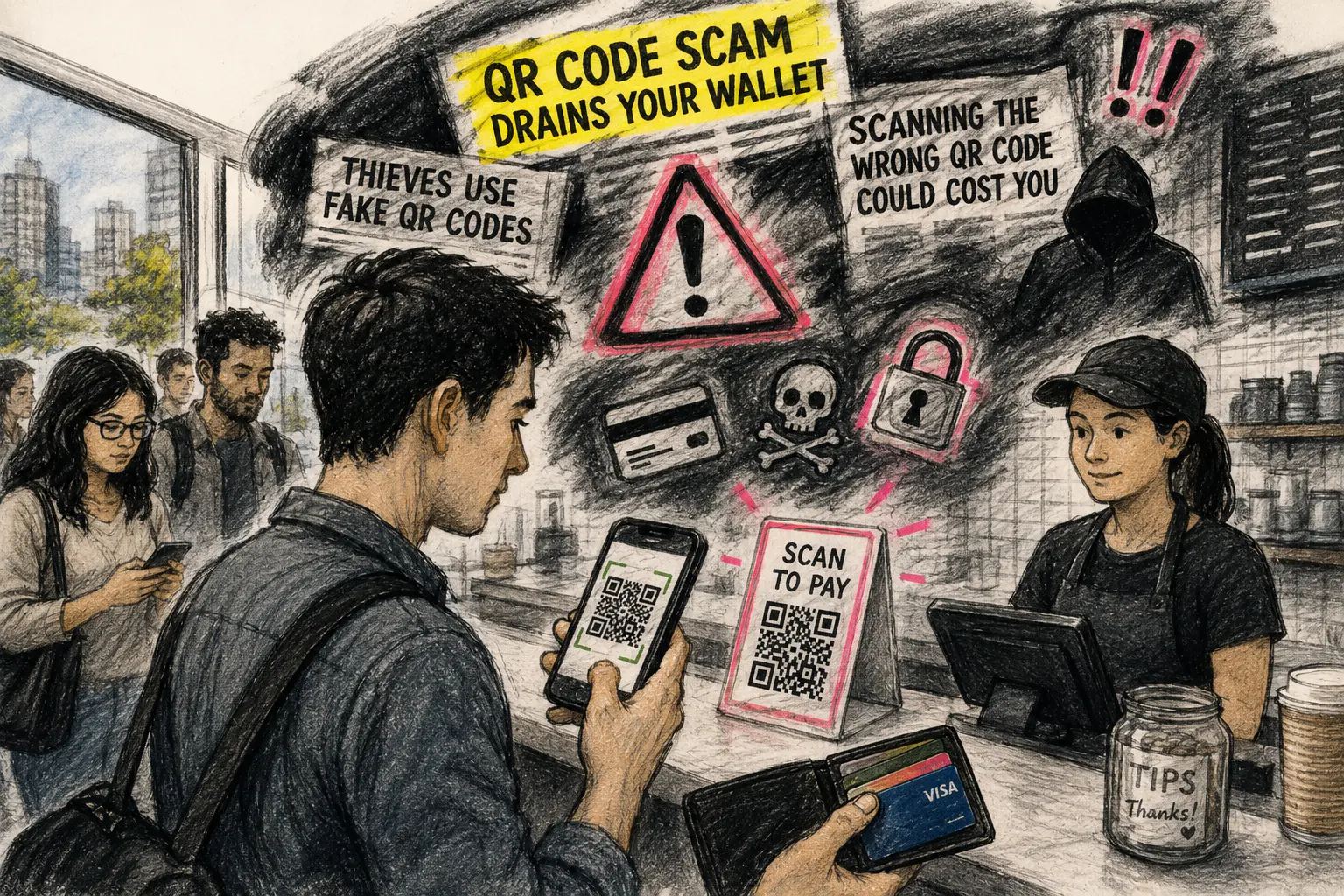
A QR code appears beside the register at a café. You scan it to view the menu, pay for lunch, or leave a tip. Somewhere in the background, a television segment seems ready to suggest that you have opened a tiny square portal into financial ruin.
QR-code scams are real. Fake stickers can redirect people to phishing pages. Unexpected codes can lead to credential theft, suspicious downloads, or fraudulent payment flows. The useful response is not panic. It is a ten-second habit that separates an ordinary scan from the moments when the interaction becomes risky.
A Calmer Route Through the QR-Code Panic
- Your Lunch Menu Does Not Need a Horror Soundtrack
- The Ten-Second Reality Check
- The Headline Is Doing More Work Than the Sticker
- What Official QR-Code Warnings Actually Say
- Use the Pause, Preview, Check Routine
- Fear Is a Bad Security Interface
- Keep the Habit Small Enough to Use
- Frequently Asked Questions
- References
The Ten-Second Reality Check
- Best for: People scanning QR codes at cafés, food trucks, fast-casual restaurants, farmers markets, parking meters, event check-ins, and neighborhood shops.
- What this covers: A low-risk routine for spotting suspicious physical stickers, strange destinations, unexpected login forms, and questionable payment prompts.
- What this does not cover: A guarantee that a QR code, website, app, merchant, or payment request is legitimate.
- Main caution: The most important warning signs often appear after the camera recognizes the code and before you enter information or approve a payment.
- When to get professional help: Contact your bank or card issuer immediately after an unauthorized transaction or suspected exposure of card details, banking credentials, or a one-time passcode.
The Headline Is Doing More Work Than the Sticker
American news coverage has found a useful little villain: the QR-code sticker.
The visual is perfect for television. A reporter points to an innocent-looking square beside a parking meter. The story explains that somebody can paste a replacement code over the original. The camera zooms in. The segment ends with a warning that the wrong scan can drain your wallet, compromise your phone, or send your information somewhere unpleasant.
That basic warning is not imaginary. The problem is the emotional compression.
A QR-code scam story can flatten several different moments into one dramatic action: you scanned the code. That makes for a sharp headline. It does not always make for a useful security habit.
The Familiar Fear Pattern
Some local-news headlines and segments use language that suggests the code itself acts like a financial trapdoor:
- A 2024 ABC7 report said scammers were using fake parking-meter codes to “drain your wallet.”
- A 2025 ClickOrlando report warned that scanning the wrong code “could cost you.”
- A 2025 CBS News New York segment warned drivers to watch for fake codes on parking meters.
Those stories point toward a legitimate problem. A fake code may direct a person to a fraudulent site or the wrong payment destination. Still, the broad fear framing can train readers to ask the wrong first question:
Is every QR code dangerous?
A more useful question is:
What is this scan asking me to do next?
The Three Moments News Stories Often Blur Together
| Moment | What happened | Practical response |
|---|---|---|
| You noticed a QR code | A printed square is visible on a menu, sign, meter, or counter display | Look for tampering or an oddly placed sticker |
| You scanned the code | Your phone recognizes a destination or action | Preview the destination before continuing |
| You entered information or approved a payment | The page asks for credentials, card details, a download, or a transfer | Stop unless the flow is expected and independently verified |
This distinction matters because it turns fear into a usable decision. You do not need to treat every restaurant menu like a crime scene. You do need to pause when a lunch-menu scan suddenly asks for your banking password.
The 12:18 Lunch-Counter Scenario
Picture a weekday lunch rush at a downtown sandwich shop. Your order is $13.72. A small QR-code stand sits beside the register for payment and loyalty rewards.
The code appears to be printed directly on the stand. You scan it. Your phone previews a web address that resembles the restaurant name but contains an extra word and an unfamiliar ending. The page opens with a login form asking for your email password.
That is not a moment for curiosity. It is a full stop.
The cashier may have no idea that the stand was altered. The safest move is to close the page, tell staff what appeared, and use another approved payment method. The lunch line can survive an extra 30 seconds.
What Official QR-Code Warnings Actually Say
The Federal Trade Commission and the FBI do not tell consumers to avoid every QR code in public. Their warnings are narrower and more useful.
The FTC says scammers may place their own code over a legitimate code on a parking meter. It also warns that scammers can send codes by text or email with a made-up reason to scan them. The FBI advises people not to scan randomly found codes, to avoid codes that appear tampered with, and to be suspicious when a scanned code leads to a page asking for login information.
Those are practical boundaries. They do not require a personal ban on restaurant menus.
QR Codes Are Containers, Not Tiny Criminals
A QR code can hold or point toward different kinds of information. It may open a restaurant menu, a payment page, an event ticket, an app download, a Wi-Fi connection, or a login screen.
The square itself does not tell you whether the destination is appropriate. That is why the preview and the next request matter.
A useful rule is:
The code starts the interaction. The destination earns or loses your trust.
What the Broad Cybercrime Numbers Do Not Prove
The FBI's Internet Crime Complaint Center reported more than 1 million complaints and approximately $20.9 billion in losses during 2025. That is a serious national fraud picture.
It is not a QR-code-specific statistic.
Broad cybercrime totals can explain why newsrooms cover scam warnings aggressively. They should not be presented as if every reported dollar began with a QR scan at a lunch counter. Investment fraud, business email compromise, tech-support scams, impersonation, and other schemes account for major losses.
A security habit works better when it matches the risk instead of borrowing fear from a larger pile of unrelated numbers.
Where the Risk Is More Plausible
Pay closer attention when the code appears in a situation where replacing it would be easy or where the next action involves money or credentials:
- Parking meters and payment signs.
- Restaurant tables, counters, and printed menus.
- Flyers, posters, and public bulletin boards.
- Unexpected packages.
- Text messages, emails, or social-media messages.
- Event check-ins that unexpectedly request a login.
- Any code that opens a download page rather than the expected service.
A permanent printed sign is not automatically safe. A loose sticker is not automatically fraudulent. The point is to notice when the physical placement or the next screen deserves a question.
Use the Pause, Preview, Check Routine
A good security routine should fit inside a lunch line. If the advice requires a laminated handbook, people will ignore it by Tuesday.
Use three words: pause, preview, check.
Step 1: Pause for Two Seconds
Look at the physical code before opening the camera.
Check for:
- A sticker pasted over another sticker.
- A lifted edge or visible layer.
- A code that looks out of place on the sign.
- A printed code taped over a permanent display.
- A payment sticker that staff cannot identify.
You do not need to inspect the counter with a magnifying glass. You need enough attention to notice an obvious replacement.
Step 2: Preview the Destination
Most modern phones show a destination or action before opening it. Read enough of that preview to decide whether it fits the situation.
A menu scan should lead toward a menu. A parking-meter scan should lead toward the official parking service. A payment flow should remain inside the trusted app or an expected merchant process.
Pause when the destination is shortened, misspelled, unfamiliar, or unrelated to the task.
Step 3: Check the Request Before You Submit Anything
The final screen matters more than the square.
Stop when a simple lunch-counter scan asks for:
- Your email password.
- Banking credentials.
- A one-time passcode.
- A Social Security number.
- An app download from an unfamiliar website.
- Card details on a page that does not match the merchant.
- A payment recipient that does not resemble the business.
- A rushed transfer through an unexpected person-to-person payment account.
The FTC and FBI warnings make sense here. Suspicious pages, unexpected information requests, and altered stickers deserve caution. A normal menu that opens a normal menu does not deserve a panic spiral.
The Ten-Second Counter SOP
| Time | Action | Why it matters |
|---|---|---|
| Seconds 1 to 2 | Look for a pasted-over sticker or odd placement | Physical replacement is a known scam method |
| Seconds 3 to 5 | Scan and read the destination preview | The next step should fit the context |
| Seconds 6 to 8 | Confirm the merchant, amount, and purpose | Wrong recipients and strange requests deserve a stop |
| Seconds 9 to 10 | Continue only when the flow remains ordinary | Ordinary is the goal |
Fear Is a Bad Security Interface
Fear gets attention. It also creates sloppy habits.
A person who believes every QR code is a trap may ignore useful tools, avoid legitimate payment options, or become numb after seeing the same warning for the tenth time. Another person may hear so many vague warnings that none of them feel actionable.
The better approach is calibrated suspicion.
Where the Panic Framing Fails
- It makes every code look equally risky: A code in an unsolicited text message deserves more caution than a printed menu that opens the restaurant's ordinary website.
- It hides the important checkpoint: The destination, recipient, URL, and information request often matter more than the first scan.
- It encourages fatalism: Readers may conclude that scams are impossible to spot, so checking feels pointless.
- It turns ordinary technology into a culture-war prop: Paper menus and cash can be useful fallbacks. They are not the only acceptable answer.
- It understates merchant responsibility: Customers should stay alert, but businesses should inspect public-facing payment signs and remove altered stickers.
What Not to Do
Do not scan a code sent through an unexpected text merely because the message claims your package, toll payment, or parking fee needs immediate attention.
Do not enter passwords or one-time passcodes after a routine restaurant-menu scan. Do not download an app from a page opened by an unfamiliar sticker. Do not assume that a small $2.00 fee makes a payment page harmless.
Do not let embarrassment in a busy lunch line override a security check. Step aside. Use a physical card, cash, or another approved method when available.
Compare the Practical Alternatives
| Option | Best for | Advantage | Limitation |
|---|---|---|---|
| Verified QR flow | Normal menu, payment, or check-in process | Fast after a short check | Requires a trusted destination and a working phone |
| Physical card | Suspicious sticker, odd page, or unclear recipient | Familiar fallback at many merchants | Terminal and network still need to work |
| Cash | Small purchase at a merchant that accepts it | Avoids phone and QR-code dependence | Not accepted everywhere |
| Staff confirmation | Code looks altered or the flow seems strange | Helps identify a physical replacement | Staff may need time to inspect the display |
| Leave and verify later | No trusted payment route is available | Avoids a rushed mistake | Delays the purchase or task |
Keep the Habit Small Enough to Use
The most useful QR-code advice is not dramatic. It is repeatable.
Before scanning, glance at the sticker. Before opening, preview the destination. Before paying or entering information, check what the page is asking for. Stop when the request does not fit the task.
A Quick Reality-Check List
- Inspect public-facing payment stickers before scanning.
- Treat loose, layered, or pasted-over codes with extra caution.
- Preview the destination before opening the page.
- Use official apps and independently located websites when money is involved.
- Stop when a basic scan asks for credentials, a one-time passcode, or an unexpected download.
- Confirm the recipient and amount before approving a payment.
- Tell the merchant when a counter or table display looks altered.
- Contact your bank or card issuer immediately after an unauthorized transaction.
- Report suspected cyber-enabled fraud through the FBI's Internet Crime Complaint Center at IC3.gov.
Keep the Square in Its Proper Place
QR-code scams deserve attention. They do not deserve a permanent horror soundtrack.
The square is not a magical bank-account vacuum. It is a shortcut that may lead somewhere useful or somewhere suspicious. Your job is not to fear every scan. Your job is to notice when an ordinary lunch interaction suddenly stops acting ordinary.
Frequently Asked Questions
Q1. Is scanning a QR code enough to empty a bank account?
Not automatically. A QR code may direct you to a fraudulent payment page, credential-stealing site, or suspicious download. The risk becomes more serious when you enter information, approve a payment, install software, or continue through an unfamiliar flow. Do not assume a scan is harmless, but do not confuse the first scan with the entire scam.
Q2. Should I stop using QR-code restaurant menus?
Not necessarily. A restaurant-menu code that opens the expected menu is different from a code that asks for a banking password, one-time passcode, or software download. Preview the destination and stop when the request does not fit the task.
Q3. What should I do when a payment sticker looks pasted over?
Do not use it. Ask staff to inspect the display and choose another approved payment method when available. A visible sticker layer, raised edge, or mismatched design can be a reason to pause.
Q4. What should I do after entering card details on a suspicious QR-code page?
Contact your bank or card issuer immediately. Review recent transactions, follow the institution's security instructions, and report suspected cyber-enabled fraud through IC3.gov. Change affected account credentials when relevant.
By: Rex Iriarte
About the author: Rex Iriarte is a Raxan.net contributor covering technology, small business, and practical digital habits.
Last updated: 2026-06-02
Disclosure: No paid placement influenced this post.
Disclaimer
This post provides general QR-code payment-safety and scam-prevention information. It does not guarantee that a QR code, website, app, merchant, or transaction is legitimate. Contact your bank or card issuer immediately after an unauthorized transaction or suspected exposure of card details, banking credentials, or a one-time passcode.
References
- Federal Trade Commission — “Scammers Hide Harmful Links in QR Codes to Steal Your Information” (2023). https://consumer.ftc.gov/consumer-alerts/2023/12/scammers-hide-harmful-links-qr-codes-steal-your-information
- Federal Bureau of Investigation — “Building a Digital Defense Against QR Code Scams” (2023). https://www.fbi.gov/contact-us/field-offices/elpaso/news/fbi-tech-tuesday-building-a-digital-defense-against-qr-code-scams
- Internet Crime Complaint Center — “2025 IC3 Annual Report” (2026). https://www.ic3.gov/AnnualReport/Reports/2025_IC3Report.pdf
- ABC7 Chicago — “Thieves Are Using Fake QR Codes on Parking Meters to Scam Drivers” (2024). https://abc7chicago.com/post/thieves-are-using-fake-qr-codes-parking-meters-scam-drivers-what-know-how-protect/15234452/
- ClickOrlando — “QR Codes Offer Convenience, but Scanning the Wrong One Could Cost You” (2025). https://www.clickorlando.com/news/local/2025/06/09/qr-codes-offer-convenience-but-scanning-the-wrong-one-could-cost-you/
