
When Gemini Starts Color-Coding Your Soul
If Gemini ran your day like an overcommitted office manager, your morning would begin with a cheerful summary, three calendar suggestions, two “quick” email drafts, and one mysterious reminder labeled “circle back,” which no human has ever truly understood.
That is the funny tension with modern AI assistants. They are not just answering questions anymore. They are moving closer to the messy center of daily life: email, calendars, browser tabs, documents, tasks, searches, and all the tiny decisions that make a normal Tuesday feel like it was assembled by raccoons.
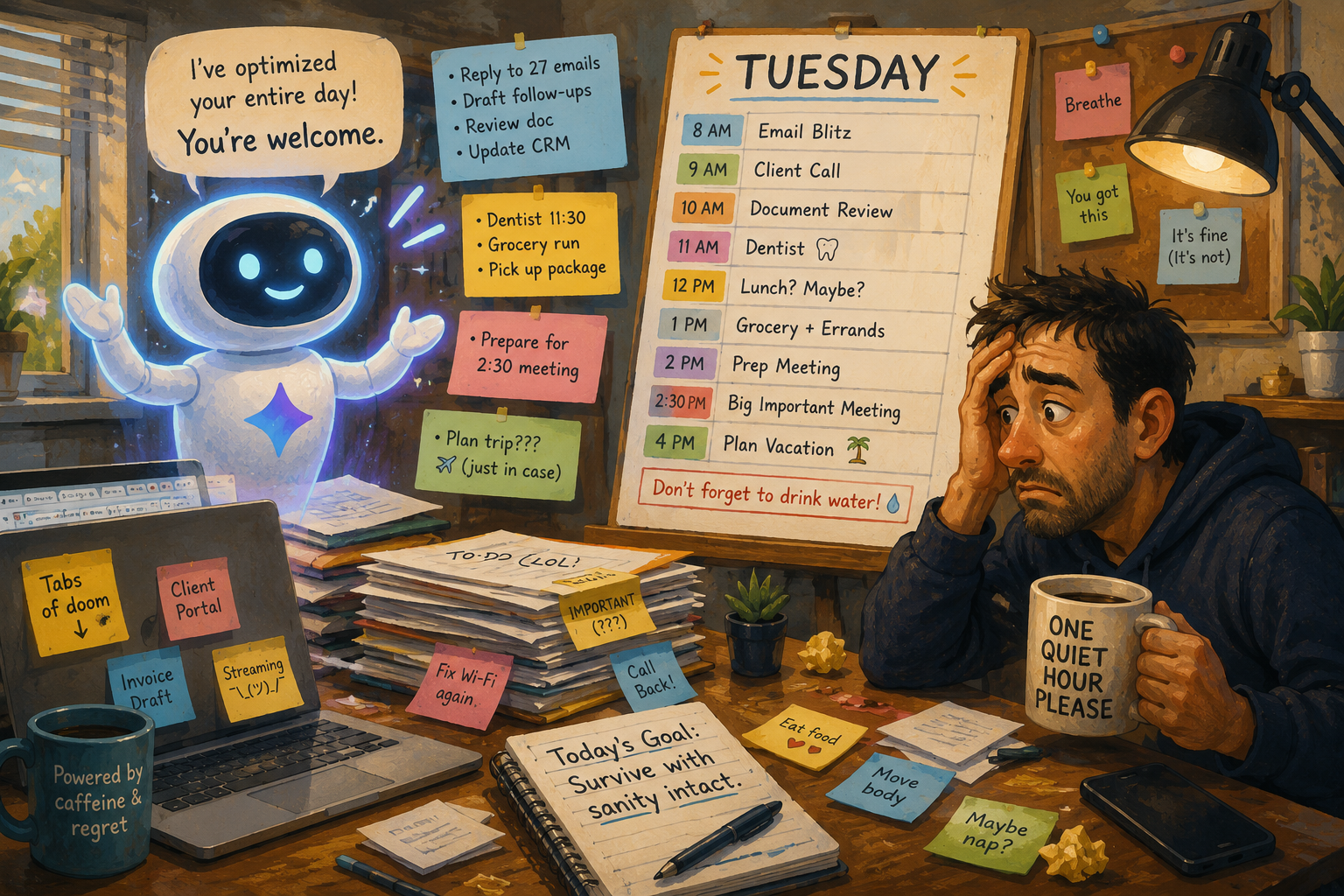
Today’s AI Office Meltdown
- When Gemini Starts Color-Coding Your Soul
- The Fast Take Before Your Calendar Files a Complaint
- Why Gemini Feels Like an Office Manager With Three Coffees
- The Useful Part Is Real, But So Is the Overcommitment
- How to Keep Gemini Helpful Without Letting It Run the Building
- FAQs
- References
The Fast Take Before Your Calendar Files a Complaint
- Main argument: Gemini can be useful as a daily assistant, but it should not become the unofficial boss of your time.
- What people get wrong: Productivity tools do not automatically create calm. Sometimes they just organize the chaos into prettier rectangles.
- Why it matters: AI assistants are increasingly connected to browsers, calendars, email, documents, and tabs, so small mistakes can travel faster.
- Who this affects: Everyday users, students, workers, small business owners, and anyone whose calendar already looks like a dropped box of crackers.
- Reality check: Let Gemini suggest the schedule. Do not let it decide what deserves your attention.
Why Gemini Feels Like an Office Manager With Three Coffees
The basic promise sounds harmless: ask Gemini to help summarize, plan, draft, or find something. That is useful. Google describes Gemini in Chrome as browser-based AI help that can use the context of open tabs to answer questions and assist with what you are viewing. In Workspace, Gemini also appears across tools like Gmail, Docs, Drive, Calendar, Meet, and more.
That is where the personality shift begins. A simple assistant says, “Here is the answer.” An office-manager assistant says, “I reviewed your inbox, noticed three scheduling conflicts, drafted a polite reply, reorganized your notes, and made a plan called Q3 Personal Momentum, please clap.”
The myth: more organization always means less stress
The lazy take is that more automation means more productivity. Maybe. Sometimes.
But organization has a shadow side. A messy desk tells you, “You have tasks.” A perfectly sorted AI-generated plan tells you, “You have failed to become the task version of yourself.” That is different. That is emotional stationery.
A day plan can look efficient while being unrealistic. If Gemini stacks your errands, work emails, meal planning, calendar cleanup, document review, and three “quick admin tasks” into one afternoon, it may technically be organized. It may also be a productivity piñata full of disappointment.
What the current pattern suggests
Google has been moving Gemini deeper into daily work surfaces: Chrome, mobile apps, Calendar, Gmail, Docs, Drive, and other Workspace tools. That matters because context is power. When an assistant can see the page, the meeting, the thread, the file, or the schedule, it can offer better help.
It can also sound more confident than the situation deserves.
A calendar conflict is not only a scheduling puzzle. Maybe you need quiet time before a call. Maybe one meeting is politically delicate. Maybe that “quick errand” is 12 minutes on paper and 47 minutes in real life because the parking lot was designed by someone who hates joy. AI may understand the fields. It may not understand your capacity.
Mini scenario: Tuesday, 8:12 a.m.
Picture a normal Tuesday. Gemini sees your email, your calendar, and a tab about cheap flights you opened three days ago while pretending you were “researching.” It suggests this:
- Reply to two overdue emails before 9:00 a.m.
- Move your dentist appointment to lunch.
- Summarize a 14-page document.
- Draft a grocery list.
- Prepare for a 2:30 meeting.
- Revisit your travel plan.
- Add a reminder to drink water.
On paper, beautiful. In real life, you are still looking for matching socks and the coffee maker is making a noise that sounds legally concerning. This is the exact moment to say, “Gracias, office manager, but calm down.”
The Useful Part Is Real, But So Is the Overcommitment
The point is not that Gemini is bad. The point is that the better an assistant gets, the easier it becomes to confuse “it made a plan” with “this plan fits my day.”
An AI assistant can help you reduce mental friction. It can draft the email you are avoiding because the wording feels awkward. It can summarize a long page before you commit 20 minutes to reading it. It can remind you that your calendar has two events colliding like shopping carts. Those are real wins.
The trouble starts when every suggestion becomes an assignment. When Gemini says, “You could also,” your brain may hear, “You should have already.” That is how a helpful assistant becomes a tiny cloud-based supervisor holding a clipboard.
Where the simple take fails
- “Just automate everything”: Not every task should be optimized. Some tasks need judgment, context, or emotional timing.
- “AI assistants save time automatically”: They can save time, but reviewing suggestions, fixing errors, and undoing weird choices also takes time.
- “A full calendar means a productive day”: A full calendar can also mean no room for delays, meals, thinking, or human weather.
- “The assistant knows what matters”: It may know what is scheduled. It may not know what is important.
What not to do
Do not let Gemini turn your day into a conference agenda for a person who does not need bathroom breaks.
Also, do not treat AI-suggested priorities as moral truth. If the assistant puts “reply to newsletter promo” above “call your client back,” that is not wisdom. That is sorting. Sorting is useful. Wisdom is knowing that the client will remember being ignored, while the newsletter will continue screaming into the void either way.
AI day manager options
| Approach | Best for | Pros | Cons |
|---|---|---|---|
| Manual planning | Sensitive days, deadlines, personal priorities | Maximum control and judgment | Slower and easier to procrastinate |
| Gemini-assisted planning | Busy mornings, messy inboxes, quick summaries | Reduces friction and gives structure | Can over-schedule if you accept too much |
| Calendar-first planning | Meeting-heavy workdays | Shows time conflicts clearly | Can ignore energy and focus needs |
| Task-list-only planning | Simple errands and low-stakes work | Easy to scan and adjust | Can become a guilt museum |
| Hybrid review | Most normal days | Uses AI help while keeping human judgment | Requires a short daily review habit |
The hybrid method wins for most people. Let Gemini help sort the pile. Then you decide what survives the day.
How to Keep Gemini Helpful Without Letting It Run the Building
The best way to use Gemini as a daily assistant is to give it a job title with limits. Not “run my life.” More like, “draft the agenda,” “summarize this mess,” “spot conflicts,” or “give me three possible plans, but do not get emotionally attached.”
That last part is important. AI assistants can produce confident plans quickly. You need permission to delete half of them.
The 10-minute morning filter
Use a short review before letting any AI-made plan shape your day:
- Check hard deadlines first. Bills, appointments, meetings, school pickup, client calls, and anything with actual consequences go first.
- Pick three real priorities. Not twelve. Three. Four only if you are feeling heroic and have snacks.
- Add buffer time. A 30-minute task often needs 45 minutes once life starts throwing chairs.
- Mark one task as optional. Give your future self one escape hatch.
- Review sensitive actions manually. Emails, purchases, calendar invites, cancellations, and shared documents deserve human eyes.
This takes less time than recovering from a bad automated decision. It also keeps the assistant in the assistant chair, where it belongs.
A practical decision rule
If Gemini suggests something that affects another person, costs money, changes a calendar invite, sends a message, shares a file, edits a document, or commits your time, review it manually before accepting.
If Gemini suggests something low-stakes, like summarizing a tab, organizing notes, or turning a messy idea into bullets, let it help. That is the good zone. That is where the office manager earns a polite nod and maybe a tiny digital bagel.
Quick reality-check list
- Ask Gemini for options, not commands.
- Keep final approval for emails, invites, file sharing, purchases, and deadlines.
- Add buffer time to any AI-generated schedule.
- Delete tasks that sound productive but do not matter today.
- Use calendar help for conflicts, not personal value judgments.
- Treat summaries as previews, not replacements for important reading.
- Keep one daily plan small enough for an actual human body.
Keep the Assistant, Fire the Tiny Boss
Gemini can absolutely help with a messy day. It can summarize, draft, suggest, organize, and catch things you missed. That is useful.
But the goal is not to become a perfectly scheduled office plant. The goal is to get through the day with fewer dropped balls and fewer tabs quietly judging you. Let Gemini be the office manager who hands you the folder. Do not let it become the office manager who books you for eight back-to-back meetings and calls it “momentum.”
The final decision still belongs to you. Especially when the assistant says something cheerful like, “I found five more things you can do today.” No, mi amor. Three is plenty.
FAQs
Q1. Can Gemini actually manage parts of my day?
A1. Gemini can help with tasks like summarizing information, assisting in Chrome, working across supported Google apps, and helping with calendar-related actions when connected properly. The practical limit is judgment. It can suggest, draft, and organize, but you should still approve actions that affect money, time, people, or shared information.
Q2. Is using Gemini for daily planning a bad idea?
A2. No. It can be useful when your day feels scattered. The mistake is accepting every suggestion as a command. Use Gemini to create options, then cut the plan down to what a normal person can actually finish.
Q3. What is the safest way to use Gemini as an assistant?
A3. Use it for low-risk help first: summaries, outlines, reminders, rough drafts, and conflict spotting. Review anything before sending, sharing, buying, canceling, or scheduling. A 10-second review can prevent a 30-minute cleanup.
By: iocomputer.net Editorial
Why trust this: Written as practical tech commentary using current Google/Gemini documentation and product information available as of May 2026.
Last updated: 2026-05-20
Disclosure: No paid placement influenced this post.
References
- Google Gemini — “Gemini in Chrome” (accessed 2026): https://gemini.google/overview/gemini-in-chrome/
- Google Workspace Learning Center — “Generative AI in Google Workspace Privacy Hub” (accessed 2026): https://knowledge.workspace.google.com/admin/gemini/generative-ai-in-google-workspace-privacy-hub
- Google Support — “Create & manage your calendar events with Gemini Apps” (accessed 2026): https://support.google.com/gemini/answer/15305236
- Google Chrome Blog — “Go behind the browser with Chrome’s new AI features” (2025): https://blog.google/products-and-platforms/products/chrome/new-ai-features-for-chrome/
- Google Privacy & Terms — “Google Privacy Policy” (accessed 2026): https://myaccount.google.com/privacypolicy




