
When Convenience Starts Acting Too Familiar
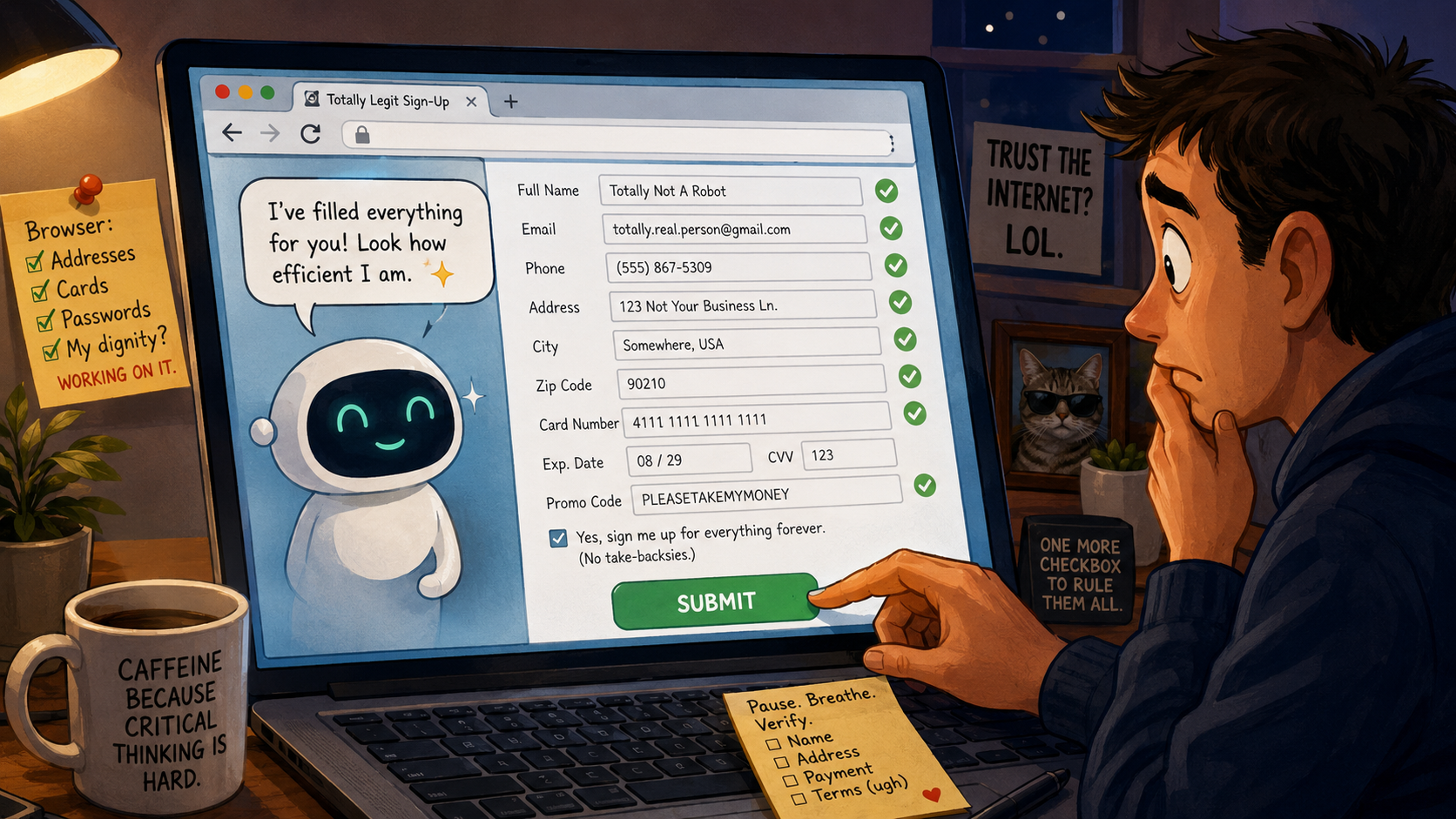
There is a special kind of emotional whiplash that happens when a browser fills out a form for you. One second you are grateful. The next second you are staring at your address, phone number, email, and possibly your preferred shipping method like the browser just read your diary and asked, “Need anything else, boss?”
AI browser form filling makes that moment even stranger. Regular autofill is a spoon. An AI browser feels like a spoon that makes eye contact, suggests soup, and quietly schedules lunch. Convenient? Yes. A little too confident? Also yes.
What This Form-Filling Meltdown Covers
- When Convenience Starts Acting Too Familiar
- The Fast Take Before the Browser Signs You Up for Kayaking
- Why AI Browser Form Filling Feels Weirdly Personal
- The Real Problem Is Not Laziness, It Is Delegated Confidence
- How to Let the Browser Help Without Handing It the Steering Wheel
- FAQs
- References
The Fast Take Before the Browser Signs You Up for Kayaking
- Core claim: AI browser form filling is useful, but it should feel like a draft, not a final answer.
- What people get wrong: The danger is not only bad data. It is the emotional ease of clicking “submit” because the screen looks finished.
- Why it matters: Forms often involve identity, money, travel, medical portals, school accounts, job applications, subscriptions, and other moments where “oops” becomes paperwork.
- Who should care: Anyone who shops online, books appointments, applies for jobs, manages client accounts, or lets a browser remember more than their own family does.
- Reality check: Let the browser type. Do not let it decide.
Why AI Browser Form Filling Feels Weirdly Personal
Basic autofill already knows a lot. Chrome’s own support pages describe autofill as a way to complete forms with saved information such as names, passwords, addresses, and payment details. That is not spooky by itself. It is mostly the modern version of keeping a sticky note on your monitor, except the sticky note has opinions and a sync button.
The emotional shift happens when the browser stops looking like storage and starts looking like judgment. A normal browser offers a dropdown. An AI browser can interpret a page, summarize what it thinks is happening, and in some agent-style workflows, interact with sites on your behalf. Suddenly, the form is not merely filled. It has been “handled,” which is a word that should never be said by software wearing invisible sunglasses.
The myth: finished-looking forms are finished thinking
The common assumption is simple: if every field is filled, the task is almost done. That is how browsers win. They turn hesitation into momentum.
But a completed form can still contain a bad apartment number, an old phone number, the wrong email, a default tip amount, a surprise subscription box, or a shipping address from three moves ago. A clean form is not proof of a clean decision. It is just a screen that stopped asking questions.
What the current pattern suggests
AI agents moved from “answer my question” toward “do this task for me” during 2025. OpenAI’s Operator and ChatGPT agent announcements both framed browser-based agents around practical tasks, including things like using websites and filling out forms. That does not mean every AI browser is reckless. It does mean the browser is no longer only a window. It is becoming a tiny office assistant with tab access.
The problem is not that assistance exists. The problem is that web pages are messy, ads are persuasive, dark patterns are patient, and people are tired. If software completes 90 percent of a task, many users will treat the last 10 percent like a ceremonial button press. That is where the browser becomes less of a tool and more of a very cheerful intern holding a pen near your signature line.
Security researchers and AI companies have also spent serious time on prompt injection risks. In plain English, that means web pages or documents can contain instructions that try to influence an AI system in ways the user did not ask for. The average person does not need to panic over every page. But it is reasonable to keep a little “mira, wait a second” energy when an AI browser reads untrusted web content and then wants to take action.
A tiny, uncomfortable example
Imagine it is 11:38 p.m. You are signing up for a free trial of a PDF tool because someone sent you a document that acts like it was raised by wolves. The browser fills your name, email, address, and card details. The AI summary says the plan is “easy to cancel.” The big blue button says “Continue.”
That whole process can take under 90 seconds. The trouble is not the speed. The trouble is that speed makes doubt feel rude. You stop asking, “Do I trust this?” and start asking, “Why am I slowing down such a beautiful machine?” That is how a browser becomes the most persuasive person in the room without even having a face.
The Real Problem Is Not Laziness, It Is Delegated Confidence
The joke is that we are all becoming weak because we do not want to type our ZIP code. The real issue is different. We are delegating confidence to software that cannot carry the consequences.
If the browser picks the wrong address, the package goes to the wrong porch. If it chooses the wrong account, the login fails. If it misses a checkbox, you may get emails until the sun retires. If it misunderstands a form connected to money, travel, work, or identity, the cleanup belongs to you, not the browser. The browser will not stand beside you at customer support and say, “My bad, I got excited.”
Where the simple take fails
- “Just turn it off”: That is clean advice, but not always practical. Autofill saves time, reduces typing mistakes, and helps people who fill repetitive forms for work or family.
- “Just trust the tech”: That ignores the fact that form fields are often tied to billing, identity, permissions, and consent.
- “Only careless people make mistakes”: Nope. Tired, busy, distracted, and normal people make mistakes. The interface is designed to keep them moving.
- “AI will catch everything”: AI can summarize and assist, but it can also misread context, overstate confidence, or miss a sneaky checkbox.
Browser help versus browser authority
| Option | Best for | Pros | Cons |
|---|---|---|---|
| Manual entry | Sensitive forms, first-time accounts, legal or financial steps | Maximum attention and control | Slower and easier to mistype |
| Traditional autofill | Shipping, contact info, familiar stores | Fast, predictable, easy to review | May use outdated saved details |
| AI-assisted form filling | Repetitive forms, research-heavy tasks, low-risk drafts | Can reduce busywork and explain context | May sound more certain than it should |
| Password manager plus manual review | Logins and account creation | Stronger credential hygiene and less reuse | Still requires human attention before submitting |
The best setup is not “never use help.” It is “separate typing help from decision help.” Let the tool reduce friction. Do not let it reduce awareness.
What not to do
Do not let an AI browser fill out a sensitive form while you are half-watching a video, half-eating cereal, and half-pretending the terms do not exist. That is three halves, which is already a warning sign.
Also avoid letting a browser handle forms on unfamiliar sites where the stakes are high. Banking, taxes, school portals, medical portals, job applications, government forms, and anything involving a Social Security number deserve your full attention. That does not mean you must become a cave person with a quill. It means the submit button should feel earned.
How to Let the Browser Help Without Handing It the Steering Wheel
A useful rule is the “two-second pause, ten-second scan.” Before submitting, pause for two seconds so your brain re-enters the room. Then scan the fields for ten seconds like you are checking a pizza order before paying: name, email, phone, address, card, total price, plan, renewal date, checkboxes, and permissions.
This tiny ritual turns the browser back into an assistant. It also prevents the emotional spiral where you wonder why your browser knows your apartment number but still cannot understand that you do not want a newsletter from a company that sells ergonomic staplers.
Quick reality-check list
- Confirm the site address before entering saved personal or payment details.
- Check every field the browser filled, especially address, email, phone, payment, plan, and quantity.
- Watch for pre-checked boxes about subscriptions, marketing emails, data sharing, or “partner offers.”
- Use a password manager or passkey flow for logins instead of reusing passwords.
- Treat AI summaries as notes, not permission slips.
- Slow down on unfamiliar sites, even if the browser sounds “tranquilo.”
A practical decision rule
Use AI browser form filling for low-risk drafts and repetitive data entry. Use manual review for anything that can cost money, affect identity, change an account, create a recurring charge, or send official information somewhere.
That rule is boring. Good. Boring rules keep your browser from becoming a raccoon with admin privileges.
The Button Still Belongs to You
AI browser form filling is not evil. It is useful in the same way a shopping cart is useful: it carries things, but you still check what is inside before leaving the store. The weird feeling afterward is not proof that you are paranoid. It is your brain noticing that convenience has crossed from “helpful” into “a little too familiar.”
Let the browser fill. Let it suggest. Let it save your wrists from typing the same phone number for the 400th time. But keep the final click human, because software can complete the fields, but it cannot live with the receipt.
FAQs
Q1. Is AI browser form filling safe to use?
A1. It can be safe for low-risk forms if you review everything before submitting. The risk rises when the form involves money, identity, account permissions, health portals, school portals, or legal information. Use the browser as a typing assistant, not as the final decision-maker.
Q2. Should I turn off browser autofill completely?
A2. Not necessarily. Autofill can save time and reduce typing mistakes, especially for routine shipping and contact forms. A better middle path is to keep saved details updated, avoid saving information you do not want reused, and review every filled field before clicking submit.
Q3. What is the funniest warning sign that I am trusting autofill too much?
A3. If you feel annoyed that a form made you think for more than eight seconds, the browser may have trained you too well. Slow down, especially when a charge, subscription, account change, or personal record is involved.
By: iocomputer.net Editorial
Why trust this: Written as practical tech commentary using current browser, AI agent, autofill, phishing, and digital identity guidance available as of May 2026.
Last updated: 2026-05-20
Disclosure: No paid placement influenced this post.
References
- OpenAI, “Introducing Operator” (2025): https://openai.com/index/introducing-operator/
- OpenAI, “Introducing ChatGPT agent” (2025): https://openai.com/index/introducing-chatgpt-agent/
- OpenAI, “Continuously hardening ChatGPT Atlas against prompt injection attacks” (2025): https://openai.com/index/hardening-atlas-against-prompt-injection/
- Google Chrome Help, “Fill out forms automatically in Chrome” (accessed 2026): https://support.google.com/chrome/answer/142893?co=GENIE.Platform%3DDesktop&hl=en
- Federal Trade Commission, “How To Recognize and Avoid Phishing Scams” (accessed 2026): https://consumer.ftc.gov/articles/how-recognize-avoid-phishing-scams




